
Switch players cooking with extra chefs
You play locally with several people and want to know whether your current Joy-Cons are enough. For Overcooked! 2 on Switch, Nintendo describes using one Joy-Con per player.


First, choose a controller that suits your platform, the specific cooking game and the number of players. PC compatibility doesn’t automatically mean a controller is supported on a console. For Overcooked! 2 on Nintendo Switch, Nintendo describes using one Joy-Con per player, while a full-size gamepad is an option if you’d rather hold a larger controller. In a small living room, consider the cable route or wireless power supply too, and check support for other games separately.
You play locally with several people and want to know whether your current Joy-Cons are enough. For Overcooked! 2 on Switch, Nintendo describes using one Joy-Con per player.
You’re looking for a separate controller with a full grip, and need to check that both the model you choose and the game are compatible with your console.
You want to play local co-op with gamepads and are choosing between a wireless connection and a wired set-up within cable reach. Steam specifically lists Xbox controllers for Overcooked! 2; according to the Steam page, support for other devices is unknown.
| What to consider | What should you check? | Who is this most important for? |
|---|---|---|
| Platform and game | Check support for your platform, the exact controller model and local co-op in the game. | If I don’t want to buy a controller that won’t work with my console or game, I check that combination first. Around 36% of consumers give platform and game compatibility top priority. |
| Controllers for every player | Count the players and the separate controllers you can use; check how the game supports those controllers. | If several people are playing, I want to know how many individual player slots my controllers can provide. Around 29% of consumers prioritise the number of usable controllers. |
| Wired or wireless | For a wired set-up, measure the route to your seat; for a wireless model, check the connection and power supply it supports. | When there’s limited space between the sofa and the device, I don’t want a cable crossing a walkway. Around 21% of consumers choose mainly based on connection and freedom of movement. |
| Grip and controls | Compare a Joy-Con held on its own with a full-size gamepad, and check the controls for the specific game. | If I’d rather hold a controller with a full grip, that preference matters once compatibility is confirmed. Around 14% of consumers give grip and controls top priority. |
Wireless equipment placed on the market in the Netherlands must meet European requirements, including the applicable CE marking. The Dutch Authority for Digital Infrastructure explains that only equipment meeting the requirements may be sold with that marking. So check the marking on the exact model; the product name alone doesn’t confirm compliance.
Nintendo says original Joy-Cons can be used wirelessly with Switch 2, but they can’t be attached to or charged on that console.
Before buying, check which generation you already have and how you can charge those controllers.
You may need a suitable, separate charging solution to charge original Joy-Cons with Switch 2.
One controller won’t necessarily be enough for several players. For Overcooked! 2 on Switch, Nintendo specifically describes using one Joy-Con per chef.
First count the players and the separate controllers you can already use, then check the game’s set-up.
In a small living room, a cable can get in the way if your seat isn’t within practical reach of the PC.
Measure from the connection point to your seat, following the route the cable will actually take.
Joy-Con controllers for shared play on Nintendo Switch. Nintendo describes using one Joy-Con per player for Overcooked! 2.
The Xbox Wireless Controller is designed for supported Xbox consoles and Windows PCs, as Microsoft states.
According to PlayStation, DualSense is a full-size controller for PS5 and can be used with a PC in certain circumstances.
The F310 is a wired option for PC gaming from a seat within cable reach.
The Ultimate 2C Bluetooth and Ultimate 2C Wireless are different models; check the full model name.
This selection includes full-size wireless controllers for console use, a wired Xbox and PC controller, and Joy-Con sets for Nintendo Switch and Switch 2. Check that each model supports the specific cooking game and your platform.
 No image available
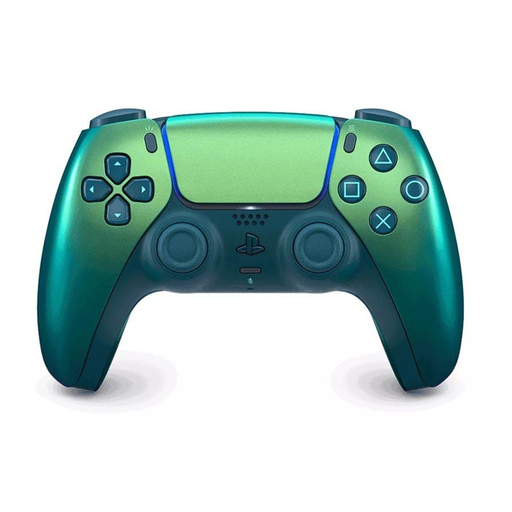
An option to compare for a PS5 set-up; check that the specific game supports local co-op with this controller.
The product name lists DualSense Wireless Controller V3 in the Chroma Teal colourway.
For wireless use in the Netherlands, check the CE marking on the exact model.
 No image available
Worth comparing for an Xbox or Windows PC set-up; check that the cooking game supports the controller on your platform.
The product name lists Xbox Series/PC and the Ice Breaker Special Edition model.
For wireless use in the Netherlands, check the CE marking on the exact model.
 No image available
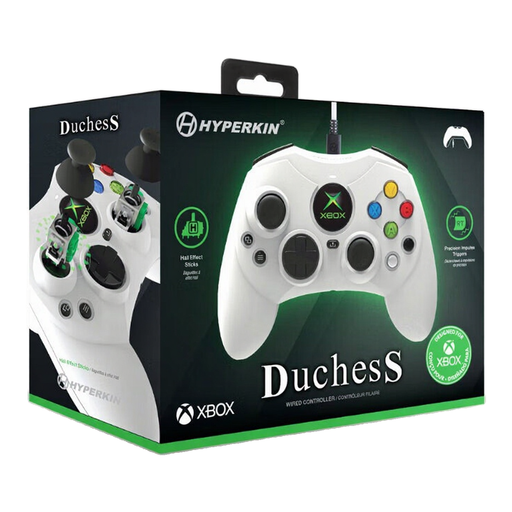
A wired option to compare if your seat is within cable reach of your PC or Xbox; check game support too.
The product name lists a wired controller for Xbox Series X|S, Xbox One and Windows 11/10.
 No image available
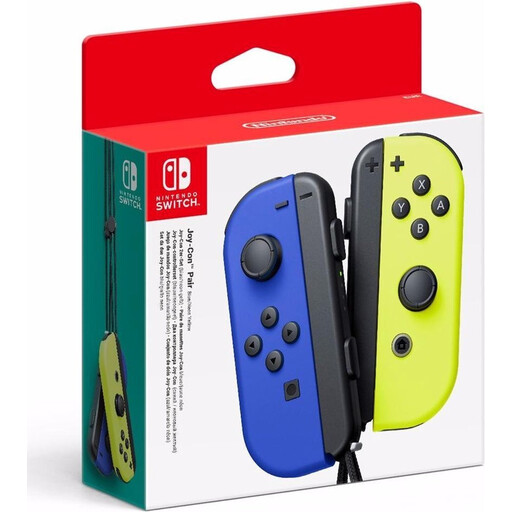
An option for local play on Nintendo Switch when the game supports using Joy-Cons separately. For Overcooked! 2, Nintendo describes using one Joy-Con per player.
The product name lists a pair of Joy-Cons in Neon Blue/Neon Yellow.
According to Nintendo, original Joy-Cons can’t be attached to or charged on Switch 2.
For wireless use in the Netherlands, check the CE marking on the exact model.
 No image available
An option for a Nintendo Switch 2 set-up; check which Joy-Con configuration and local multiplayer the cooking game supports.
The product name lists a pair of Joy-Con 2 controllers in Light Blue/Light Red.
For wireless use in the Netherlands, check the CE marking on the exact model.
Yes. For the Switch version of Overcooked! 2, Nintendo describes using one separate Joy-Con per chef. For another cooking game, check again which controller set-up it supports.
Not by attaching them to the Switch 2. Nintendo says original Joy-Cons can be used wirelessly with Switch 2, but you’ll need a Nintendo Switch or a suitable licensed charging accessory to charge them.
No, don’t assume so based on general PC compatibility. The Steam page specifically lists local co-op and Xbox controller support; Steam says support for other devices is unknown.
Equipment that uses radio waves and is placed on the European market must meet European requirements. The Dutch Authority for Digital Infrastructure states that only equipment meeting those requirements may be sold with the required CE marking; check the exact product model.
Not necessarily. ACM ConsuWijzer explains that the statutory guarantee depends on how long you can reasonably expect a product to last with normal use. If there’s a problem with a purchase, contact the seller.