
Players spread out across the sofa
You want to play from different seats without a controller cable running through your seating area. Also check that everyone can see the screen clearly.


First, choose a controller that works with your console or PC and the cooking game you’ve chosen. Nintendo notes that the available Joy-Con play styles can vary from game to game. Going wireless means there’s no controller cable running through your seating area, but it won’t improve a poor view of the screen. Test the connection and screen visibility from every seat, then decide whether you want to share controllers or give each player a full gamepad.
You want to play from different seats without a controller cable running through your seating area. Also check that everyone can see the screen clearly.
You want to know whether separate Joy-Con are enough or whether each player needs a full controller. The available play style depends on the game.
You want to check in advance that the controller works with the system, game and connection method you plan to use.
Choose this if: you want each player to use one Joy-Con in a compatible Switch game.
Bear in mind: a single Joy-Con feels different to hold from a full gamepad, and not every game supports this play style.
Choose this if: each player needs their own gamepad and a cable by the seat would be inconvenient.
Bear in mind: wireless doesn’t automatically mean the controller works with every system or game. Microsoft also warns that Bluetooth performance can vary when several controllers are connected to one device.
Choose this if: you have a safe cable route to your seat and don’t want to use a wireless connection.
Bear in mind: the cable length determines where you can sit; the PowerA controller reviewed comes with a 3 m cable.
| What to consider | What to check before buying | Who is this important for? |
|---|---|---|
| Compatibility | Check that your system, game version and connection method are supported. | If I want to be sure I can join in on my own system and in my cooking game, I check compatibility in advance. Around 33% of consumers prioritise compatibility. |
| Playing from your seat | Test the connection in your actual setup; assess screen visibility separately. | Anyone playing from a seat off to the side needs room to move without input lag or a cable getting in the way. Around 27% of consumers prioritise a reliable connection and room to move from that seat. |
| Number of players and controls | Count the players and controllers; check whether the game supports separate Joy-Con. | If I’m cooking with several players, I want to know how many controllers we need and whether sharing them will be comfortable. Around 27% of consumers prioritise having enough easy-to-use controls for everyone. |
| Power and extra purchases | Check how the controller is charged or powered and whether you need any accessories. | Anyone who wants to reuse existing controllers won’t want to discover they need an unexpected charging accessory. Around 13% of consumers focus mainly on power and avoiding extra purchases. |
The two 8BitDo Ultimate 2C variants differ in the systems and connections they support. So, the fact that a controller is wireless doesn’t tell you whether that model works with your console and game.
Compare the full model name and check the connection method and support for your system and game.
Nintendo says the supported Joy-Con orientations depend on the software. A single Joy-Con also offers different controls from a full gamepad.
Check whether your game and edition let each player use a Joy-Con individually.
You might have a clear view from your seat while the wireless connection keeps dropping out; a cable might also be too short to reach that spot.
Test visibility and the connection separately from every seat. If you’re considering a wired controller, measure a safe route for the cable.
Nintendo says original Joy-Con can work wirelessly with Switch 2, but they can’t be attached to that console or charged through it.
Before using them, check that you have an original Switch or a suitable licensed charging accessory.
Joy-Con for supported Switch games, and a Pro Controller for a full gamepad.
Xbox Wireless Controller for Xbox consoles and supported PC or mobile connections.
DualSense as a wireless controller for PS5, with options for use on other supported devices.
Ultimate 2C is available in variants with different platform support and connection methods.
Enhanced Wireless Rechargeable for supported Switch systems, plus a wired Switch range.
This selection includes controllers for Switch and Switch 2, Xbox and PS5, as well as a model that, according to the product information, also works with PC. Check that each model supports your game and connection method.
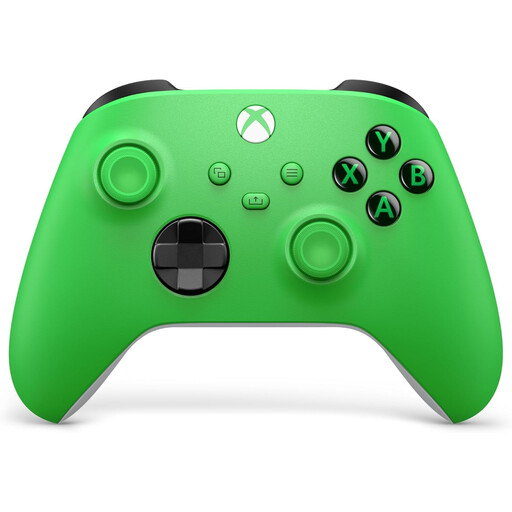 No image available
A wireless option if you want to play on a listed Xbox system without a controller cable running to your seat.
The product name lists Xbox Series X/S and Xbox One. The product information mentions Bluetooth and USB-C.
 No image available
This could be a good fit if you want two players to use separate Joy-Con in a supported Switch game.
According to the product information, each Joy-Con can work as a controller on its own; check that your game supports this play style. Original Joy-Con can’t be charged through the Switch 2 console.
 No image available
A wireless controller option if you’re playing on a system that supports this PS5 controller.
The product information lists PlayStation 5, Bluetooth and USB-C. Check that your game and the device you’re playing on support it.
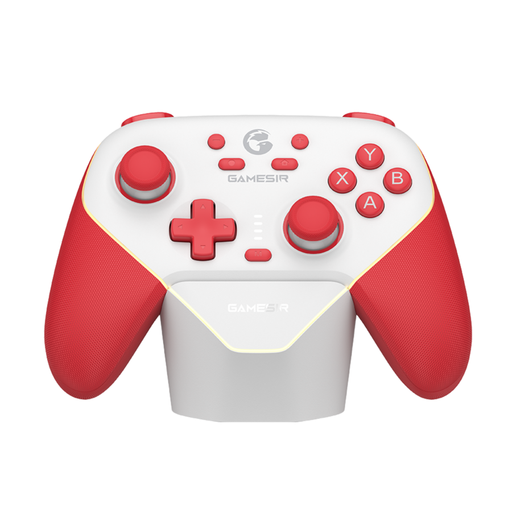 No image available
An option to consider if you’re looking for a controller for Switch or PC and want to compare different connection options.
The product information lists Bluetooth, a wireless dongle and a wired connection. Check which mode suits your system and game.
 No image available
A full wireless gamepad to consider if you play on Nintendo Switch 2 and don’t want a controller cable running to your seat.
The product information lists Bluetooth, a rechargeable battery and an included USB charging cable.
No. Playing wirelessly keeps a connection cable away from your seat, but it won’t change what you can see on the screen from there. Test the setup with all players. If your Joy-Con are playing up, Nintendo recommends, among other things, moving closer to the console and considering possible sources of interference.
It depends on the game and the play styles it supports. Nintendo explains how individual Joy-Con can be used horizontally and says the supported orientations vary by game. So, check the settings and support for your cooking game and edition.
First, check the power, distance and position of the console. Nintendo lists wireless interference as a possible factor. Xbox Support warns that performance can vary when several Xbox controllers are connected to one device over Bluetooth; this isn’t a general limit for all systems.
Possibly. Nintendo says original Joy-Con can sync wirelessly with Switch 2, but can’t be attached to the console. To charge them, you’ll need an original Switch or a suitable licensed accessory.
According to ACM ConsuWijzer, online purchases generally come with a statutory cooling-off period of up to 14 days after delivery; check the relevant exceptions and conditions. You’re also covered by the legal guarantee if, under normal use, the product doesn’t do what you could reasonably expect: the seller is responsible. Any extra guarantee offered doesn’t replace these rights.