
Host with a Switch party game
Wants to check in advance that the console, controller and chosen mini-game are compatible. Nintendo distinguishes between Joy-Con and Joy-Con 2; a game mode may also require a specific input method.


First, check which console and controller are required for your chosen game and game mode, then count how many players will be playing at once. Separate Joy-Cons or Joy-Con 2 controllers can be used individually in supported Switch games, while a standard gamepad is suitable for games that support that input. For Jackbox, players can use a phone or another compatible browser-enabled device, and motion-controlled mini-games need plenty of clear space.
Wants to check in advance that the console, controller and chosen mini-game are compatible. Nintendo distinguishes between Joy-Con and Joy-Con 2; a game mode may also require a specific input method.
Wants to know how many separate player inputs the chosen game mode requires. In supported games, Joy-Cons can be used individually; with Jackbox, players can join in through a browser.
Wants to check there’s enough room for the movements required by the chosen mini-game. Nintendo recommends using the matching wrist straps when playing wirelessly and keeping plenty of clear space around you.
Start with the console and the input required by your chosen game mode. Then count the players and check there’s enough space for the movements involved.
| What to consider | What should you check? | Who is this important for? |
|---|---|---|
| Compatibility | Make a note of the console, game and game mode. Check whether they support separate Joy-Cons, Joy-Con 2 or a standard gamepad. According to Nintendo, Joy-Con 2 only works with Switch 2. | If I want to play a specific game and mini-game on a particular console, I want to know in advance that the required controls will work. Around 36% of consumers prioritise compatibility with their console and game. |
| Number of players | Check how many players can join in at once and what input each player needs. Jackbox describes browser-based controls using each participant’s own device. | If several guests are joining in, I want enough separate inputs without having to buy extra gamepads unnecessarily. Around 29% of consumers prioritise having enough inputs for the number of players. |
| Room for movement | Check whether there’s enough clear space for the movements required by the chosen game mode. Nintendo recommends wearing the appropriate wrist strap when playing wirelessly. | If furniture or other players are close by, I’d rather choose a play style that suits the space available. Around 21% of consumers prioritise having a safe amount of room to play. |
| Grip and accessories | Compare the grip you prefer and check which accessories you’ll need. Original Joy-Cons can work wirelessly with Switch 2, but you’ll need a separate charging solution. | If I’m choosing a controller to hold for long periods, I also want to know whether charging or an accessory needs extra consideration. Around 14% of consumers prioritise comfort and the accessories required. |
Joy-Con 2 doesn’t work with the original Switch. According to Nintendo, original Joy-Cons can be used wirelessly with Switch 2, but can’t be attached to the console.
Check which version of the console you have and decide in advance how you’ll charge the controllers.
To charge original Joy-Cons when using Switch 2, you may need an original Switch or a compatible charging accessory.
A controller can work with a console and still not be supported by a particular game. For example, Nintendo says that Nintendo Switch Sports doesn’t support the Switch Pro Controller or Switch 2 Pro Controller.
Before buying a gamepad, check which controller is required for your chosen game and game mode.
With the browser-based controls described by Jackbox, participants play using their own device; they don’t each need a separate gamepad.
First check whether you’re playing Jackbox and which device you can use to start the game as the host.
Having the right controller doesn’t automatically make swinging it around in a cramped space a good idea.
Clear enough space, use the matching wrist strap and, if there isn’t room, choose a supported game mode that involves less movement.
The Joy-Con range is relevant for supported games on Switch; Joy-Con 2 is designed for Switch 2.
The Ultimate C Bluetooth is an alternative for supported Switch games; the Ultimate 2C Wireless is a separate model for Windows and Android.
The Enhanced Wireless Controller Rechargeable is a traditional gamepad for supported button-controlled Switch games.
The Split Pad Compact is designed for handheld-style play on the original Switch, rather than naturally suiting a group gathered around one screen.
This selection includes individual Joy-Con controllers for Switch and Switch 2, as well as traditional gamepads for supported button-controlled party mini-games.
 No image available
Suitable for supported Switch game modes where the left and right Joy-Cons can be used separately.
The product description mentions motion sensors and wrist straps. Use the matching wrist strap for motion-controlled games and make sure there’s enough clear space.
According to Nintendo, original Joy-Cons work wirelessly with Switch 2, but charging requires an original Switch or a compatible accessory.
 No image available
Designed for supported Switch 2 game modes where the left and right Joy-Con 2 controllers can be used separately.
The set includes a left and right controller and two wrist straps. According to Nintendo, Joy-Con 2 doesn’t work with the original Switch.
Use the matching wrist straps for motion-controlled mini-games and make sure there’s plenty of clear space.
 No image available
A traditional gamepad for one player in supported Switch games; it isn’t a pair of separate player controllers.
The product description mentions motion sensors, HD Rumble and amiibo functionality. Nintendo says this controller isn’t compatible with Nintendo Switch Sports.
 No image available
A separate gamepad for supported games; check whether your chosen game supports a console or PC connection.
The product name lists haptic triggers, adjustable joystick resistance and six programmable buttons, for PC and Nintendo Switch/Switch 2.
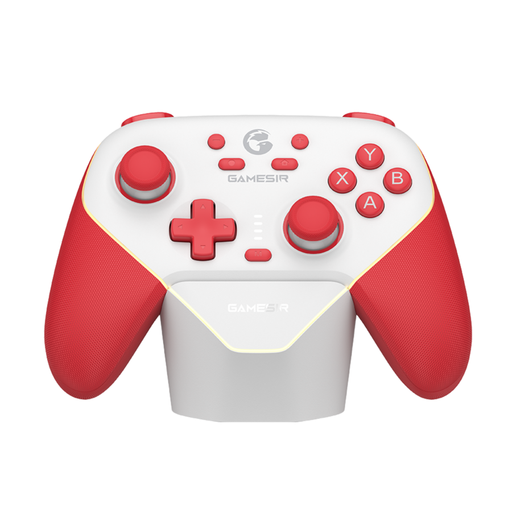 No image available
A gamepad for supported Switch games; check whether your chosen game mode accepts a standard gamepad.
The product description lists Bluetooth, wired and dongle connections, programmable buttons and a swappable ABXY layout.
Yes. According to Nintendo, original Joy-Cons can be paired wirelessly with Switch 2. You can’t attach them to the console or charge them through that connection; you’ll need an original Switch or a compatible charging accessory.
No. The left and right Joy-Con can each act as a controller, but only if the game and chosen game mode support this. Also check how many local players the game mode allows.
Make sure there’s enough clear space for the movements required by the game mode. When playing wirelessly, Nintendo recommends attaching and wearing the matching wrist strap; if you don’t have enough room, choose a game mode that involves less movement.
Not for the browser-based controls described by Jackbox: each participant uses a phone or another compatible device and enters a room code. Check separately which device you can use to start the game as the host.
No. Nintendo says that neither the original Switch Pro Controller nor the Switch 2 Pro Controller is compatible with Nintendo Switch Sports. Check which Joy-Con configuration is needed for each sport.