
Housemates sharing one console
They want to know before buying whether extra controllers will work with their console and local multiplayer mode. Xbox, Sony and Nintendo describe support for specific devices, so check the game you’ve chosen too.


Start with your console or PC, then check whether the arena game supports enough separate player inputs. Nintendo notes that a single Joy-Con held horizontally only works if the software supports that play style. For compatible Switch games, a pair of Joy-Con can be used by two players; for other setups, choose a full controller that suits your device. Wired play requires a safe cable route, while wireless play means checking the connection and power supply.
They want to know before buying whether extra controllers will work with their console and local multiplayer mode. Xbox, Sony and Nintendo describe support for specific devices, so check the game you’ve chosen too.
They want enough individual controls for groups of different sizes. Nintendo notes that, in compatible Switch games, a Joy-Con can be held horizontally and used as a separate controller.
They weigh up cable routing, available ports and room to move against wireless play and power requirements. The connection you need varies by controller and platform.
First check your device and local multiplayer mode, then count the player inputs you need. Finally, decide whether a cable or wireless connection will work best in your shared space.
| What to consider | What should you check? | Who does this matter most to? |
|---|---|---|
| Compatibility | Check your console or PC, the local multiplayer mode and the supported controller setup. | If I already know which device I’ll use, I want to know whether this game works with the controller; around 33% of consumers prioritise compatibility with their device and game. |
| Player controls | Check how many players can join at once and which controller setup the game accepts. | If housemates are joining in, I want to know how many separate player slots the game supports; around 27% of consumers give having enough controls for the group top priority. |
| Cables and connections | Check which ports are free, whether you need receivers and whether the cable route works around the play area. | If the TV or PC is close to the seating area, I want to be able to position cables and connections sensibly; around 20% of consumers prioritise how the play area is set up. |
| Power | For each model, check which batteries, cables or charging options it needs and whether they’re included. | If several controllers are ready to use, I want to know in advance how to power them and avoid unnecessary battery management; around 20% of consumers make power and extra controller requirements their main consideration. |
The models mentioned here are designed for different platforms. Nintendo also makes using a single Joy-Con separately dependent on the software, so a controller that works with your device won’t necessarily provide the right input for every local multiplayer mode.
First check your console model or PC, the game and the supported local controller setup.
8BitDo describes different connections and platforms for the two variants. Their very similar names aren’t enough to identify the right version.
Compare the full variant name, platform and connection type before choosing.
The Dutch government distinguishes between statutory rights and manufacturer, seller or additional warranties.
Read what extra cover is being offered and assess it separately from your statutory rights.
Joy-Con are designed for group play on Nintendo Switch when the game supports using them separately.
The Xbox Wireless Controller is designed for compatible Xbox consoles and Windows PCs.
DualSense is an option for a PS5 setup and for PC games with confirmed controller support.
The G7 SE is a wired option for compatible Xbox consoles and Windows PCs.
The Ultimate 2C is available in variants for different platforms and connections.
The product options below include controllers for Xbox and Windows setups, PS5, Nintendo Switch, and PC, Switch and mobile devices. Check that your specific arena game supports your device and controller setup.
 Image unavailable
A full controller option for a compatible Xbox setup or Windows PC.
The listed platforms are Xbox Series X|S, Xbox One and Windows 10/11. Connections: Xbox Wireless, Bluetooth and USB-C. The product description lists two AA batteries and up to 40 hours of battery life.
 Image unavailable
An option for a PS5 setup or a PC game whose controller support you’ve checked.
The product description lists Bluetooth, USB-C, haptic feedback and adaptive triggers. The availability of specific features depends on the game.
 Image unavailable
A full controller option for a Nintendo Switch setup; check the game’s local player settings.
The product description lists Nintendo Switch, wireless connection, motion controls and HD Rumble.
 Image unavailable
An option to consider for a PC, Nintendo Switch or Switch 2 setup; check that the game supports the controller.
The listed connections are 2.4G wireless, Bluetooth and wired USB. The product information also mentions programmable buttons and a 1500 mAh battery.
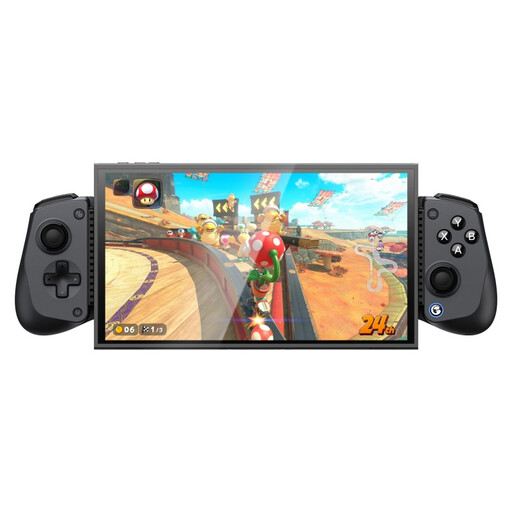 Image unavailable
An option for a setup with one of the listed devices, provided the specific game supports controller input.
The product information lists Bluetooth and wired use via USB-C, plus Hall Effect sticks and triggers. The 2.4GHz dongle isn’t included; according to the description, the phone holder fits devices 105–213 mm long.
Not always. Nintendo confirms that a single Joy-Con can be used horizontally as a controller, but only if the Switch game supports that play style. Check the chosen game’s local player and controller settings before buying enough controllers for everyone.
Follow the pairing steps for your exact device and check that each controller works as a separate player input. GameSir describes a USB-C connection to Xbox or PC for the G7 SE; PlayStation lists USB-C or Bluetooth for using DualSense with a PC.
Xbox describes using suitable AA batteries or a compatible rechargeable battery. According to Xbox, rechargeable AA batteries can’t be charged inside the controller; you’ll need a suitable external charger.
According to the Dutch government, you’re entitled to a product that works properly; if it’s faulty, you may be entitled to a free repair, replacement or refund. The Netherlands has no fixed statutory warranty period. Normal wear and tear or damage you’ve caused doesn’t automatically entitle you to a free repair, and an offered manufacturer’s warranty or extra insurance doesn’t replace your statutory rights.