What should you consider when choosing?
Start with the connection and controller set-up your game supports. Then compare your seating distance, the number of players and what’s needed to keep the controller ready to use.
| What to consider |
What should you look for? |
Who is this more important for? |
| Compatibility |
Check your console model, game and supported controller set-up. On PC, also check which connections are supported. |
If I want to play from a seat off to the side, I first want to know whether my system and game support the controller. Around 33% of consumers put platform and game compatibility first. |
| Freedom from your seat |
For wired play, measure a safe cable route to your seat. For wireless play, check which connection the model uses. |
I want to play from my seat without having to adjust where I sit to accommodate a cable. Around 27% of consumers prioritise freedom of movement from their seat. |
| Controls for each player |
Check how many players the game supports and whether it requires a single Joy-Con, a pair or a full controller. |
If more players are sitting around the screen, I want everyone to have controls the game accepts. Around 27% of consumers prioritise having enough controllers for local players. |
| Keeping it ready to use |
Check how the model is charged or powered, and whether it needs to be paired or have its firmware updated. |
I want to be able to pick up the controller without having to sort out charging, pairing or updates first. Around 13% of consumers prioritise keeping their controller ready to use with minimal fuss. |
Controllers at Joybuy
This Joybuy selection includes wireless controllers for Nintendo Switch, PS5, Xbox and PC, as well as models with several listed platform or connection options. Before buying, check that the exact model and game are right for your set-up.
 No image available
Turtle Beach Afterglow Wave Wireless Controller (Bluetooth)
A wireless option for supported Switch systems if you want to play from a seat off to the side.
The product information lists Bluetooth, Switch 2, Switch, Switch Lite and Switch OLED, two programmable rear buttons and up to 40 hours of battery life.
The stated wireless range is up to 9 m. Check that the connection works in your play area and with your game.
View at Joybuy
 No image available
PS5 DualSense Wireless Controller V3, Cosmic Red
A full wireless controller for a PS5 set-up. Check that your local game supports additional players using this controller.
Sony lists haptic feedback and adaptive triggers for DualSense. How these features work depends on the game.
View at Joybuy
 No image available
Xbox Wireless Controller, Robot White
A full wireless controller for supported Xbox systems or Windows PCs.
The product information lists Xbox Series X|S, Xbox One, Windows PCs and Android, with Bluetooth and USB-C.
Microsoft says Bluetooth reliability on PC also depends on the Bluetooth adapter.
View at Joybuy
 No image available
BEITONG PanGu Modular Wireless Gaming Controller
An option to compare if you’re looking for a full controller for one of the listed platforms and want to customise the layout.
The product information lists PC, Nintendo Switch, Switch 2, Steam and Android, interchangeable joysticks, buttons and D-pad, and wired, wireless and Bluetooth connections. Check which platforms and connection methods are supported.
View at Joybuy
 No image available
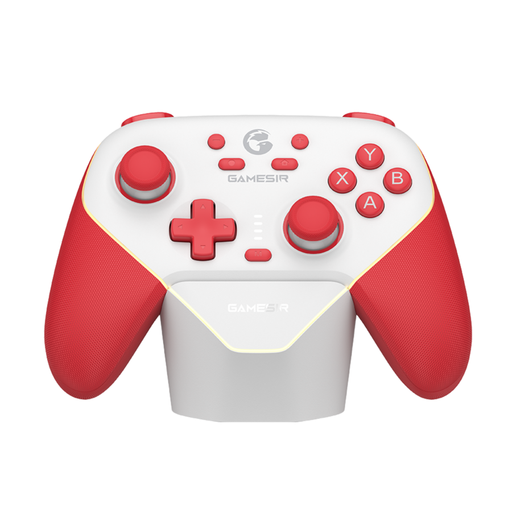
GameSir Super Nova Switch Tri-Mode Connectivity
A model with several listed connection options, for use with a supported platform.
The product information lists PC, Switch, iOS and Android, with Bluetooth, a wireless dongle and wired use. Check which connection method is right for your system and game.
View at Joybuy
Frequently asked questions
Can two players each use one Joy-Con?
Yes, if the Nintendo Switch game supports playing with a single Joy-Con held horizontally. Check the play styles supported by the specific game; this doesn’t automatically apply to every title.
Can I use and charge my existing Joy-Con with Switch 2?
Nintendo says existing Joy-Con can be paired wirelessly with Switch 2, but can’t be attached to the console. To charge them, Nintendo recommends a Switch system or a compatible licensed charging accessory.
What should I check when connecting from a seat off to the side?
For wired play, measure the route to your seat and allow for walkways. According to the manufacturer, the PowerA controller reviewed here has a 3 m cable and requires a docked Switch. For an Xbox controller on PC, Microsoft says Bluetooth reliability also depends on the adapter.
If I buy a controller online in the Netherlands, do I have a cooling-off period and a legal guarantee?
According to ACM ConsuWijzer, online purchases generally come with a statutory cooling-off period of up to 14 days after delivery, subject to applicable exceptions. The Netherlands Authority for Consumers and Markets says the seller is responsible for providing a solution if a product doesn’t meet what you could reasonably expect. A commercial manufacturer’s warranty doesn’t replace that responsibility.


