Start with the console or PC connected to your TV, then check whether the game supports local multiplayer with the controller layout you want. In supported games, a pair of Joy-Con can be used by two players, but other games require full controllers. The right choice depends on your device, the game and the number of players, so also consider cables, connectivity and charging.
Who is this buying guide for?
Families adding extra players on Switch
For anyone who wants to check whether existing or extra Joy-Con are enough for each player, or whether the game requires full controllers. Nintendo Netherlands explains when Joy-Con can be used individually and how original Joy-Con work with Switch 2.
Console gamers inviting guests to play
For anyone looking for an extra controller for Xbox, PS5 or Switch 2 and wanting to check in advance which device and game it supports. Xbox Support, PlayStation Support and Nintendo Netherlands explain compatibility and connection options for each platform.
PC gamers playing on their TV
For anyone wanting to use multiple controllers with a Windows PC and needing to check both the connection and game support. Xbox Support and PlayStation Support explain that connection options and compatible games vary by controller.
What should you consider when choosing?
First check your console or PC and the controller layout for the specific game. Then work out how many controllers you need and which connection suits your seating arrangement.
| What to consider |
What should you look for? |
Who is this most important for? |
| Compatibility |
Check the exact platform and whether the game supports the controller and local play. |
I want to be sure my controller works with both my console or PC and the local game mode. Around 31% of consumers put compatibility first. |
| Player slots |
Check the maximum number of local players and whether the game requires individual Joy-Con or full controllers. |
If several people are joining in, I want to know in advance how many compatible controllers we’ll need. Around 31% of consumers prioritise having enough player slots. |
| Connection and seating distance |
Check which wired or wireless connections are available and whether a cable will reach your preferred seat. |
I want to sit by the TV without the connection or cable getting in the way. Around 25% of consumers prioritise freedom of movement and a practical connection. |
| Charging and reuse |
Check how each controller is powered or charged and whether you can use controllers you already own. |
If I need extra controllers, I want to see what I can reuse first and how the controllers are charged. Around 13% of consumers focus mainly on additional costs and upkeep. |
Common mistakes
-
Assuming a pair of Joy-Con automatically means two player slots
Joy-Con can be used individually when the software supports that play style. This doesn’t automatically apply to every game.
Before deciding how many controllers you need, check the specific game’s local multiplayer information and controller layout.
-
Assuming the same model name means the same platform support
The 8BitDo Ultimate 2C Wireless and Ultimate 2C Bluetooth are designed for different platforms.
Compare the full version name with the device connected to your TV. For Switch 2, 8BitDo lists a firmware update for the Bluetooth version.
-
Choosing a wired Switch 2 controller for a Joy-Con game
PowerA says the Advantage Wired Controller for Switch 2 isn’t suitable for games that only support Joy-Con.
Check which controls the game requires and whether the cable will reach when playing with the console docked.
-
Assuming original Joy-Con can be attached to Switch 2
Nintendo Netherlands says original Joy-Con can’t be attached to Switch 2.
Also think about how you’ll charge them: for use with Switch 2, Nintendo recommends an original Switch or a suitable charging accessory.
Brands to compare
Nintendo
Joy-Con 2 and the Switch 2 Pro Controller offer different controller layouts for local play on Switch 2.
- Nintendo Netherlands confirms that Joy-Con 2 can be used individually when the software supports that play style.
- Joy-Con 2 don’t work with the original Switch. Original Joy-Con can’t be attached to Switch 2.
Microsoft Xbox
Xbox Wireless Controller for a compatible Xbox or Windows setup.
- Xbox Support lists USB, Bluetooth and Xbox Wireless as connection options for Windows.
- Xbox lists a lower number of simultaneous USB controllers when chat headsets are connected. This doesn’t guarantee how many players a specific PC game supports.
Sony PlayStation
DualSense for PS5 and PC games that support the controller.
- PlayStation Support explains how to pair with compatible devices using Bluetooth or USB.
- PC use depends on support from the game and application; check which features are available for each game.
PowerA
A wired Advantage controller for a docked Switch 2 setup.
- PowerA lists a detachable 10 ft cable and Hall Effect modules for this version.
- According to PowerA, it doesn’t have motion controls, HD rumble or amiibo NFC. The manufacturer’s claims about lifespan aren’t an independent performance assessment.
8BitDo
The Ultimate 2C is available as a Wireless version for Windows and Android, and as a Bluetooth version for Switch.
- 8BitDo’s product information distinguishes between the platforms supported by the two versions.
- Don’t rely on the shared model name alone: for Switch 2, 8BitDo lists a firmware update for the Bluetooth version.
Controllers at Joybuy
These Joybuy products are designed for local play with extra controllers for Switch, Switch 2, Xbox, PS5 or supported PC games. Check that your game and device are compatible.
 No image available
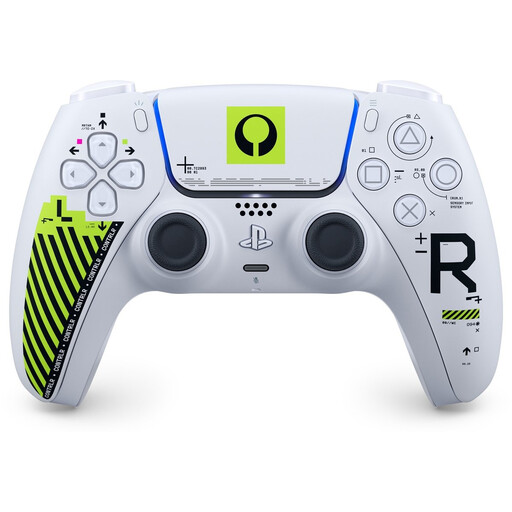
Sony PS5 DualSense Wireless Controller – Marathon Limited Edition
An option for extra players on PS5 or for PC games that support DualSense.
PlayStation Support lists Bluetooth or USB pairing with compatible devices. Support for games and features can vary from one game to another.
View at Joybuy
 No image available
Xbox Wireless Controller Robot White
An option for local play on a compatible Xbox or Windows PC. Check whether your chosen game supports multiple controllers.
Xbox Support lists USB, Bluetooth and Xbox Wireless for Windows. The connection options available depend on your PC and controller setup.
View at Joybuy
 No image available
Nintendo Switch Joy-Con Controller Pair – Neon Red/Neon Blue
A pair for Switch games where each Joy-Con can be used as an individual controller.
Individual use depends on the play style supported by the game. Original Joy-Con can be used wirelessly with Switch 2, but can’t be attached to the console; you’ll need a suitable charging solution to charge them.
View at Joybuy
 No image available
Nintendo Switch 2 Official Pro Controller – Black
A full-size controller for local play on Switch 2 when the game supports this controller layout.
View at Joybuy
 No image available
Nintendo Switch 2 Official Joy-Con 2 Pair – Light Blue/Light Red
A pair for Switch 2 games where Joy-Con 2 can be used as individual controllers.
Nintendo Netherlands says individual use depends on the play style supported by the software.
View at Joybuy
Frequently asked questions
Are two Joy-Con 2 always enough for two players?
No, not in every game. Joy-Con 2 can be used individually when the software supports that play style. Check your game’s controller layout and the number of local players it supports.
Can I still use my original Joy-Con with Switch 2?
Yes, original Joy-Con can be used wirelessly with Switch 2, but can’t be attached to the console. Nintendo Netherlands recommends using an original Switch or a suitable charging accessory to charge them.
How do I connect an Xbox controller to a Windows PC?
Xbox Support lists a USB data cable, Bluetooth or Xbox Wireless, either with built-in support or potentially an adapter. Check which options your PC has. With USB, the number of simultaneous controllers listed by Xbox depends on the headsets connected.
What can I do if a controller I bought online turns out to be faulty?
In the Netherlands, contact the seller if a product is faulty. The Dutch government says there is no fixed statutory guarantee period that applies to all products. For distance purchases from a business, you’ll often also have a 14-day cooling-off period; check the relevant terms and exceptions.


