
Switch players who want to share Joy-Cons
You’re playing together on one Switch or Switch 2 and want to know whether one separate controller per player is enough. Nintendo explains that controller set-ups can vary from game to game.


Start by checking the local co-op controls for the specific puzzle game, then make sure they’re compatible with your Switch, Switch 2, console or PC. In supported Switch games, separate Joy-Cons can serve as controllers for two players. If a game requires a full controller for each player, you’ll need a different set-up. Wireless controllers keep narrow walkways clear, but on PC the game must also support the connection type.
You’re playing together on one Switch or Switch 2 and want to know whether one separate controller per player is enough. Nintendo explains that controller set-ups can vary from game to game.
You want to use two compatible controllers without running a cable across a narrow walkway, but you’ll need to check that both the system and the game support them. Microsoft, Sony and Steam set out different platform and game requirements.
You already have a system and want to avoid choosing an extra controller or charging solution that doesn’t suit your game. For example, Nintendo explains the charging limitation for original Joy-Cons on Switch 2.
First, check the local multiplayer mode and how many controllers each player needs. Then consider which connection suits the position of your console or PC, and how you’ll power the controllers.
| What to consider | What should you check? | Who is this important for? |
|---|---|---|
| Game and system compatibility | Check the local co-op mode, system and controller set-up for your exact game. Nintendo notes that the permitted Joy-Con positions can vary by game. | If I want to play together, I need to know that the game supports my controller set-up. Around 36% of consumers prioritise compatibility. |
| Keeping the walkway clear | Check which connection the controller uses with your system, and whether any cable can be kept out of the way. | I want to play from the sofa without running a cable across a narrow walkway. Around 29% of consumers value a clear walkway. |
| Controls for two players | Count the players and the controllers required per player by the game; also check which controllers came with your system. Nintendo lists games where one Joy-Con per player is enough, but this isn’t true of every game. | I want us both to be able to play independently without buying an unnecessary second set. Around 21% of consumers are looking for enough separate controls for two players. |
| Power and accessories | Check how the controllers charge and what’s included in the box for the exact model. Nintendo says original Joy-Cons can’t be charged on Switch 2; Sony says a USB cable isn’t included with the white DualSense model reviewed. | I want to know in advance what I’ll need to use and charge both controllers. Around 14% of consumers consider the accessories they’ll need after purchase important. |
A separate Joy-Con can work as one player’s controller in a supported game, but the available control options vary by game. So a pair won’t necessarily suit every local co-op mode.
Before buying, check the local multiplayer mode and the controls required for your puzzle game.
A controller may connect to a PC without every game or feature supporting that connection. The Steam page for It Takes Two lists DualSense support via USB; for the Ultimate 2C Wireless on Windows, 8BitDo lists 2.4 GHz or a cable, not the Bluetooth mode for Android.
Compare the connection type listed on the game’s page with that of the exact controller model.
Even a 3 m cable could cross a narrow walkway. For the Switch controller reviewed, PowerA says it only works with a docked Switch and doesn’t support motion controls.
Choose a wired controller only if you can keep the cable out of the walkway and it offers the controls your game requires.
An extended warranty doesn’t replace your statutory rights if a product is faulty. The Dutch government says there’s no fixed statutory guarantee period in the Netherlands, and that the retailer is your point of contact for a faulty product.
Before choosing an extended warranty, check what extra cover it offers and compare it with your statutory rights.
Joy-Con for Nintendo Switch and Joy-Con 2 for Switch 2 are worth considering if the game supports separate controllers for each player.
Microsoft says the Xbox Wireless Controller is designed for Xbox consoles and Windows PCs.
DualSense is a full PS5 controller that can also work with compatible PC games.
According to 8BitDo, the Ultimate 2C Wireless is a Windows controller that uses a 2.4 GHz adapter or a cable.
A wired Switch controller could be a good fit if you can route the cable safely around your playing area.
This selection includes full controllers and controller pairs for Switch, PS5, Xbox and PC set-ups. Always check that your game’s local co-op mode supports the controller set-up you choose.
 No image available
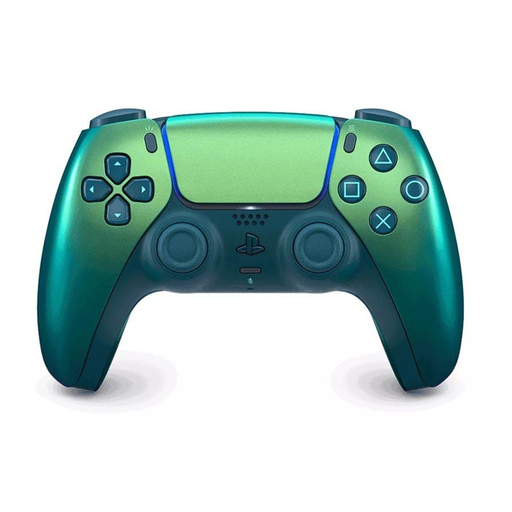
A good fit for a PS5 set-up with a full wireless controller for each player, when the game supports this arrangement.
The product name describes a wireless DualSense for PS5, V3 model in Chroma Teal.
 No image available
A good fit for an Xbox or Windows PC set-up with a full wireless controller for each player, if the game supports it.
The product name specifies Xbox Series/PC and the Ice Breaker Special Edition. On PC, check which connection the game supports.
 No image available
A pair of controllers for a Switch set-up where two separate controllers are needed; check that the game supports this arrangement.
The product name specifies Switch and Switch OLED, compatibility with Switch 2, an 8-hour battery life and vibration function.
 No image available
Could suit a Switch or PC set-up if you’re looking for a full controller for each player; check that the game supports it.
The product name lists PC and Switch, and specifies a bundle with a charging dock.
 No image available
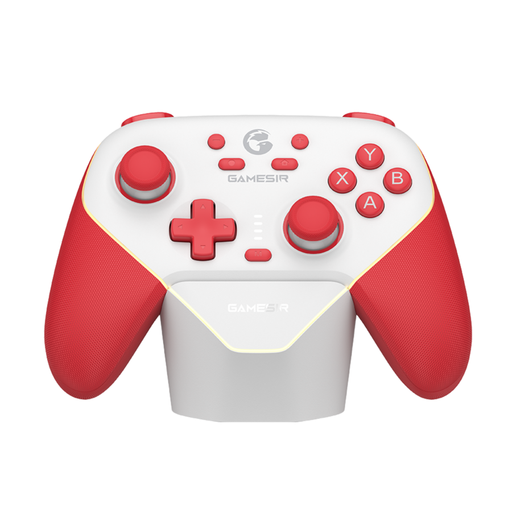
A good fit for a Switch set-up with a full controller for each player, if the game you’ve chosen supports this control option.
The product name specifies Switch and Tri-Mode Connectivity; check the connection options for your system and game.
No, it depends on the game. Nintendo describes Snipperclips on Switch as a game where each player uses one Joy-Con, but notes that permitted controller positions vary by game. Check the controls for your game.
On Switch 2, open Controllers from the HOME Menu, then select Change Grip/Order. Use the SL and SR buttons on each Joy-Con 2 when holding it horizontally. Nintendo advises attaching the wrist straps before you start.
No. Sony describes Bluetooth and USB connections for compatible Windows systems, but the game determines which features work. The Steam page for It Takes Two lists DualSense support via USB.
It depends on the model and what you already have. Sony says a USB cable isn’t included with the white DualSense model reviewed. According to Nintendo, original Switch Joy-Cons can’t be charged on the Switch 2 system.
For online distance purchases from a business, you usually have 14 days to change your mind, according to the Dutch government. You also have statutory rights if a product is faulty. The Dutch government says there’s no fixed statutory guarantee period in the Netherlands, and the retailer is your point of contact.