
Players with an existing console
You’re looking for an extra controller that works with your Xbox, PS5, Switch or Switch 2. The exact system determines which options are suitable; Nintendo and Xbox set out compatibility by platform.


First, choose a controller that works with your console or PC and supports local co-op controls in the specific game. On Switch 2, a pair of Joy-Con 2 controllers can provide two separate controls if the game supports that play style; Xbox, PS5 and PC each have different compatibility and connection requirements. A different controller won’t solve screen reflections, so assess visibility in your bright room separately.
You’re looking for an extra controller that works with your Xbox, PS5, Switch or Switch 2. The exact system determines which options are suitable; Nintendo and Xbox set out compatibility by platform.
You want to know whether two players can each use a Joy-Con 2 or need a full controller. Nintendo says that using them separately depends on the game and the supported play style.
You’re looking for a suitable connection and enough room to move. Bluetooth support alone doesn’t mean a controller will work with every device or game; 8BitDo and PlayStation list different connection options for each system.
When playing a co-operative puzzle game from the sofa, check the system and game first, then the controls for both players, followed by the connection and any additional purchases.
| What to consider | What should you check? | Who is this important for? |
|---|---|---|
| Compatibility with your system and game | Note your exact console or PC operating system and check that both the controller and local co-op are supported in the game. | I want to avoid buying an extra controller that doesn’t work with my system or game. Around 36% of consumers put compatibility first. |
| Controls for each player | Check the number of local players and the supported controller layouts. Then count how many usable controllers you already have. | When we play as a pair, I want to know whether everyone will have enough buttons without assuming we can share a pair of Joy-Con controllers. Around 29% of consumers prioritise usable controls for each player. |
| Connection and power | Check which connections each device supports and whether you’ll need a cable, USB adapter, batteries or a charger. | I want to play from the sofa without unexpected connection problems or a flat controller. Around 21% of consumers put connection and power first. |
| Total cost and returns | Once you’ve checked compatibility, compare what’s included, what you already own and what options you have if the controller doesn’t work as expected. | I only want to spend extra once I know the controller is right for my game. Around 14% of consumers put additional purchases and return options first. |
A controller can support Bluetooth without working with every console or game. Xbox lists specific support for Xbox, Windows, iOS and Android; 8BitDo lists Bluetooth for Android and other connections for Windows.
Check the exact controller model, your device and the connection type specified for your combination.
Nintendo says that a Joy-Con 2 can be used separately in horizontal mode if the software and play style support it. The button layout you need may vary from game to game.
Before buying, check how many local players the game supports and which controller layout each player needs.
A game controller won’t change reflections on your screen. Samsung describes anti-reflection as a screen feature.
Check screen visibility from both seats, separately from your choice of controller.
Joy-Con 2 and the Switch 2 Pro Controller are options for Switch 2; the right controls depend on the game.
A full-size wireless controller for the consoles and systems listed by Xbox.
The DualSense is an extra controller option for PS5 and can also connect to certain other devices.
The Ultimate 2C Wireless is an option for Windows PCs, using the connections listed by 8BitDo for this model.
This selection includes controllers for Xbox and Windows PC, PS5, PC and Switch, as well as Nintendo Switch 2. Before buying, check that your game supports the controller and the local co-op layout you want to use.
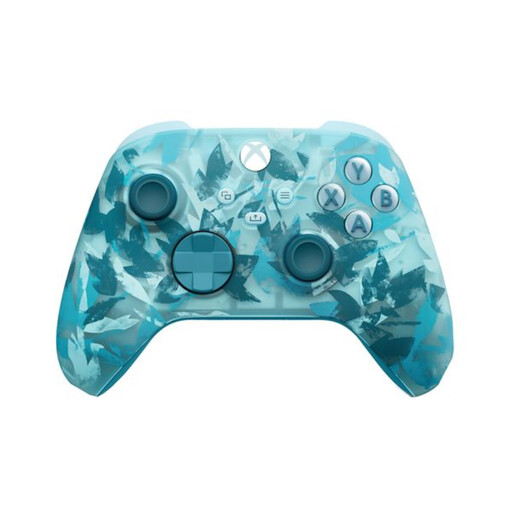 No image available
A good fit if you use a supported Xbox console or Windows PC and want to play from the sofa.
The product information lists Xbox Wireless and Bluetooth, a hybrid D-pad, textured grips and two AA batteries included. Check which connection your device and game require.
 No image available
An extra controller option if you play on PS5; check that the game supports local co-op too.
The product information lists USB-C or Bluetooth connectivity, plus haptic feedback and adaptive triggers when supported by the game. The white version we looked at doesn’t include a cable.
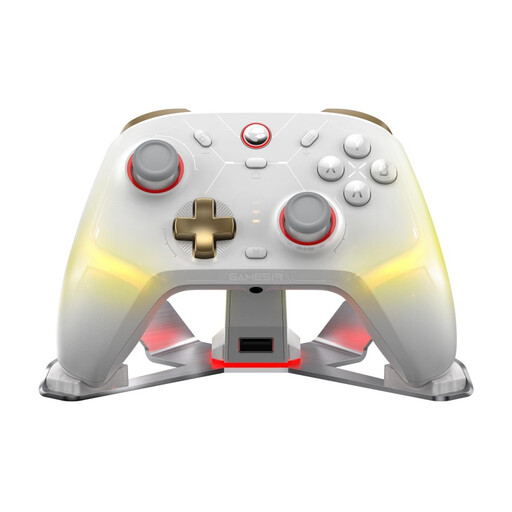 No image available
An option if you use one of the listed systems and want to choose between wireless and wired play.
The product information lists PC, Switch, iOS and Android, with 2.4GHz, Bluetooth and wired connections. The title lists Mag-Res TMR sticks, Hall Effect and microswitch triggers, and a charging dock. Check the connection required and game support for your device.
 No image available
A good fit if you want a full controller layout for Switch 2 and the game supports it.
The product information lists a wireless Bluetooth connection and charging with the included USB cable. This model is designed exclusively for Nintendo Switch 2.
 No image available
A pair to share if the Switch 2 game supports using separate Joy-Con 2 controllers horizontally.
The pair includes one left and one right controller, plus two wrist straps. Separate use depends on the software and supported play style; this model is designed exclusively for Nintendo Switch 2.
On Switch 2, a Joy-Con 2 can be used horizontally as a separate controller if the software and play style support it. Check this for your puzzle game; Joy-Con 2 doesn’t work with the original Switch.
Check the connection requirements in advance, then charge or pair both controllers. For the Ultimate 2C Wireless, 8BitDo lists a 2.4GHz adapter or cable for Windows; PlayStation lists USB-C and Bluetooth for the DualSense on supported devices other than PlayStation.
No, a different controller won’t change reflections on your screen. Samsung describes anti-reflection as a screen feature, so assess the screen position and visibility separately from your controller choice.
According to ACM ConsuWijzer, for a standard online product purchase you generally have up to 14 days from delivery to change your mind, subject to legal exceptions. If a product is faulty, the seller is responsible for providing an appropriate solution under the legal guarantee; there isn’t an automatic fixed two-year legal guarantee for every controller.