What should you look for when choosing?
Start by checking the input options for the visual novels you play, then see which connection suits your PC and seating position. Valve Steamworks describes button mapping through Steam Input; the Steam pages for individual games show that the listed input options can vary by title.
| What to consider |
What should you look for? |
Who is this most important for? |
| Game controls |
Check the controller and keyboard or mouse options for each game. If using Steam Input, test choices and menus too. |
If I want to navigate choices and menus in my visual novels without hassle, I’ll check the input options for each title first. Around 36% of consumers put game controls first. |
| Freedom of movement |
Check which wireless connections your PC supports and how your chosen model is powered. Microsoft lists Bluetooth, a compatible USB-C cable or an Xbox Wireless Adapter as connection options for the Xbox Wireless Controller on Windows; Sony lists USB or Bluetooth for DualSense on supported PCs. |
If a cable restricts how I sit at my desk, I’ll weigh up wireless use against the connection and power requirements of my device and controller. Around 22% of consumers prioritise freedom of movement. |
| Wired connection |
Check PC compatibility, the connection type and whether the cable is long enough for the distance to your seat. The 8BitDo manual specifies Windows 10 version 1903 or later for the Ultimate 2C Wired; PowerA lists a detachable 3 m USB cable for the specified Enhanced Wired version. |
If I always play in the same spot, I want a cable that reaches my desk comfortably without awkwardly crossing my workspace. Around 21% of consumers prioritise a simple wired connection. |
| Buttons and grip |
Check whether the directional pad and action buttons look easy to reach, and whether any extra buttons can be mapped to the actions you want. The extra buttons available vary by model. |
If I often confirm choices or navigate menus, I’ll focus on a layout that’s easy to use. Around 21% of consumers prioritise button reach and layout. |
Controller options at Joybuy
These controller options are aimed at use with a PC at a home workspace. Check the input options for your own visual novels separately: device compatibility doesn’t guarantee support in every game.
 No image available
Xbox Wireless Controller Ice Breaker Special Edition
An option to consider if you’re looking for a wireless controller for Xbox Series and PC; check which connection your PC supports.
View at Joybuy
 No image available
Game controller with dual vibration and gyroscope for Switch and PC
Consider this option if you’re looking for a controller described in the product name as being for Switch and PC; check your games’ input support.
View at Joybuy
 No image available
Hyperkin Duchess wired controller (black)
A wired option to consider for a fixed PC setup; the product name lists Xbox Series X|S, Xbox One and Windows 10|11.
View at Joybuy
 No image available
BEITONG KP70 Elite wireless game controller
An option to consider if you’re looking for a wireless controller with extra features; the product name lists haptic triggers, adjustable stick resistance and six programmable buttons.
The product name lists PC, Nintendo Switch/Switch 2, Steam and Android as platforms.
View at Joybuy
 No image available
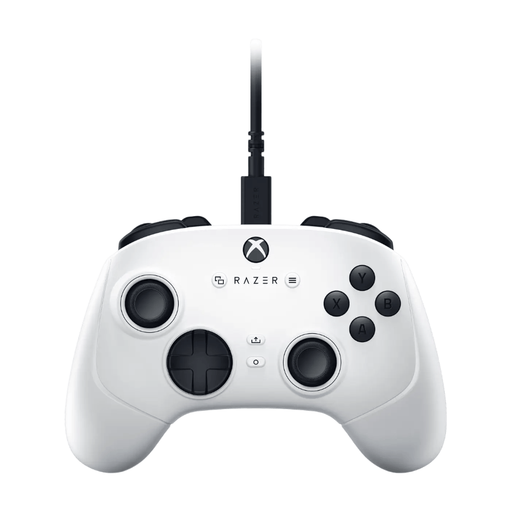
Razer Wolverine V3 Tournament Edition White
A USB gamepad to consider for PC and Xbox Series S/X; check whether a wired connection suits your workspace.
View at Joybuy
Frequently asked questions
Will every controller work with every visual novel?
No. Check the input options for the game you want to play. On Steam, the page for one visual novel reviewed lists full controller support, while another lists keyboard and mouse options. Steam Input can map controls, but test that the actions you need work properly.
How do I set up a controller for a Steam game that uses a keyboard or mouse?
Use Steam Input’s controller configuration to map keyboard or mouse actions to buttons. Then test choices, going back and menus separately in the game; Valve Steamworks documentation explains how to map controls, but doesn’t provide a ready-made setup for every title.
Do I always need an adapter to use an Xbox Wireless Controller on Windows?
Not always. Microsoft lists Bluetooth, a compatible USB-C cable and an Xbox Wireless Adapter as connection options for Windows. Check which option your PC supports; you may need to buy a suitable cable or adapter separately.
Do I have a cooling-off period and a legal guarantee when buying a controller online in the Netherlands?
For many consumer purchases made at a distance, the Dutch government says a 14-day cooling-off period applies; check whether your purchase falls under the rules and any exceptions. A legal guarantee is different from a cooling-off period: if there’s a problem with a product, the Dutch government says the retailer is your point of contact for a solution.


