What should you look for when buying?
Start by checking that your device and game are supported. Then compare the fit in your hands and the space needed for cables or receivers. Leave extra features until last.
| What to consider |
What should you check? |
Who should pay particular attention? |
| Device and game compatibility |
Check the exact console or PC, and whether the specific game supports the controller. Steam offers filters for supported controller types. |
I want to make sure my device and game both work with the controller before anything else; extra features won’t sway my decision otherwise. Around 33% of consumers prioritise compatibility. |
| Fit in your hands and desk space |
Compare the dimensions, button reach and space needed for a cable or receiver. HyperX lists the Clutch Tanto as weighing 165 g for the controller alone. |
If my desk is small, I want a controller that feels comfortable in my hands and doesn’t take up too much space. A compact model alone doesn’t guarantee a comfortable fit. Around 27% of consumers prioritise fit and desk space. |
| Connection and power |
Check the connection method for your platform, whether you need a spare USB port and what’s included with the specific version. For the Ultimate 2C, 8BitDo lists a 2.4GHz receiver or cable for Windows, and Bluetooth for Android. |
I don’t want a cable running through my play area, but I do want to know whether I’ll need a receiver, batteries or charging. Around 20% of consumers prioritise connection and power. |
| Extra controls and feedback |
Check which features work with each game. Sony says haptic feedback on PC requires USB and game support. |
I’ll only choose extra buttons, vibration or triggers if my game actually supports them. Around 20% of consumers prioritise extra controls or feedback. |
Controller options at Joybuy
This selection includes wireless and wired controllers for PC and console use, plus a controller with a mount for a mobile device. Check that each model supports your game and gaming platform.
 No image available
Xbox Wireless Controller for Xbox Series/PC – Heart Breaker Special Edition
A wireless option if you want to keep cables away from the space around your small desk while you play.
The product information lists Xbox Series X|S, Xbox One and Windows 10/11, Bluetooth and Xbox Wireless. It specifies 2 AA batteries; a USB-C cable for wired play is sold separately.
View on Joybuy
 No image available
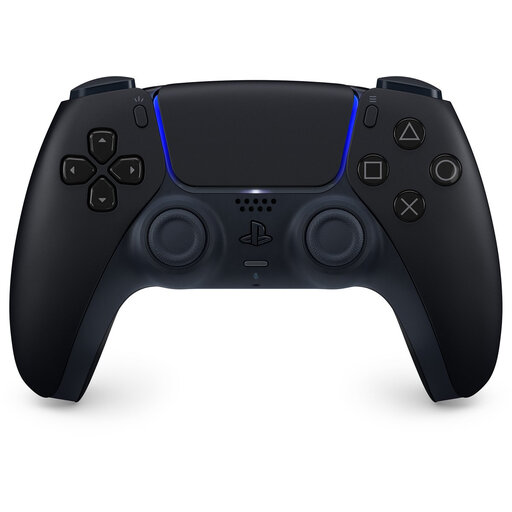
Sony DualSense wireless controller for PS5 – Midnight Black
An option for PS5 players or for PC games that support the DualSense features you want.
The product information lists Bluetooth and USB-C. Sony says haptic feedback on PC requires a USB connection and support from the game; also check that the specific title supports adaptive triggers.
View on Joybuy
 No image available
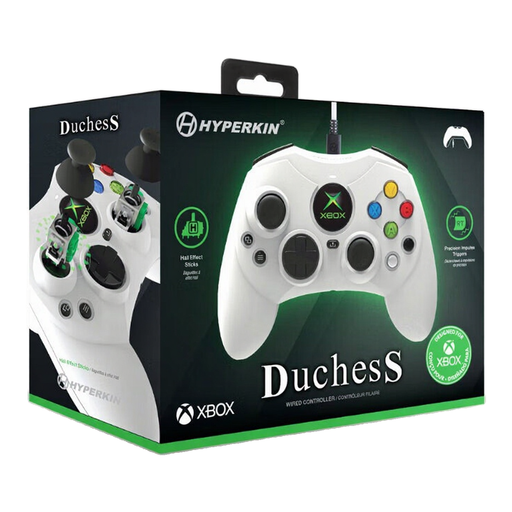
Hyperkin Duchess wired controller for Xbox and Windows – white
A wired option if you play on a supported Xbox or Windows PC and have room to route the cable along your desk.
The product information lists Xbox Series X|S, Xbox One and Windows 10/11, Hall-effect sticks, impulse triggers and a detachable 3 m USB-C cable.
View on Joybuy
 No image available
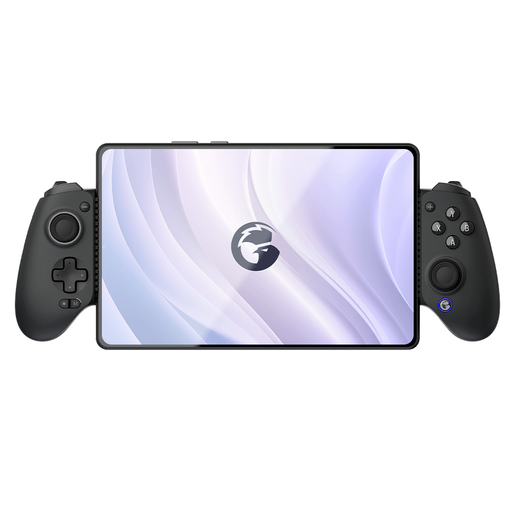
GameSir G8 Galileo Plus mobile controller
An option if you play on a mobile device or tablet at your desk and want to place it in a mount.
The product information lists an adjustable telescopic mount, Bluetooth, Hall-effect triggers and programmable rear buttons. Platforms listed include Switch, iOS, Android, tablet and PC; check that your game and device are supported.
View on Joybuy
 No image available
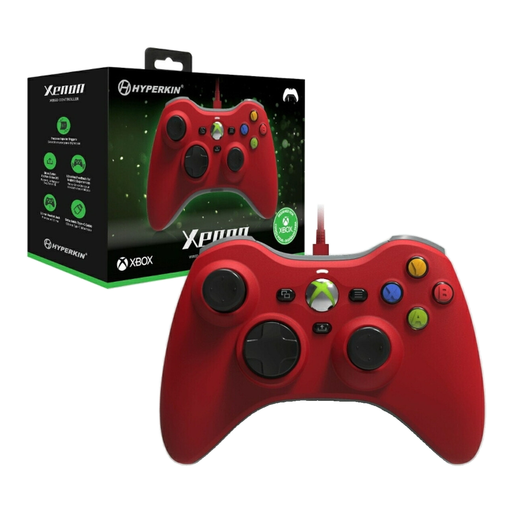
Hyperkin Xenon wired controller for Xbox and Windows – red
A wired option if you can make room for a cable on your desk and play on one of the listed Xbox or Windows platforms.
The product information lists Xbox Series X|S, Xbox One and Windows 10/11, a detachable Type-C cable, impulse triggers and vibration feedback.
View on Joybuy
Frequently asked questions
Will every PC controller work with my historical adventure game?
No. Don’t assume a game supports a controller just because of its connection type or Windows compatibility. Check the details for the specific game; Steam, for example, offers filters for supported controller types.
Can the 8BitDo Ultimate 2C Wireless connect to my Windows PC via Bluetooth?
According to 8BitDo, no: for Windows, the manufacturer lists a 2.4GHz receiver or a wired connection, while Bluetooth is listed for Android.
Will the special features of a DualSense work automatically on a Windows PC?
No. Sony says haptic feedback on PC requires a USB connection and support from the game. For adaptive triggers, check whether your specific game supports the feature too.
What can I do if a controller I bought online breaks too soon during normal use?
ACM ConsuWijzer explains that your statutory rights exist alongside any manufacturer’s or seller’s warranty. If a product doesn’t meet what you could reasonably expect, the seller must resolve the issue free of charge under the applicable terms.
Can I try out a controller I bought online and return it?
ACM ConsuWijzer says that online purchases generally come with a statutory cooling-off period of up to 14 days after delivery, and separately explains the rules for unboxing and trying out a product. Check the terms and any applicable exceptions before doing more than is necessary to assess the controller.


