
Switch player sharing a bedroom
You play puzzle games on Switch and want to avoid vibration without losing controller functionality. Nintendo explains how to turn off HD Rumble on the original Switch.


Start with your device and check whether your puzzle game supports controller input. Then consider the button layout, vibration and power options. On the original Nintendo Switch, you can turn off controller vibration, but that won’t affect the sound of physical button presses. A wired controller means you won’t need to charge it or change the batteries while playing, but it does limit where you can sit.
You play puzzle games on Switch and want to avoid vibration without losing controller functionality. Nintendo explains how to turn off HD Rumble on the original Switch.
You want to check that the game, platform and D-pad work together first; wireless convenience is less important than controls that work. Xbox and 8BitDo explain the platform-specific features and compatibility of their controllers.
You’re considering a cable to avoid charging or changing batteries, and can check in advance whether the cable’s length and route to the screen will work for you. PowerA lists a 3 m cable for the Switch model reviewed.
If you’re considering a controller for puzzle games in a shared bedroom, these are four possible priorities to focus on.
| What to consider | What should you check? | Who is this important to? |
|---|---|---|
| Compatibility | Check the exact platform and model, and whether your game supports controller input. | I want to know first whether this controller works with my puzzle game on my device; around 34% of consumers put compatibility first. |
| Disturbance for your roommate | Check whether vibration can be turned off, and assess button noise separately. | If I share a room, I want to be able to reduce vibration without assuming the buttons are quiet; around 33% of consumers put minimising disturbance first. |
| D-pad and controls | Look at the button layout and the controls the game actually uses. | I want a D-pad that suits the controls in my puzzle game, not just extra features; around 20% of consumers consider the layout the main priority. |
| Power and cable | Check the cable length, dock requirements and where the cable will run near the bed or walkway. | I don’t want to have to charge while playing, or I’d rather not have a cable running past my bed; around 13% of consumers consider power and cables the most important factor. |
PowerA says the wired model reviewed has no HD Rumble, but that doesn’t tell you how much noise the physical buttons make.
Assess button noise separately. Choose a controller with switchable vibration or no vibration function only if that’s the feature you want to avoid.
8BitDo lists Windows and Android compatibility for the Ultimate 2C Wireless, and Switch compatibility for the Ultimate 2C Bluetooth. The manufacturer describes the Wireless version’s D-pad as clicky, so neither version has been shown to be quiet.
Check the full model name, platform and connection type before choosing.
PowerA says the Wired Controller model reviewed can only be used when the Switch is in its dock.
Check the dock requirement, cable length and cable route before ordering.
An extended warranty may come at an additional cost. According to ACM ConsuWijzer, a commercial guarantee is in addition to your statutory warranty.
Compare the extra cover with your rights against the retailer before paying for it.
The official Switch Pro Controller is designed for players who want a separate D-pad and Switch features.
The wired Switch model reviewed is designed for use with a docked Switch when you don’t need wireless play or vibration.
The Xbox Wireless Controller is designed for Xbox and compatible Windows PCs.
DualSense is designed for PS5 and PC games that support the controller.
The Ultimate 2C product range includes different versions for Windows and Android, or for Switch.
This selection includes wired controllers for Nintendo Switch systems and Xbox or PC, as well as a wireless Nintendo Switch Pro Controller. Check that each product is supported by your game and device.
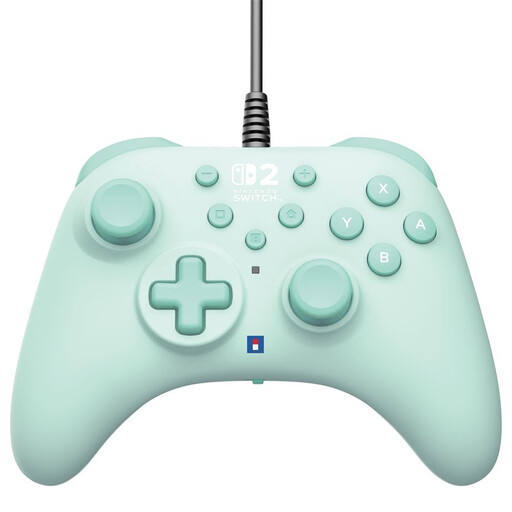 No image available
A good fit if you’re looking for a wired controller for Switch systems and don’t want to charge it while playing.
The product information lists compatibility with Switch, Switch 2 and Switch OLED, programmable rear buttons and a Turbo function. The USB connection means you’ll need a cable while playing.
 No image available
A good fit if you’re looking for a wired Switch controller with programmable buttons.
The product information lists compatibility with Switch, Switch 2 and Switch OLED, programmable rear buttons and a Turbo function. A USB cable is not included; a standard cable is required.
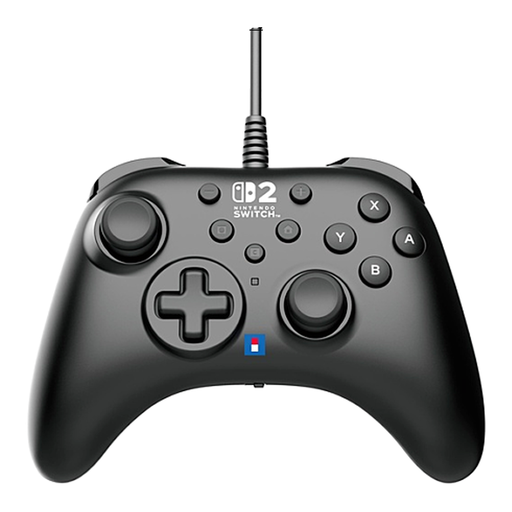 No image available
A good fit if you’re looking for a wired controller for Switch systems with customisable controls.
The product information lists compatibility with Switch, Switch 2 and Switch OLED, programmable buttons and a Turbo function. The USB connection means you’ll need a cable while playing.
 No image available
A good fit if you want to play wirelessly on Switch and prefer a separate D-pad.
Nintendo lists motion controls, HD Rumble and amiibo functionality. You can turn off controller vibration on the original Switch; this won’t affect the sound of the buttons.
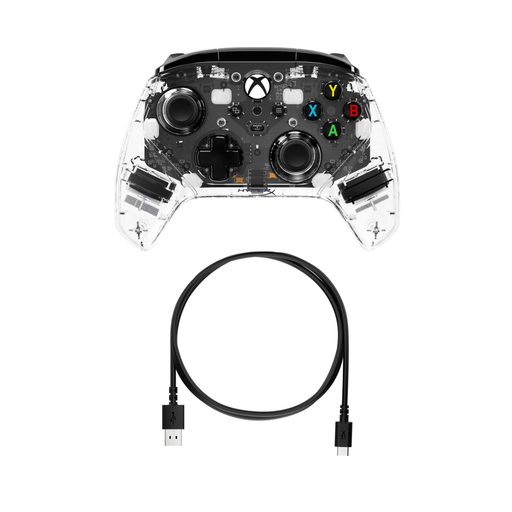 No image available
A good fit if you’re looking for a wired controller for Xbox or PC.
The product information lists compatibility with Xbox One, Xbox Series X|S and PC, customisable rear buttons and force feedback features. The USB connection means you’ll need a cable while playing.
Open System Settings and go to Controllers and Sensors to turn off Controller Vibration. Nintendo says this applies to all synced controllers. The setting won’t change the sound of physical buttons.
No. PowerA says this model is designed for use only while the Switch is in its dock. Check the usage requirements for other models.
No, the features depend on the device and game. PlayStation says haptic feedback on PC requires USB and only works when supported by the game.
According to ACM ConsuWijzer, if a product breaks sooner than you could reasonably expect with normal use, the retailer must put it right free of charge, for example by repairing or replacing it, or giving you a refund. A commercial guarantee does not replace your statutory warranty.
The Dutch government lists collection points for electrical appliances and a take-back scheme when you buy a similar appliance; check whether the scheme applies to your situation. Used batteries must not go in general waste and can be taken to shops that sell batteries, among other places.