Gamepads as an alternative
These Joybuy products are standard gamepads to consider if a platform game requires gamepad controls; they aren’t dedicated arcade controllers with a joystick or direction buttons only.
 No image available
Turtle Beach Rematch Super Mario Jump Edition
A standard gamepad option if your game supports gamepad controls; this model doesn’t have a dedicated arcade layout.
The product name lists a TMR joystick, 40-hour battery life, a C button for GameChat and two programmable buttons.
Listed compatibility includes Nintendo Switch 2, Switch and Switch OLED.
View at Joybuy
 No image available
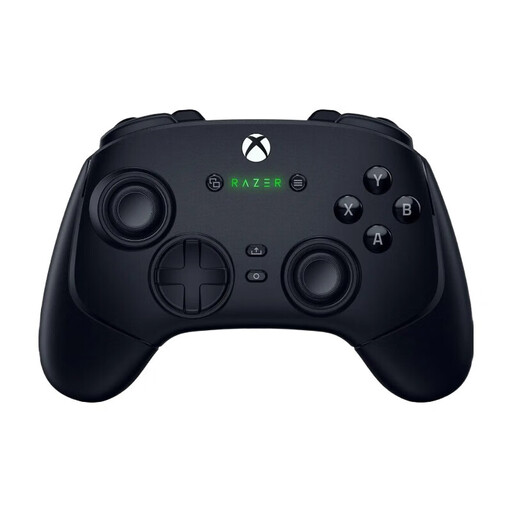
Wolverine V3 Pro - Black
A standard gamepad option if your game supports gamepad controls; the product information doesn’t describe a dedicated arcade layout.
The product information lists mechanical action buttons, programmable buttons and custom profiles.
The listed systems are PC and Xbox; the connection options are described as wired and wireless.
View at Joybuy
Frequently asked questions
Do I connect the arcade controller directly to the TV?
No, the controller isn’t a video output for the TV. In the Nintendo Switch set-up described, the console connects to the TV through the dock and an HDMI cable; connect the controller to the Switch. For another console or PC, check its own video and controller connections.
Can I practise on the TV with a Nintendo Switch Lite?
No, Nintendo says that the Switch Lite doesn’t support TV mode. Using a different arcade controller won’t change this limitation of the console.
What should I check if my Xbox arcade stick is recognised but won’t control the game?
For the 8BitDo Arcade Stick for Xbox, check that the controller is in Gamepad mode; this is the instruction in 8BitDo’s model-specific FAQ. Also check whether your game supports the available features.
Do I need anything extra to use a MAYFLASH controller with PS5?
It depends on the model. MAYFLASH lists a converter that must be purchased separately for the F500 FLAT; for the F500 V2, the manufacturer describes PS5 support with specific firmware and a MagicBoots-S5 adapter. Check the instructions for the exact version.
What are my rights if I buy online or receive a faulty product?
According to the Dutch government, when you buy online from a business, you generally have a 14-day cooling-off period in many cases. You’re also entitled to a product that works as it should; if there’s a fault, contact the seller to arrange a solution. The Dutch government says there’s no single fixed statutory guarantee period for all products in the Netherlands.


