First, choose a controller that works with your PC or console and the game you want to play. Then check whether its D-pad and connection suit your small desk. A wired controller means you won’t need to charge it, but you’ll need space for the cable. Depending on the model, wireless controllers need batteries or charging, and may also require a USB receiver. Your device, game and available connections will help you decide which option is right for you.
Who is this choice relevant to?
PC platform gamer
If you play at a small desk, first check that the controller, connection and game all work together. Then consider how easy the D-pad is to reach, and whether you have room for cables or receivers. Microsoft, 8BitDo and Sony provide details about connections and compatibility for different devices and games.
Switch player who wants a D-pad
If you want to use a dedicated D-pad for platform games, compare a wireless Pro Controller with a wired controller for use with the Switch in its dock. Nintendo and PowerA list different features and usage requirements for their models.
Player with limited desk space
If you’d rather keep a cable or receiver out of the way, check the connection, power requirements and available USB ports first. Microsoft, 8BitDo and PowerA specifications show that connections and cables vary by model.
What should you look for?
Start with your device and game, then compare the controls, connection and power requirements.
| What to consider |
What should you check? |
Who is this important for? |
| Device and game compatibility |
Check the exact PC or console model, and whether your game supports controller input. |
If I play on PC or console, I want to know first whether my specific game works with the controller; around 36% of consumers say device and game compatibility is their main concern. |
| Directional controls |
Look at the shape and position of the D-pad, and check whether the game requires specific Joy-Con features. |
For platform games, I want the directional controls to feel comfortable to use; around 29% of consumers prioritise these controls. |
| Cable space and connections |
Check where a cable will run, which USB port is free, and whether the model uses Bluetooth, a receiver or USB. |
With limited desk space, I want to avoid a cable or receiver getting in the way; around 21% of consumers say desk space and connections are their main concern. |
| Power and included accessories |
Check whether the controller needs batteries or charging, and whether a cable and receiver are included. |
I want to know in advance how the controller is powered and which accessories I’ll need; around 14% of consumers put this first. |
Common buying mistakes
-
Assuming both 8BitDo Ultimate 2C models use the same connection
According to 8BitDo, the Ultimate 2C Wireless is designed for Windows via 2.4 GHz or cable, while the separate Ultimate 2C Bluetooth is designed for Switch. Sharing a model name doesn’t mean the versions offer the same connections.
Check the full model name and connection specifications for your device.
-
Choosing a Switch 2 Pro Controller for the original Switch
Nintendo says that the Switch 2 Pro Controller does not work with the original Switch.
Check which Switch generation you have before choosing a Pro Controller.
-
Assuming a wired Switch controller has all the features you need
According to PowerA, the Heroic Link version does not include features such as motion controls, HD Rumble or amiibo NFC. The controller is also not designed for games that require Joy-Con only.
Compare your game’s requirements with the listed features, and make sure you have room for the cable.
-
Expecting every DualSense feature to work on PC
Sony says that PC support varies by game. Haptic feedback on PC requires both game support and a USB connection.
Check your game’s compatibility and the connection you want before factoring in extra features.
Brands to compare
Xbox / Microsoft
The Xbox Wireless Controller is one option for Windows PC and Xbox. Check the connection and game support for your device.
- Microsoft lists Bluetooth, a hybrid D-pad and button mapping for the controller.
- The Xbox Wireless Adapter may be required for a specific wireless connection, and may need to be purchased separately. Also check that Bluetooth or a suitable USB cable is available.
Nintendo
The Nintendo Switch Pro Controller is designed for the original Switch. The Switch 2 Pro Controller is a separate model.
- Nintendo lists a D-pad, motion controls, HD Rumble and amiibo support for the original Pro Controller.
- Nintendo says that the Switch 2 Pro Controller does not work with the original Switch, so check which Switch generation you have.
8BitDo
According to 8BitDo, the Ultimate 2C Wireless connects to Windows via 2.4 GHz or USB, while the separate Ultimate 2C Bluetooth is designed for Switch.
- 8BitDo lists a D-pad and extra mappable buttons for both versions.
- Listed platforms and connections vary by version. Bluetooth is listed for the Wireless version for Android, not Windows.
PowerA
The Enhanced Wired Controller for Nintendo Switch is a wired option for use with the Switch in its dock.
- For the Heroic Link version reviewed, PowerA lists a detachable 3 m USB cable and no need for batteries.
- PowerA says this version does not include motion controls, HD Rumble or amiibo NFC. It’s important to check the cable length and your game’s requirements in advance.
PlayStation / Sony
The DualSense is designed for PS5 and can be used with supported Windows games via USB or Bluetooth.
- Sony describes PC use via USB or Bluetooth for games that support the controller.
- Sony says that features vary by PC game. Haptic feedback on PC requires game support and a USB connection.
Joybuy products
These Joybuy products are wireless controller options for Switch, PC and more. Check that the connection and game suit your device for each model.
 No image available
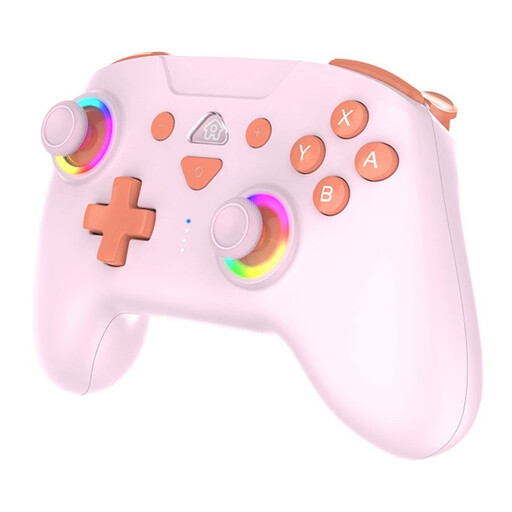
SUBSONIC Wireless Controller SW2 & SW, Pink
An option if you’re looking for a wireless controller for Nintendo Switch or Switch 2. Check that it supports the specific game you want to play.
The product information lists Bluetooth, a rechargeable battery and an included USB-C cable.
Joybuy
 No image available
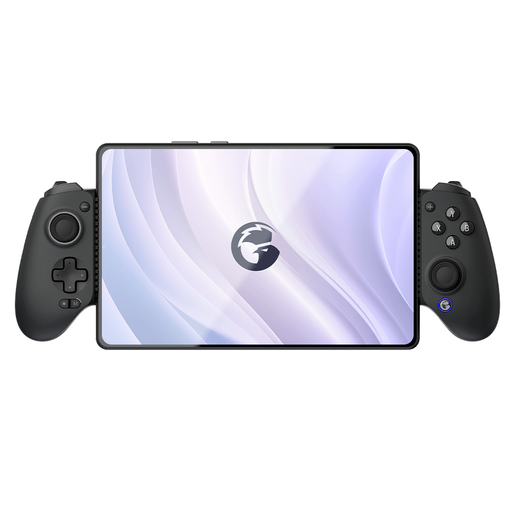
GameSir G8 Galileo Plus Bluetooth Mobile Game Controller
An option if you’re looking for a controller for one of the platforms listed for this version. Check game compatibility separately.
The product title lists Bluetooth and compatibility with Switch, iOS, Android, tablet and PC.
Joybuy
 No image available
Nintendo Switch Pro Controller, Black
A good choice if you’re looking for a wireless controller for Nintendo Switch. Check that your game supports the controller features you want.
The product information lists a wireless connection and built-in battery. Nintendo describes the Switch Pro Controller as having a D-pad.
Joybuy
 No image available
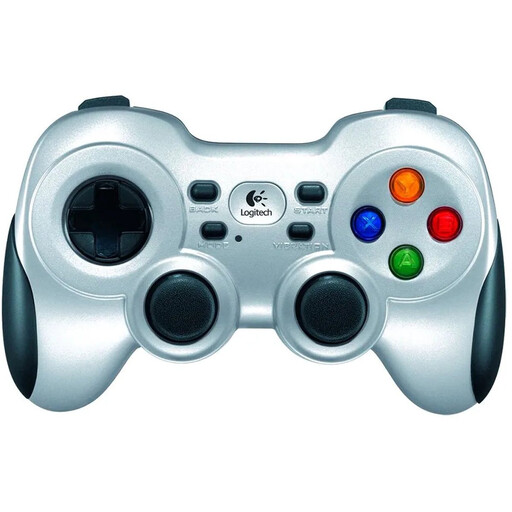
Logitech F710 Wireless Gaming Controller for PC, Silver
A PC option if you’re looking for a wireless controller with a four-way D-pad. Check that your game supports it.
The product information lists a 2.4GHz nano receiver and power from 2 AA batteries. The receiver uses a USB port.
Joybuy
 No image available
BEITONG KP70 Haptic Feedback Elite Wireless Controller
An option if you’re looking for a controller for PC or Nintendo Switch. Check compatibility with the specific game you want to play.
The product information lists wired, wireless and Bluetooth connections, and names PC and Nintendo Switch as compatible platforms.
Joybuy
Frequently asked questions
Will every controller work with every platform game on PC?
No. Check support for the specific game. Sony says that controller support and available features can vary by game. For games on Steam, also check whether the game lists full or partial controller support.
How do I connect the 8BitDo Ultimate 2C Wireless to Windows?
According to 8BitDo, you can use the included 2.4GHz USB-A receiver or a cable on Windows. Bluetooth is listed for Android with this version. The manual specifies Windows 10 version 1903 or later for the 2.4GHz connection.
Can I use the wired PowerA controller without the Switch dock?
Not according to the product specifications reviewed: PowerA says it can be used when the Switch is in its dock. Also bear in mind the detachable 3 m cable and the features that this version does not include.
What are my rights when buying online in the Netherlands?
According to the Dutch government, when you buy online from a business, you’re often entitled to a 14-day cooling-off period. You also have statutory rights if a product doesn’t meet the contract; there is no fixed statutory guarantee period in the Netherlands. Any manufacturer’s guarantee does not replace these statutory rights.


