
Console player on the sofa
Plays platform games on a TV using a Switch, Switch 2, PS5 or Xbox and wants to check first that the controller works with both the console and the game.


For platform games on a big screen, a controller is only suitable if it works with your console or PC and the game. Then compare the D-pad and button layout. Choose between wireless and wired depending on how far you sit from the screen: wireless avoids having a cable trailing across the room, while a wired controller is only practical if the connection and cable length are right.
Plays platform games on a TV using a Switch, Switch 2, PS5 or Xbox and wants to check first that the controller works with both the console and the game.
Often uses a D-pad in platform games and wants to compare the button layout and feel before considering extra features.
Plays on a big screen from a Windows PC and wants to choose a connection method that suits both the PC and the distance from the seat.
First, check that the controller and game work with your system. Then compare the button layout and, finally, choose a connection that’s practical from where you sit.
| What to consider | What should you check? | Who is this important to? |
|---|---|---|
| Compatibility | Check the exact console model, controller version and game requirements. Nintendo says the Switch Lite cannot be connected to a TV. | If I use my console or PC with a TV, I want to know first whether both the controller and the game will work with it; around 36% of consumers prioritise compatibility. |
| D-pad and button layout | Compare the D-pad on the exact version. Nintendo describes the Switch Pro Controller as having a single directional button, while Microsoft describes the Xbox Wireless Controller as having a hybrid D-pad. | If I prefer a particular button layout for changing direction and jumping, I want to compare it first; around 29% of consumers prioritise the controls. |
| Connection from your seat | Check the cable route and connection mode for each device. 8BitDo lists 2.4 GHz and wired connections for Windows, and Bluetooth for Android. | If I play from the sofa, I don’t want a cable route or receiver that makes my seating position awkward; around 21% of consumers prioritise the connection. |
| Power and use | Check how the version is charged or powered, and which accessories are included. Nintendo describes the Switch 2 Pro Controller’s battery life as an estimate that depends on usage. | If I’m planning longer gaming sessions, I want to know what I need to charge or get ready beforehand; around 14% of consumers prioritise power and running costs. |
Nintendo says the Switch 2 Pro Controller is only for Switch 2. One specific wired PowerA version lacks features including HD rumble and motion controls, and is not designed for games that can only be played with Joy-Con.
Check the exact console model, the controller’s full name and the controls required by your game.
For the Ultimate 2C Wireless, 8BitDo lists 2.4 GHz and wired connections for Windows, but Bluetooth for Android. So the connection mode for one device doesn’t automatically apply to another.
Check the mode for your exact version and device. If there’s a USB receiver, also make sure you can reach a suitable port.
The PowerA version reviewed has a 3 m cable. Whether it reaches from the Switch dock to your seat depends on your setup.
Measure the route to the connection and make sure the cable won’t get in the way.
The Dutch government distinguishes between statutory rights and a manufacturer’s warranty. It says that if there’s a problem with a product, the retailer must provide a solution.
Compare the terms of any additional warranty with your statutory rights, and contact the retailer if you have a problem with a product.
Nintendo makes controllers for Switch systems. The right version depends on your console model and the features you want.
The Xbox Wireless Controller is an option for supported Xbox consoles and Windows PCs.
DualSense is designed for PS5 and, according to PlayStation, can also connect to a Windows PC via USB-C or Bluetooth.
The Ultimate 2C Wireless is a possible controller option for a Windows PC connected to a big screen.
A specific Enhanced Wired Controller for Nintendo Switch offers a wired option for playing through the Switch dock.
The G7 SE is a wired option for the Xbox consoles and Windows versions listed by GameSir for this model.
The Joybuy picks shown here are suitable for playing on Switch and Switch 2, Xbox or PC. Check that your game and device are supported by the exact version.
 No image available
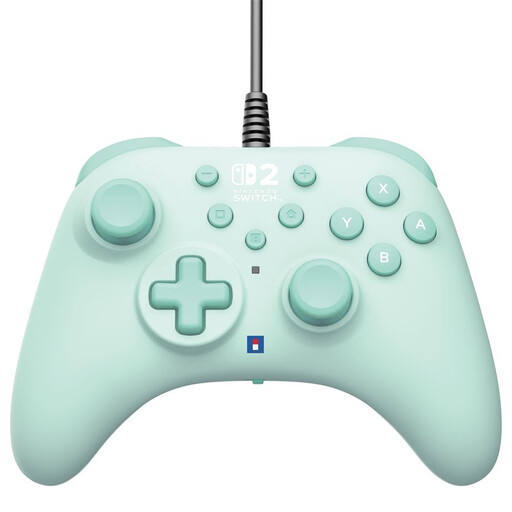
A wired option for playing on Switch or Switch 2, if the connection and cable route work for where you sit.
Wired via USB-A, with a 3 m cable.
 No image available
A wireless option to consider for a supported Xbox or Windows PC. Also check that the game works with the controller.
The product name specifies the Pulse Red colour.
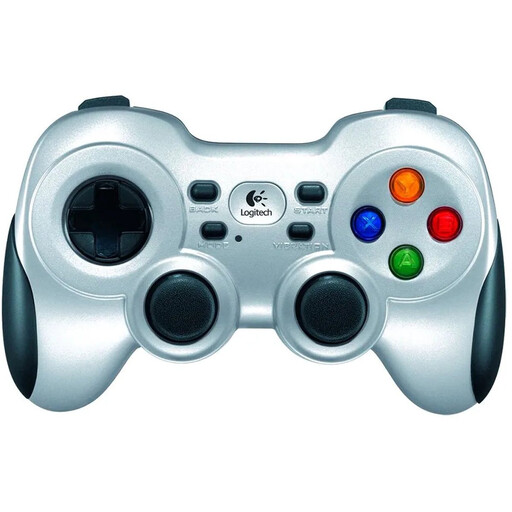 No image available
A wireless controller for PC gaming on a big screen. Check that the connection suits your PC setup.
The product name specifies PC use and the Silver colour.
 No image available
This modular wireless version could suit you if you’re looking for an interchangeable layout. Check compatibility with your device and game.
The product name lists interchangeable joysticks, buttons and D-pads.
 No image available
A Pro Controller for a Switch 2 setup. Check that the controls suit the game you want to play.
The product name specifies Switch 2 and the Black colour.
No. Nintendo says the Switch Lite cannot be connected to a TV; using a separate controller won’t change that.
For the PowerA Enhanced Wired version reviewed, plug the USB-A connector into a USB port on the Switch dock and the other connector into the controller. Check the instructions for your exact version.
No. PC compatibility alone doesn’t mean every special feature will work. PlayStation says some of these DualSense features are available in certain PC games; check support for each title.
According to the Dutch government, the retailer is responsible for providing a solution if there’s a problem with a product. Your statutory rights and the manufacturer’s warranty are different.
Milieu Centraal advises taking loose, flat batteries to a battery collection point separately. A small appliance with a battery or plug can be taken to a collection bin for electrical appliances.