
Friends playing together on a Switch
Want to know whether they can share the Joy-Cons they already have and how many extra controllers their party game really needs. Nintendo explains how to share Joy-Cons in games that support this style of play.


Choose a controller that suits both your console and the controls required by the specific mini-game; an extra controller won’t automatically make a game suitable for more players. Separate Joy-Cons can be shared in supported Switch games, while a full gamepad will only work with games that support that control setup. Also check how many controllers the game mode requires, how much room you have to move around and how the controllers are charged.
Want to know whether they can share the Joy-Cons they already have and how many extra controllers their party game really needs. Nintendo explains how to share Joy-Cons in games that support this style of play.
Want to match their game controls to the space available in their bedroom and remember to use the supplied wrist straps. Nintendo says you should attach the wrist straps when using Joy-Cons wirelessly.
Are looking for an extra gamepad for a game that genuinely supports local multiplayer on their device. Check that the controller is compatible with both your device and the game you’ve chosen.
| What to consider | What should you check? | Who should pay more attention to this? |
|---|---|---|
| Compatibility with your device and game | Check the exact console model, the game and the supported play style; for Switch, note the difference between Switch and Switch 2. | If I want to avoid buying a controller that doesn’t work with my console or mini-game, I’ll choose based on the exact combination. Around 36% of consumers say compatibility is their main concern. |
| Enough controllers for all players | Check the local player limit and the controller instructions for the specific game and game mode. Count the controllers you already own, too. | If I want to play with friends, the game needs to support both the control setup I’ve chosen and the number of players I want. Around 29% of consumers are most concerned about having enough compatible controls. |
| Motion controls in a small room | Check whether the game mode requires movement, whether there’s enough clear space and whether you have the right wrist straps. | If a mini-game involves movement, I’ll want enough room to play safely and to wear the controller correctly. For around 21% of consumers, motion gaming in the available space is the main priority. |
| Wireless play and power | Check how the controller charges and whether cables or batteries are included. Don’t assume AA batteries come with an Xbox controller without checking. | If I want to play in a bedroom without awkward cables, I’ll also check how the controller is powered. Around 14% of consumers prioritise wireless use and convenient charging. |
A single Joy-Con only works as a separate controller if the game and game mode support that setup. So the number of controllers you have doesn’t, by itself, tell you how many people can play.
Before choosing an extra controller, check the local player limit and the game’s controller instructions.
The two generations differ in compatibility and connection. Nintendo says original Joy-Cons can be paired wirelessly with Switch 2, but can’t be attached to or charged from the console.
Choose the right controller version for your console, and check how you can charge it.
A full gamepad won’t automatically offer the features required by a particular mini-game. For example, PowerA lists no HD rumble, IR or amiibo-NFC for the Enhanced Wireless Controller Rechargeable.
Compare the features your game uses with the specifications for the exact model.
Wireless controllers can use different power sources and charging methods. Some Xbox Wireless Controllers don’t come with AA batteries.
Before you buy, check whether batteries or a cable are included and what charging options you already have.
Joy-Con is suited to supported games on original Switch systems; Joy-Con 2 is designed for Switch 2.
DualSense is an option for a compatible local multiplayer game on PS5.
The Xbox Wireless Controller is designed for compatible games on Xbox and Windows PC.
Whether the controller suits your game depends on the exact Ultimate 2C variant and device version.
The Enhanced Wireless Controller Rechargeable is a full gamepad option for Switch games that don’t require missing features.
These options include Joy-Con sets and full gamepads for supported party games on Switch systems and PS5; check which controller setup each game requires.
 No image available
A pair of controllers to consider for a supported multiplayer game; check that the game mode accepts this control setup.
The product title lists Nintendo Switch, Switch OLED and Switch 2, along with a battery life of 8 hours.
 No image available
Suitable for a local multiplayer game on PS5 that supports DualSense controllers; the game determines how many players can join in.
According to PlayStation, haptic feedback and adaptive triggers are available when the game supports these features.
 No image available
A full gamepad for a Switch game that supports this controller setup; check the requirements of your chosen mini-game.
 No image available
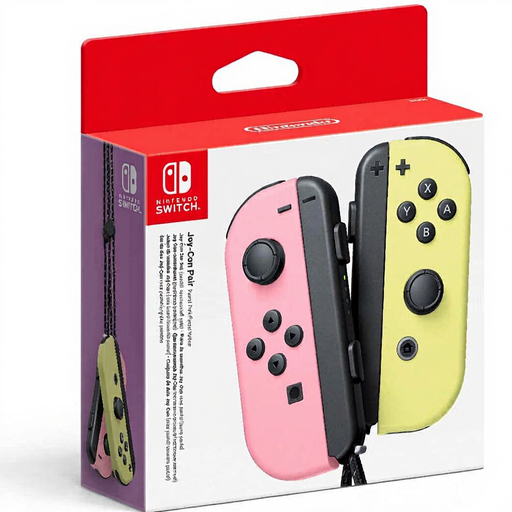
A pair of Joy-Cons for supported Switch games that let you use the controllers separately. Nintendo describes this shared control setup for compatible games and play styles.
Check that the game supports one Joy-Con per player and that the included wrist straps are suitable for the game mode you have in mind.
 No image available
A pair for Switch 2 games that support separate Joy-Con 2 controls; Nintendo says Joy-Con 2 doesn’t work with original Switch systems.
Check whether the game requires motion controls or a specific Joy-Con 2 feature, and whether the included wrist straps are suitable for how you’ll use the controllers.
Only if the game and game mode support using a single Joy-Con as a controller. Nintendo describes this style of play for supported games; check the player limit and whether you need a left Joy-Con, a right Joy-Con or a pair.
You can pair original Joy-Cons wirelessly with Switch 2, but you can’t attach them to that console or charge them directly from it. Nintendo recommends charging them with an original Switch or a suitable licensed charging accessory.
Check that there’s enough clear space for the movements required by your chosen game. Nintendo says you should attach the relevant Joy-Con or Joy-Con 2 wrist straps when playing wirelessly; these two types of strap aren’t interchangeable.
According to the Netherlands Authority for Consumers and Markets, the seller is responsible for the statutory guarantee if a product is faulty. Online purchases generally come with a 14-day cooling-off period after delivery, subject to legal exceptions; also check the terms that apply to your order.
Rules for radio equipment may apply to businesses placing electronic devices on the Dutch market. The Dutch government’s Ondernemersplein refers to the Radio Equipment Directive for equipment with a radio module and explains CE marking and an EU declaration of conformity where the applicable rules require them. A listing in an online shop doesn’t, by itself, prove that a specific item complies with the rules.