
Console gamers with their own headset
You want to play on your existing PS5, Xbox or Switch 2 and, ideally, plug your wired headset into the controller. The exact console model determines which controller and connection will work.


First, choose a controller that works with your console and party game, then decide where to plug in your headphones. A headset socket on a controller doesn’t automatically mean that every player in a local multiplayer game will get separate audio or chat, so check the game and its audio settings too. If you want to plug your headphones directly into a Pro Controller, the original Nintendo Switch and Switch 2 are not interchangeable.
You want to play on your existing PS5, Xbox or Switch 2 and, ideally, plug your wired headset into the controller. The exact console model determines which controller and connection will work.
You want to have enough suitable controllers and check in advance whether your chosen audio set-up works with multiple players. On the original Switch, Bluetooth audio can affect how many wireless controllers can be connected.
You’re looking for a controller for party games on Windows and want to assess the audio connection separately. According to PlayStation, the DualSense headset socket works on PC and Mac only when the controller is connected by cable.
Start with your console model and game, then check the headset connection and the audio or chat features you need. Only then consider whether a wired or wireless controller is better suited to your gaming space.
| What to consider | What should you check? | Who is this important to? |
|---|---|---|
| Compatibility | Check the exact console model, game, controller connection and full product variant. | I want to know before buying whether the controller works with my console and game. Around 34% of consumers say compatibility is their main concern. |
| Headset and chat | Check the connection, any CTIA support, the required connection method, and your game’s audio and microphone settings. | I want to use my existing headphones and know whether chat will work with my set-up. Around 33% of consumers prioritise headset audio. |
| Number of players | Check how many controllers the game needs and whether they’ll work alongside your audio set-up. | For a local gaming night, I want everyone to be able to join in. Around 20% of consumers make player numbers their top priority. |
| Cable or power | Check the cable’s route and length, or find out how the wireless controller is powered. | I want to move freely without a cable running across the gaming space, or avoid having to worry about charging. Around 13% of consumers prioritise this trade-off. |
The Switch 2 Pro Controller works only with Nintendo Switch 2. Nintendo lists a headset socket for this model, but it won’t work as a solution for the original Switch.
Before buying, check the full model name and your console model.
Nintendo says that a maximum of two wireless controllers can be connected to a Switch system when using Bluetooth audio. The Bluetooth audio connection is disconnected during local wireless communication.
Plan the number of controllers and how everyone will listen together, and check that your set-up works with your game.
According to PlayStation, the DualSense headset socket requires a wired controller connection on PC and Mac.
Decide in advance where you’ll plug in your headphones and whether a wired connection suits your set-up.
According to the Dutch government, there is no fixed statutory guarantee period in the Netherlands. The seller must offer a solution if a product does not meet the standard you could reasonably expect.
Compare any additional cover with your existing statutory rights.
Nintendo makes controllers for Switch systems. The distinction between the original Switch and Switch 2 matters if you want to plug your headset into the controller.
DualSense is a controller for PS5 and can also be used with supported PCs.
The Xbox Wireless Controller is designed for Xbox and can also be paired with other supported devices.
The Enhanced Wired Controller reviewed here is a wired alternative for Xbox.
The Ultimate Wired Controller for Xbox reviewed here is a wired model for Xbox and supported Windows PCs.
This selection includes controllers whose product names indicate they’re designed for Nintendo Switch systems, PS4 and/or PC. Check each model and game to make sure the connection and audio features suit your set-up.
 No image available
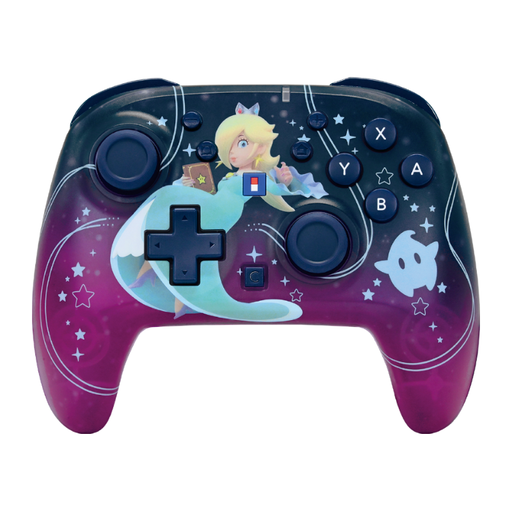
An option if you’re looking for a wireless controller for one of the Switch systems listed.
The product name lists TMR sticks, up to 40 hours of battery life and two programmable buttons.
 No image available
An option if you’re looking for a wireless controller listed as compatible with Nintendo Switch and Switch 2.
The product name lists function settings, a C Button and up to 10 hours of battery life.
 No image available
An option if you’re looking for a wireless controller for the Switch systems named in the product title.
The product name lists a C Button for GameChat, TMR sticks, up to 40 hours of battery life and two programmable buttons.
 No image available
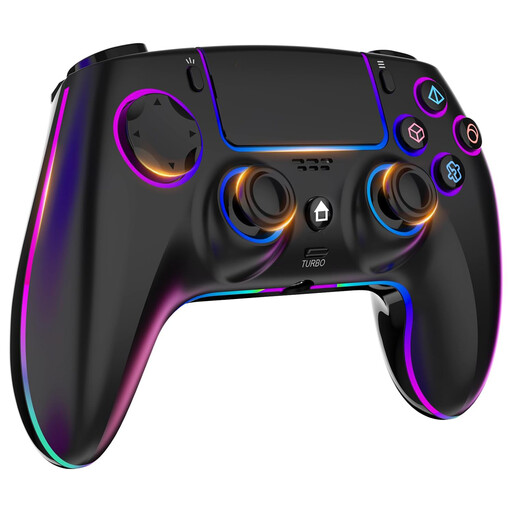
An option if you’re looking for a wireless controller for PS4 or PC and the listed features suit your game.
The product name lists a headphone socket, touchpad, turbo, dual vibration and a 1000 mAh battery.
 No image available
An option if you’re looking for a controller for Switch or PC, as indicated by the product name.
The product name lists dual vibration and a gyroscope.
No. Nintendo says that the Switch 2 Pro Controller works only with Switch 2. The original Switch Pro Controller is a different model and, according to the published specifications, has no listed headset socket.
Plug a compatible headset with a 3.5mm jack into the controller’s socket. Xbox describes settings for volume, chat mixer and mic monitoring in the Audio & music menu.
No. Nintendo’s free GameChat welcome offer ended on 31 March 2026. Nintendo now requires a Nintendo Switch Online membership, a constant internet connection and a registered phone number for GameChat; these aren’t requirements for every local party game.
Contact the seller about your statutory guarantee. According to the Dutch government, there is no fixed statutory guarantee period: what you could reasonably expect from the product and the circumstances of the fault are what matter. An additional manufacturer’s or paid guarantee doesn’t remove this right.