
Console gamer playing on a TV
You play quests on PS5, Xbox or Switch and mainly want to check that the controller works with your system and game. Microsoft, Sony and Nintendo specify support for different systems.


First, choose a controller that works with both your gaming system and the game itself; a big screen doesn’t make controllers interchangeable. Then weigh up wireless play against cable length, and for long quests, consider the controls, power and features your game supports. Microsoft, Sony and Nintendo each specify support for particular systems and features.
You play quests on PS5, Xbox or Switch and mainly want to check that the controller works with your system and game. Microsoft, Sony and Nintendo specify support for different systems.
You play on a big screen using a Windows PC and are weighing up wireless play against a cable that reaches your seat. Microsoft, Sony, 8BitDo and PowerA specify different connection options and compatibility requirements.
You want controls that suit you, need to factor in recharging, and should only consider extra features if your game supports them. Nintendo gives an estimated battery life for the Switch Pro Controller, which varies depending on use.
Start with the system your game runs on, then check the connection and features of the exact model. If you’re playing from the sofa, make sure the cable can reach your seat.
| What to consider | What should you check? | Who is this important for? |
|---|---|---|
| Platform and game | Check that the exact model works with your console or Windows PC and that the game supports the features you want. | If I want to play on my console or PC, I first check that the controller and game are compatible. Around 31% of consumers say compatibility is their main buying concern. |
| Freedom to move | Check which connection the model uses. If it’s wired, measure the distance to your seat; the PowerA model mentioned has a 3 m cable. | If I play from the sofa, I want to know whether the cable will reach or if I can use a wireless connection with my system. Around 25% of consumers prioritise freedom to move. |
| Controls and long sessions | Check the button layout and grip to see how they feel in your hands. Nintendo estimates the Switch Pro Controller’s battery life at around 40 hours, depending on use. | For long quests, I want controls that feel comfortable and to know when I might need to recharge. Around 19% of consumers put comfort during long sessions first. |
| Feedback and game features | Check whether the game uses haptics, adaptive triggers, motion controls or amiibo. Sony says that DualSense haptics on PC require a USB connection and support from the game. | If I want extra feedback, I first check whether my game actually uses those features. Around 13% of consumers make game-supported features their main consideration. |
| Running costs and what you need | Check which cable or receiver comes with the model and whether you’ll need a longer cable or a power supply. Compare any additional warranty separately from your statutory rights. | If I want to keep track of the costs of using the controller and any extra parts I need, I check what I already have and what else I might need. Around 12% of consumers put the total cost ahead of other buying concerns. |
Connections vary by model. For example, 8BitDo specifies 2.4 GHz for Windows and Bluetooth for Android for the Ultimate 2C Wireless.
Check which connection works with your device for the exact model; don’t rely on the word ‘wireless’ alone.
Sony says DualSense haptics depend on support from the game. For haptic feedback on PC, Sony also specifies a USB connection.
Before you make feedback features a priority, check what your game supports and which connection you’ll be using.
Connections and included accessories vary by model. A cable might not reach your seat, and you may need to consider a receiver or power supply.
Check what’s included with the version you’ve chosen and measure the distance to your device. Assess any additional warranty separately from your statutory rights.
An option for Xbox consoles and compatible Windows PCs. Microsoft specifies Xbox Wireless for consoles and Bluetooth for compatible PCs.
The DualSense is designed for PS5 players who want to use features such as haptic feedback and adaptive triggers in supported games.
The Switch Pro Controller is an option for playing Nintendo Switch on a TV. Nintendo also describes pairing it with Switch 2.
The Ultimate 2C Wireless is a potential option for Windows users looking for a 2.4GHz USB receiver and extra buttons.
The Enhanced Wired Controller for Xbox Series X|S is a wired option for supported Xbox systems and Windows.
Depending on the model, these product picks are aimed at Windows PCs, Xbox or Nintendo Switch. Check the connection, compatibility and game support for each version.
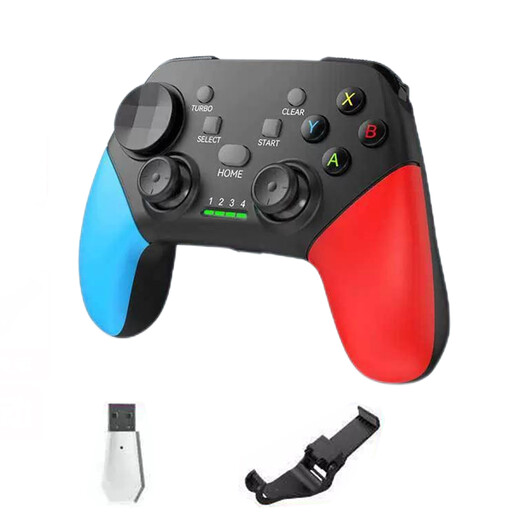 Image unavailable
The product title mentions Windows PC and Nintendo Switch, among other systems; check that this version is suitable for your system and game.
The title lists Bluetooth 5.2, 2.4G Wireless, dual vibration and a turbo function.
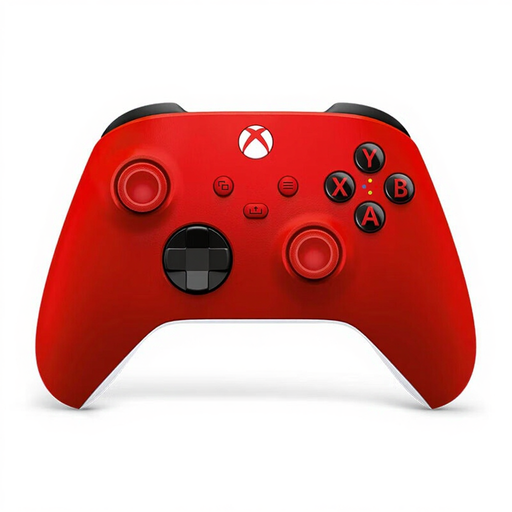 Image unavailable
The product title mentions Xbox, PC and cloud gaming; check compatibility and connection options for your device.
The title lists a wireless Xbox controller in Pulse Red.
 Image unavailable
An option for playing on Nintendo Switch; check that your game supports the features you want to use.
Nintendo lists motion controls, HD Rumble and amiibo support. It estimates battery life at around 40 hours, depending on use.
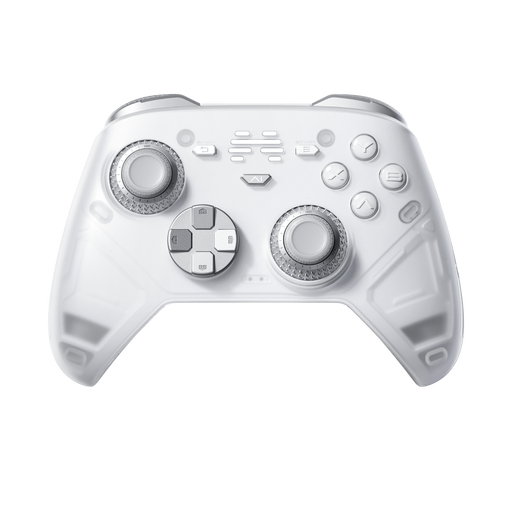 Image unavailable
The product title mentions PC, Nintendo Switch, Switch 2 and Steam; check which connection works with your device.
The title lists haptic triggers and six programmable buttons.
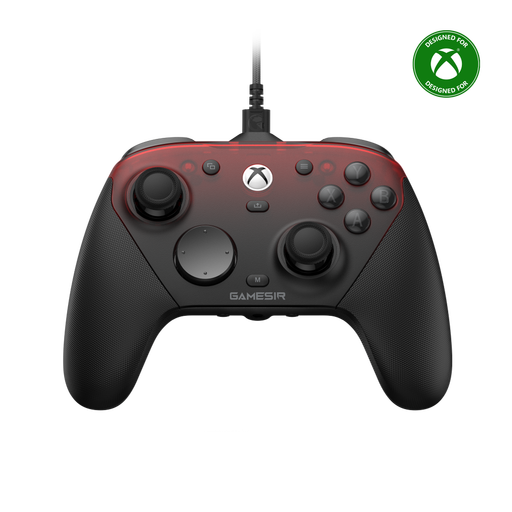 Image unavailable
The product title mentions Xbox Series X|S, Xbox One and PC; check which connection suits your system and playing position.
The title also mentions Android, Steam and wireless use with mobile devices.
No. The controller needs to work with the device your game runs on, not just the screen. Check which consoles or PCs it supports, the connection and compatibility with your game.
Don’t assume so: Sony specifies that haptic feedback on PC requires both support from the game and a USB connection. Check that these requirements are met for your game and setup.
Nintendo describes pairing it with a Switch or Switch 2 using the included USB cable and charging grip, or by pressing the SYNC button from the controller menu. Follow the instructions for your system.
According to the Dutch government, the retailer must offer a solution if a product is faulty. The Netherlands has no fixed statutory warranty period; compare any additional warranty with your statutory rights and the terms of that extra cover.
For distance purchases from a business, the Dutch government says you often have a 14-day cooling-off period, although there are exceptions. An online purchase from a private seller isn’t automatically covered by the same rules; check which terms apply to your purchase.