Controllers at Joybuy
This selection includes split Joy-Con sets for Switch and full gamepads for Xbox, PC, Switch and PS5. Check that both your system and the game support each model.
 No image available
Nintendo Switch Joy-Con Pair, Neon Green/Neon Pink
A split pair for Switch players; use one Joy-Con per player only if the game supports this play style.
View at Joybuy
 No image available
Nintendo Switch 2 Joy-Con 2 Pair, Light Blue/Light Red
A split pair for local multiplayer on Switch 2 in games that support this controller layout.
Joy-Con 2 doesn’t work with the original Nintendo Switch.
View at Joybuy
 No image available
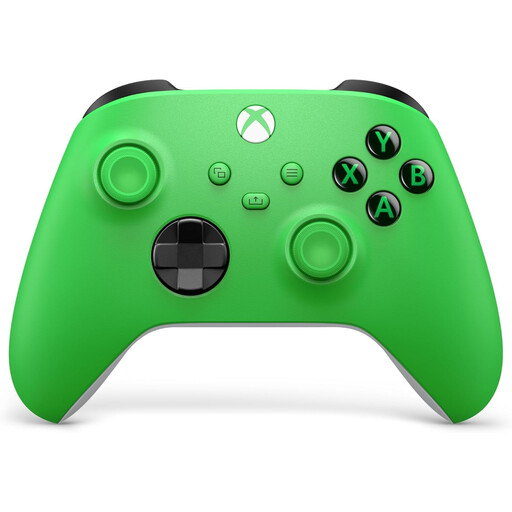
Xbox Wireless Controller, Velocity Green
A full-size wireless gamepad for local co-op on the Xbox systems listed or a compatible Windows PC.
The product information lists Xbox Series X|S, Xbox One and Windows PCs. You’ll need AA batteries or a separate rechargeable battery.
View at Joybuy
 No image available
GameSir Cyclone 2, Black-Bundle Edition
A full-size controller for players looking for a gamepad for PC or Switch; check that the local game supports it.
The product name lists support for PC, Switch, iOS and Android, as well as a charging station. Check compatibility with the specific game and model.
View at Joybuy
 No image available
Sony PlayStation 5 DualSense Wireless Controller, White
A full-size wireless gamepad for players who want to bring another player into the game on PS5.
The product information lists PS5 and Bluetooth. Check compatibility separately if you want to use the controller with a PC game.
View at Joybuy
Frequently asked questions
Are two existing Joy-Cons enough for two players?
Sometimes, if the game supports one Joy-Con per person. Check the controller layout for the specific game; this setup won’t automatically work for every co-op adventure.
Can I use and charge my original Joy-Cons with Switch 2?
Nintendo confirms that older Joy-Cons can be used wirelessly with Switch 2, but can’t be attached to the console. You’ll need an original Switch or a suitable accessory to charge them.
What should I check before using a wireless controller with a PC?
Check that the game supports local co-op and the controller, and find out which connection the model uses with Windows. According to 8BitDo, the Ultimate 2C Wireless works on Windows via the 2.4GHz adapter or a cable; the stated Bluetooth support is for Android.
What can I do if my controller develops a fault unexpectedly during normal use?
In the Netherlands, statutory guarantee rights may apply in addition to any commercial guarantee. ACM ConsuWijzer says that if a product develops a fault sooner than expected during normal use, the retailer must offer an appropriate solution at no cost; there isn’t one fixed statutory guarantee period for every controller.
What should I look for in a wireless controller in the Netherlands?
Check the product information and the CE marking on a wireless controller. The Dutch Authority for Digital Infrastructure outlines obligations for manufacturers, importers and retailers under European rules on radio equipment; this doesn’t mean you need to register a controller or apply for a licence to use it.


