What should you look for?
When playing interactive fiction in a shared bedroom, there are four things to weigh up: whether the game works with a controller, how much noise the controls and game make, how comfortable repeated choices feel, and what you need to connect and use the controller.
| Consideration |
What to look for |
Who it matters most to |
| Button and game noise |
Try the buttons you use most often, and adjust your device and game audio and vibration settings separately. |
If I’m sleeping next to someone, I want repeated button presses to be as quiet as possible and to be able to adjust game audio separately. Around 34% of consumers prioritise disturbance from button and game noise. |
| Game and device compatibility |
Check whether the specific game supports the controller and whether the connection suits your device and model. |
If I mainly want to make story choices, I want to know whether the game will actually recognise my controller. Around 33% of consumers prioritise compatibility with their game and gaming device. |
| Comfort and controls |
Consider the size and feel of the D-pad; extra bumpers or special triggers are only useful if your game uses them. |
For long gaming sessions, I want to make choices and confirm them comfortably, without unused extra buttons getting in the way. Around 20% of consumers prioritise comfort when making repeated text-based choices. |
| Requirements and maintenance |
Check the power supply, connection and contents of the exact version or bundle. |
If I want to use the controller straight away, I want to know in advance whether I’ll need batteries, a receiver or a cable. Around 13% of consumers prioritise additional requirements and maintenance. |
Joybuy products for existing consoles
These models are intended for existing PS5, Switch and Xbox setups. Their product information doesn’t provide comparative evidence that one model is quieter than another.
 No image available
PlayStation DualSense Wireless Controller - Marvel's Wolverine Battle Yellow Limited Edition
Suitable for an existing PS5 setup; check that the game supports controller input.
The product description lists haptic feedback and adaptive triggers for supported games.
The features listed depend on game support.
View at Joybuy
 No image available
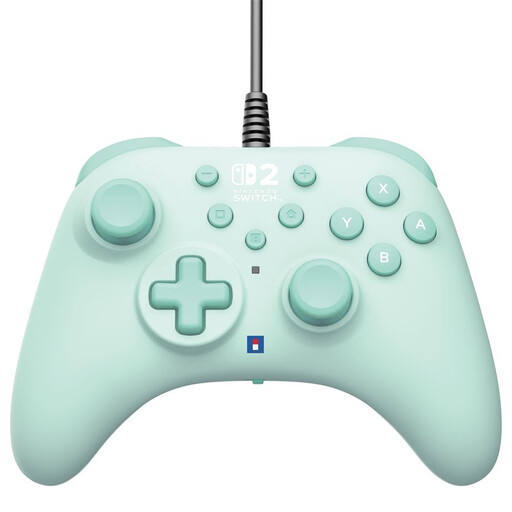
Hori Wired Controller Horipad Turbo for Switch and Switch 2 - Green
A wired option for a supported Switch or Switch 2 setup; check that the game supports it too.
The product description lists programmable rear buttons and built-in button mapping.
The USB-A cable is listed as 3 metres long.
View at Joybuy
 No image available
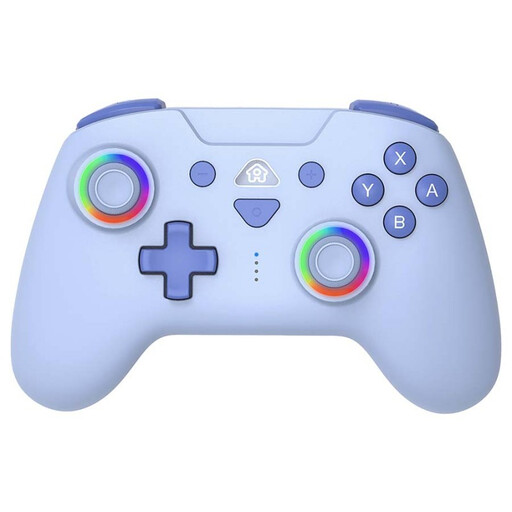
SUBSONIC Wireless Controller for Switch & Switch Lite with LED, Blue
Designed for a Switch or Switch Lite setup; check that the game supports controller input.
The product information lists Bluetooth, a rechargeable battery and a USB-C charging cable.
The description lists programmable rear buttons and adjustable vibration levels.
View at Joybuy
 No image available
KONIX Nintendo Switch and Switch OLED JoyPad Controller Pair - Blue and Red
A pair of controllers for the Switch setup listed; check the version’s compatibility information before using them with Switch 2.
The product information lists Bluetooth and dual vibration.
Battery life is listed as up to 8 hours.
View at Joybuy
 No image available
Xbox Wireless Controller Robot White
An option for a supported Xbox, Windows PC or Android setup; check whether the specific game supports it.
The product information lists a hybrid D-pad, USB-C, Bluetooth and a 3.5 mm headset socket.
View at Joybuy
Frequently asked questions
Does every game labelled interactive fiction work with a controller?
No, it varies from game to game. Check the information for the specific game: Valve warns that games using only gamepad commands need to support controllers.
What can I try if my PC game expects keyboard or mouse input?
Check whether Steam Input can map the necessary keyboard or mouse commands to controller buttons, then test all the choices and menus in the game. Valve distinguishes between these mapped commands and gamepad commands; success with a specific game isn’t guaranteed.
Does a claim about quiet buttons mean the whole setup is quiet?
No. EasySMX describes the X05 Pro as having noise-dampening features, but this isn’t a comparative sound test and doesn’t mean every button, vibration or game sound is quiet. Try the controls you use and adjust the game audio separately.
Which rules apply to a wireless controller sold in the Netherlands?
The Dutch government outlines the applicable European requirements for electrical and electronic equipment, as well as the rules for radio equipment that uses technologies such as Bluetooth or a radio-frequency module. Where CE marking is required, the manufacturer must apply it and draw up an EU declaration of conformity. These general rules don’t establish whether a specific product listing complies.
What are my rights when buying a controller online in the Netherlands?
According to ACM ConsuWijzer, online purchases generally come with a cooling-off period of up to 14 days after delivery. Your statutory guarantee is separate from any manufacturer’s warranty and depends on what you could reasonably expect from the product; there isn’t automatically one fixed guarantee period for every controller.


