
Players who want to check compatibility first
You play on a particular system and want to make sure in advance that both the controller and the farming game will work with it.


First, choose a controller that works with your farming game and gaming system. Then decide how you want to manage audio, vibration and any cable in your shared room. Wireless play gives you more freedom to move, while a wired controller means you don’t have to charge it. However, there’s no reliable comparison showing which controller makes the least noise when you press the buttons. Also check whether your specific game supports the controller features you want.
You play on a particular system and want to make sure in advance that both the controller and the farming game will work with it.
You want to consider audio, vibration and where any cable will run, so your room-mate is disturbed as little as possible.
You’re thinking about how the controller feels in your hand, how much room you have to move and how you’ll manage its power while playing.
| What to consider | What should you check? | Who is this important for? |
|---|---|---|
| Compatibility | Check the game, gaming system, exact controller version and required connection. The maker of Stardew Valley lists support for Xbox One and Xbox 360 controllers on PC. For other controllers and games, check their specific compatibility. | If I want to be sure my controller works with my game and device, I check that combination before buying. Around 36% of consumers put compatibility first. |
| Disturbance in a shared room | Check how you can listen to audio and whether vibration can be switched off. Nintendo describes a setting for Switch controller vibration; PowerA says the Wired Controller Plus doesn’t support vibration. Neither of these details tells you how noisy the buttons are. | If I’m playing while someone else is resting in the bedroom, I want to be able to manage audio and vibration separately. Around 29% of consumers give reducing disturbance top priority. |
| Comfort and freedom to move | Consider how the controller feels in your hands. For a wired model, measure the distance and route between the dock or device and where you sit. PowerA lists a detachable 10-foot USB cable for the Wired Controller Plus. | If I’m playing for a long time, I want to sit comfortably without a cable restricting my movement. Around 21% of consumers prioritise comfort and freedom to move. |
| Power and maintenance | Check whether the model uses a rechargeable battery, replaceable batteries or a cable, and consider battery-life claims alongside the stated conditions of use. Nintendo estimates the Switch Pro Controller’s battery life at around 40 hours; actual battery life depends on use. | If I don’t want to interrupt a gaming session to charge the controller or manage batteries, I compare the power options with my setup. Around 14% of consumers give this top priority. |
A switchable vibration feature or headset socket doesn’t tell you how much noise the buttons and sticks make. These features also control different types of sound or feedback.
Check how to manage audio and vibration separately, and don’t assume the buttons are quiet without comparable sound information.
The 8BitDo Ultimate 2C Wireless lists 2.4GHz and wired use for Windows, and Bluetooth for Android. This doesn’t mean another Ultimate 2C version has the same connections or platform support.
Check the full model name and the connection listed for your device.
PowerA describes the Wired Controller Plus as connecting through the Switch dock and a connected screen. You’ll also need to make sure the cable can run practically through your shared room.
Check your gaming setup and measure the route from the dock to where you sit before choosing a wired model.
A possible choice for Xbox and Windows PC; if you’re playing on PC, also check that your farming game supports the controller.
The Switch Pro Controller is an option for Nintendo Switch players looking for a full-size controller with a rechargeable battery.
The DualSense is the official controller for PS5; you may be able to use it on PC with compatible games and connections.
The Ultimate 2C Wireless is an option for Windows players who want to play wirelessly via 2.4GHz or with a cable.
The Nintendo Switch Wired Controller Plus is a wired option for a Switch connected to a screen via the dock.
This selection includes controllers for PS5 and Nintendo Switch, as well as some listed PC and mobile platforms. Before buying, check that your specific game and device support the controller and connection you want.
 No image available
A possible choice for PS5 or a compatible PC game; check whether your farming game supports it.
The product listing mentions USB-C or Bluetooth for connecting to a Windows PC, and a 3.5mm headset socket. The charging cable isn’t included.
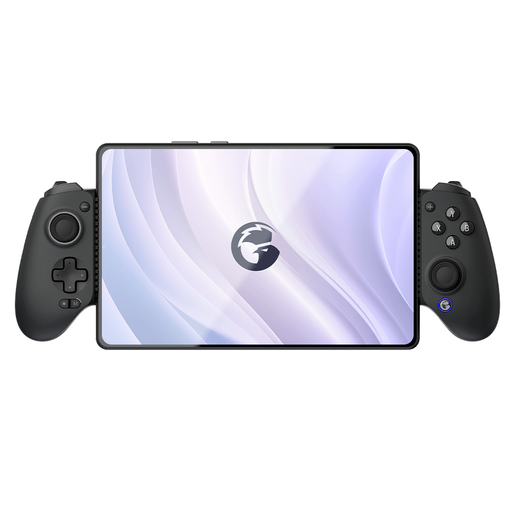 No image available
The product listing mentions Switch, PC, iOS and Android; check that your game works with this controller on your chosen device.
Bluetooth connectivity is mentioned in the product name.
 No image available
A wireless controller for Nintendo Switch; check whether your farming game supports this model.
Nintendo estimates battery life at around 40 hours, depending on use. You can switch off vibration in the Switch system settings.
 No image available
The product listing mentions PC and Nintendo Switch, as well as other platforms. Check compatibility with your game and device.
The title mentions wireless use and programmable buttons; the product listing also mentions wired and Bluetooth connections.
 No image available
The product listing mentions PC and Switch, as well as iOS and Android. Check that your farming game supports the controller on your chosen platform.
The product title mentions TMR sticks and a White-Bundle Edition; the product description mentions a 2.4GHz adapter and Bluetooth.
No. Don’t rely on the connection type alone. ConcernedApe lists support for Xbox One and Xbox 360 controllers on PC. For another model or farming game, check compatibility with your game and platform.
Nintendo Support explains that you can switch off controller vibration under System Settings, then Controllers and Sensors. This setting won’t add vibration to a game that doesn’t have the feature.
Don’t assume it will work with a standalone Switch Lite or without a dock unless this is confirmed separately. PowerA’s setup instructions for this model describe connecting it to a Switch that’s linked to a TV via the dock.
According to the Dutch government, you’re entitled to a product that works as it should. If a product is faulty, you may be entitled to a free repair, replacement or refund. There’s no single statutory guarantee period that applies to all products. For distance purchases, you’ll often also have a 14-day cooling-off period; check the terms that apply to your purchase.