
PC gamer looking for an easy connection
You play exploration games on a Windows PC and want to check which connection and game support you need before choosing extra features.


Start with the device you play on and check whether your exploration game supports the controller. Extra features only matter if they work with your game. Then choose between wireless play for more freedom of movement and a wired model that won’t need a break to recharge. Also check the connection, what’s included in the box and whether the controller feels comfortable in your hands.
You play exploration games on a Windows PC and want to check which connection and game support you need before choosing extra features.
You play on PS5 or Switch and want to know which vibration, trigger or motion features are available on your platform and in your game.
You play at a desk and weigh up comfort and cable space against possible breaks to replace or recharge batteries.
Start with your device and game, then choose a connection and features to suit where you play.
| What to consider | What should you check? | Who is this most important for? |
|---|---|---|
| Compatibility | Check the platform, operating system version and controller support for each game. | If I play on Windows or a console, I want to know whether both my device and my game support the controller. Around 33% of consumers put compatibility first. |
| Controls | Compare the grip, stick layout and how easy the buttons are to reach. | For longer gaming sessions, I want a controller that feels comfortable in my hands and has controls to suit my play style. Around 27% of consumers give controls top priority. |
| Connection and power | Check the connection type, any cable or receiver required, available ports and included accessories. | At a permanent desk setup, I want to weigh up whether a cable will get in the way and plan for charging or replacing batteries. Around 20% of consumers consider connection and power the most important factors. |
| Extra features | Check whether haptics, triggers or motion controls work with each game and connection. | If I want extra in-game feedback or motion controls, my game needs to support those features. Around 20% of consumers prioritise these kinds of extras. |
The 8BitDo Ultimate 2C Wireless specifies 2.4 GHz for Windows and Bluetooth for Android. Support can also vary between versions of Xbox controllers.
Check the connection mode of the exact version against the capabilities and ports of your device.
You may need a compatible receiver or cable if one isn’t included with the controller.
PlayStation says that haptic feedback and adaptive triggers depend on game support; USB may be required on PC.
Check which features work with your game and which connection they require.
You may need a compatible USB cable if one isn’t included.
With a permanent gaming setup, the distance to your device determines whether a cable will be practical. If you play wirelessly, you’ll also need to consider the power supply.
Measure the distance you need and check what’s included with the exact version.
The Dutch government states that there is no fixed statutory warranty period in the Netherlands, and that the retailer is your point of contact if a product is faulty.
Before choosing additional cover, compare it with the rights you already have.
An option to consider for Windows PC and Xbox if you want to compare supported connection methods.
The DualSense is most relevant for PS5 and PC games that support the features you want.
The original Switch Pro Controller is designed for playing on Nintendo Switch; Nintendo also explains how to pair it with Switch 2.
The Ultimate 2C Wireless is a Windows option for anyone who wants to use a 2.4 GHz receiver or USB.
The G7 SE is a wired option for a permanent setup with Windows or Xbox.
This selection at Joybuy includes controllers for Windows PC and Xbox, Nintendo Switch and PS5. Before buying, check support for your specific game and the connection you need.
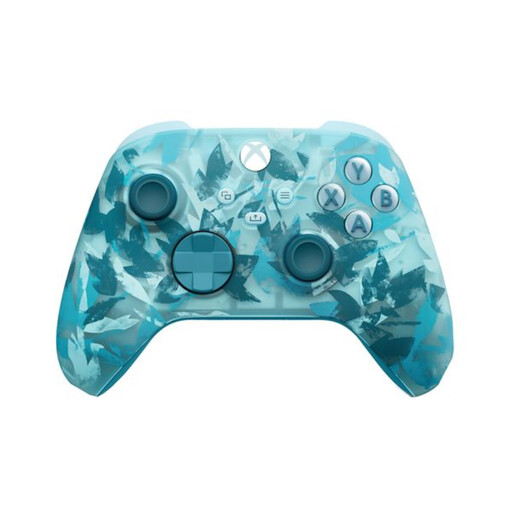 No image available
A wireless option for Windows 10/11 and Xbox.
Listed connections include Xbox Wireless, Bluetooth and USB-C. The description mentions two AA batteries included and battery life of up to 40 hours.
When using Bluetooth, a connected headset won’t work over that Bluetooth connection.
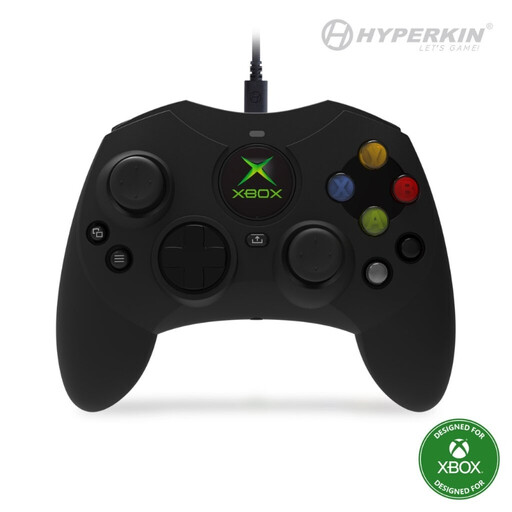 No image available
A wired option for Xbox Series X|S, Xbox One and Windows 10/11 if your gaming setup is within cable reach.
The description lists Hall Effect sticks, impulse triggers and a detachable 3-metre USB-C cable.
 No image available
A wireless controller for Nintendo Switch if you’re looking for motion controls or HD Rumble.
The description lists a built-in battery, motion controls, HD Rumble and amiibo functionality.
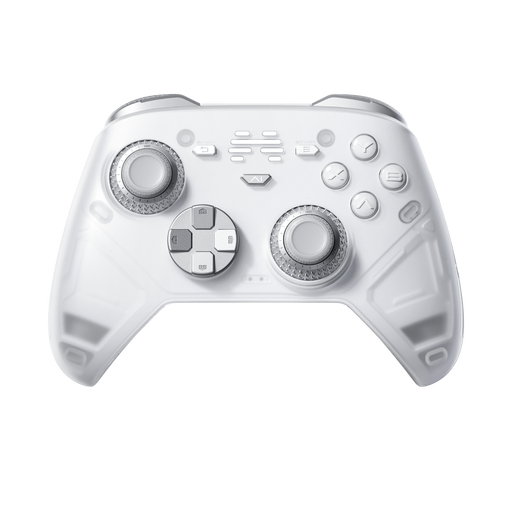 No image available
An option to compare if you’re looking for a controller for PC or Nintendo Switch with programmable buttons.
The title lists six programmable buttons and haptic triggers. Platforms listed include PC, Nintendo Switch, Switch 2, Steam and Android.
The description lists wired, wireless and Bluetooth connections; check which mode works with your device.
 No image available
A wireless controller for PS5; on PC, it’s relevant for games that support DualSense.
The description lists haptic feedback, adaptive triggers, a touchpad and a built-in microphone.
Haptic feedback and adaptive triggers only work in supported games; USB may be required on PC.
No. Check controller support for each game individually. Also check whether the special features you want to use work with that game and connection.
Nintendo explains how to pair it with Switch and Switch 2 using the included USB cable and charging grip, or wirelessly via the controller menu and SYNC button. The system must be switched on.
No. The Dutch government states that there is no fixed statutory warranty period in the Netherlands: you’re entitled to a product that works properly for as long as can reasonably be expected. If something goes wrong, the retailer is your point of contact; an extended warranty doesn’t replace those rights.
For online purchases from a business, the Dutch government says you’ll often have a 14-day cooling-off period. Check the applicable terms; according to its guidance, buying online from a private individual isn’t covered by this distance-selling rule.
Take loose flat batteries to a collection point, such as a shop that sells batteries; don’t put them in general waste. According to the Dutch government, you can dispose of an unwanted electrical appliance by, for example, handing it in when you buy a new appliance of the same type or taking it to your local recycling centre.