
PC detective game player
You want to select clues without constantly switching between your controller and mouse. Check your game’s input support first; Steam, for example, lists controller support for certain detective games.


First check that both your platform and the detective game you want to play support your chosen controller and input method. A controller won’t necessarily replace the mouse when you need to point out details. Then choose based on your game and platform, and tackle glare or hard-to-read text by adjusting your screen position and settings: a controller won’t change the lighting.
You want to select clues without constantly switching between your controller and mouse. Check your game’s input support first; Steam, for example, lists controller support for certain detective games.
You’re looking for a controller that works with your PlayStation, Xbox or Nintendo system, as well as the features supported by your game.
You play in a bright room and want to know whether the controls are difficult to use, or whether text and clues are simply hard to see on screen.
Choose this option: if your game supports controller input and you want to use a controller with a compatible Windows PC.
Bear in mind: PC compatibility alone doesn’t confirm that your game supports the controller.
Choose this option: if a mouse and keyboard work better for your game, or it doesn’t offer usable controller support.
Bear in mind: a configurable controller with trackpads, such as the Steam Controller, may take some experimentation to set up and won’t necessarily feel right for every detective game.
Choose this option: if you play your detective game on PS5, or if the PC version supports your DualSense controller.
Bear in mind: haptic feedback and adaptive triggers on PC depend on the game; PlayStation says a USB connection is required for haptic feedback.
Choose this option: based on your console, game and the controller features you want to use.
Bear in mind: Nintendo says the Switch 2 Pro Controller is exclusively for Switch 2. If you have an older Pro Controller, check that the features you want work with your Switch 2 game.
| What to consider | What should you check? | Who is this important for? |
|---|---|---|
| Compatibility | Check your platform, the game page and whether your controller type is listed. | I want to check first that my PC or console and detective game support my controller; around 36% of consumers put compatibility first. |
| Selecting clues | See which input methods your game supports and whether you can try out the controls. | If I want precise control over small clues and menus, I check which input methods work in my game; around 29% of consumers prioritise this. |
| Readability in daylight | Work out whether the problem is with the controls or with screen glare and brightness. | I want to see clues clearly in a bright room, so I check my screen and the lighting first; around 21% of consumers put visibility first. |
| Comfort and power | Check the connection and power source, and whether the controller feels comfortable to hold. | If I want to play for longer periods, I consider grip, freedom of movement and power; around 14% of consumers make this their main buying consideration. |
A controller may connect to your PC even if a particular game doesn’t support that controller or the type of controller you want to use.
Before buying, check both platform compatibility and the input methods listed for your game.
A different controller won’t change the lighting, screen brightness or display.
First check where your screen is positioned and the brightness settings available.
Nintendo says the Switch 2 Pro Controller is exclusively for Switch 2. Don’t assume that both models work with the same console or features.
Check the full model name, your console and the features your game needs.
According to the Dutch government, the Netherlands has no fixed statutory warranty period. This doesn’t affect your legal rights if a product isn’t as it should be.
Check what any additional cover includes, and contact the seller if your product is faulty.
An option for compatible Xbox consoles and Windows PCs, with wireless play or a USB-C connection.
DualSense is a good fit for PS5 players and for PC games that support the controller.
The right Pro Controller depends on your Switch console and the features you’re looking for.
The Steam Controller is a configurable PC option for anyone who wants to customise input for Steam games.
The G7 SE is a wired option for compatible Xbox systems and Windows PCs.
This selection includes controllers for PC and Xbox games, as well as Nintendo Switch systems. Check which controller inputs are supported for each game and platform.
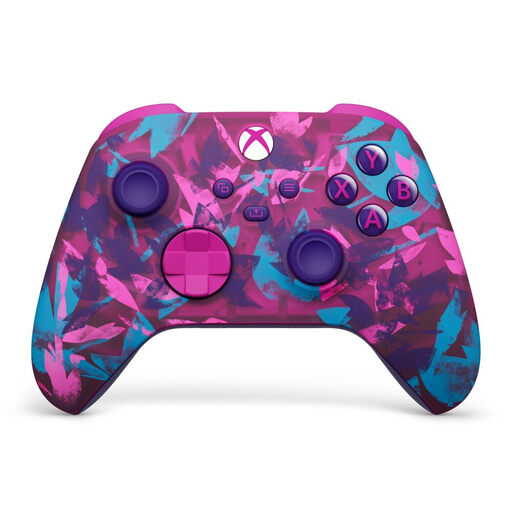 No image available
For Xbox Series and PC according to the product name; check that your detective game supports controller input.
Microsoft lists Bluetooth and AA batteries for the Xbox Wireless Controller; battery life depends on usage.
 No image available
According to the product information, it’s designed for PC and Switch; check support for your specific game.
The product name lists TMR sticks and a charging station; this version is a bundle.
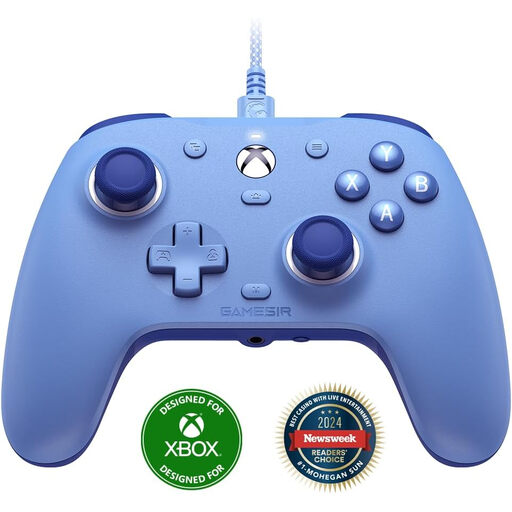 No image available
For the Xbox systems and Windows listed in the product name; check your game’s input support.
The controller is wired, which limits your freedom of movement.
 No image available
For use with Nintendo Switch; check which controller features your game supports.
Nintendo lists motion controls and an estimated battery life of around 40 hours; actual battery life depends on usage.
 No image available
According to Nintendo, this is exclusively for Switch 2; also check that your game supports it.
The product information lists Bluetooth and an included USB charging cable.
No. Check your game’s page to see which controller support and controller types are listed. Steam, for example, lists full controller support and Xbox controller support for two detective games; this doesn’t confirm support for other games.
According to PlayStation, you can connect via USB or Bluetooth on compatible devices. For haptic feedback on PC, the game and controller feature must be supported; PlayStation specifies a USB connection for this.
No, a controller won’t change screen brightness or lighting. If you’re struggling to see the screen, first check its position and the brightness settings available.
Check whether the model uses AA batteries, has a rechargeable battery or is wired, and what’s included. The Xbox Wireless Controller uses AA batteries; Nintendo says the Switch Pro Controller charges via USB-C. Battery life depends on the conditions.
According to the Dutch government, you usually have a 14-day cooling-off period when buying at a distance. You’re also entitled to a product that meets legal requirements; the Netherlands has no fixed statutory warranty period. If your product is faulty, contact the seller and check the terms of your purchase.