For Overcooked! 2 on the original Nintendo Switch, each player can use one Joy-Con, so an existing pair may be enough for two players, as Nintendo UK explains. Only buy extra controllers once you’ve checked your console, game version and number of local players. Then choose between a single Joy-Con and a compact gamepad based on how it feels in your hands, how much storage space you have, and your charging and cable needs.
Who is this buying guide for?
Switch players who like cooking together
Want to know whether their Joy-Con are enough before making room for extra controllers. Nintendo UK explains that a Joy-Con can be used on its own, and that Overcooked! 2 on Switch can be played with one Joy-Con per chef.
Players with limited storage space
Are looking for a small extra controller and weighing up its size, comfort in the hand, controls, charging and any cables. The stated dimensions of the 8BitDo Lite 2 and the wired connection of the HORIPAD Mini give you specific points to compare.
PC and other console players
Should check their own platform and game first; a Switch controller won’t automatically work with another console. Team17 says that two local players of Overcooked! 2 on PC, Mac or Linux can also share one keyboard.
What should you look for when choosing?
First, count the usable controllers you already have and check your console and game version. You only need an extra controller if you don’t have enough to accommodate all the players.
| What to consider |
What should you check? |
Who is this important for? |
| Compatibility and player numbers |
Check your console and game version, and whether each player can use a single Joy-Con or needs a full controller. |
If I want to play together using the controllers I already have, I first need to know for sure that my game and console support them. Around 36% of consumers would make compatibility and player numbers their top priority. |
| Storage space and play area |
Compare the dimensions of the exact model with your storage space. If it’s a wired controller, think about where the cable will go. |
When every centimetre of shelf space counts, I want to know how much room the extra controller will take up and where I can run its cable. Around 29% of consumers would make storage space their top priority. |
| Controls and comfort in the hand |
Check the button layout and decide whether the controller feels comfortable for the players to hold. |
If a Joy-Con held horizontally feels too small, I want a more comfortable grip without taking up too much extra space. Around 21% of consumers would make the controls and comfort in the hand their top priority. |
| Charging and cables |
Check how the controller charges, whether it needs a cable and whether you may need separate charging equipment. |
If you don’t want to store extra charging accessories or run cables across your play area, weigh up both options. Around 14% of consumers would make accessories, charging or cables their top priority. |
According to Nintendo, original Joy-Con can only be used wirelessly with Switch 2. If you don’t have an original Switch to charge them, you may need separate charging equipment.
Avoiding common buying mistakes
-
Buying an extra controller when your pair of Joy-Con is already enough
Nintendo says that Overcooked! 2 on Switch can be played with one Joy-Con per chef. First, count the individual controllers you already have and check the local multiplayer mode for your version of the game.
An unnecessary controller still takes up storage space.
Check the number of players and supported controls before choosing an extra controller.
-
Treating Joy-Con and Joy-Con 2 as if they work with the same console versions
Nintendo says that Joy-Con 2 only works with Switch 2. Original Joy-Con can be used with Switch 2, but only wirelessly.
If you’re using original Joy-Con with Switch 2 only, you may need separate charging equipment.
Check which generation of Switch you have and how you plan to charge your controllers.
-
Choosing based on the word ‘compact’ alone
A small size doesn’t necessarily mean the button layout is comfortable or that a cable won’t get in the way while you’re playing.
Compare the controls and dimensions of the exact model with your play area. If it’s a wired controller, remember to consider where the cable will go.
Brands to consider
Nintendo
Joy-Con and Joy-Con 2 are worth considering if you need individual controllers for a supported Switch game.
- Nintendo confirms that a Joy-Con can be used on its own, depending on the software.
- Joy-Con 2 doesn’t work with the original Switch. Original Joy-Con only work wirelessly with Switch 2.
8BitDo
The Lite 2 is a compact controller with sticks; the Micro is smaller and may suit players who are happy with its controls.
- 8BitDo lists the Lite 2’s dimensions as 120 × 65,95 × 35,45 mm and says it has a rechargeable battery.
- For the Micro, 8BitDo lists Windows support in keyboard mode only. Platform support alone doesn’t guarantee that a specific cooking game will work well.
HORI
The wired HORIPAD Mini is an option for a compact Switch set-up where a cable isn’t a problem.
- HORI lists two analogue sticks and says the HORIPAD Mini doesn’t need charging.
- HORI says this model doesn’t have NFC, vibration or a gyroscope; this doesn’t necessarily apply to other HORI controllers.
PowerA
PowerA designed the Nano Enhanced Wireless Controller as a compact wireless option for the original Switch family.
- PowerA lists motion controls and a rechargeable battery, with a stated battery life of up to 20 hours, depending on conditions.
- PowerA doesn’t list support for HD Rumble, IR or amiibo NFC for this model.
Xbox
A wireless Xbox controller is designed for players using an Xbox or Windows platform listed by Microsoft.
- Microsoft lists Bluetooth and Windows support.
- That doesn’t automatically make the controller suitable for Switch or every local multiplayer PC game.
PlayStation
The DualSense is designed for PS5 players; Sony also lists PC support for specific versions.
- Sony lists haptic feedback and adaptive triggers as controller features.
- These features don’t guarantee an advantage in Overcooked! 2. Check which PC controls are supported for each game and version.
Joybuy products for Switch
The products below are controllers for the Nintendo Switch family. Check that each model is supported by the console and game you use.
 No image available
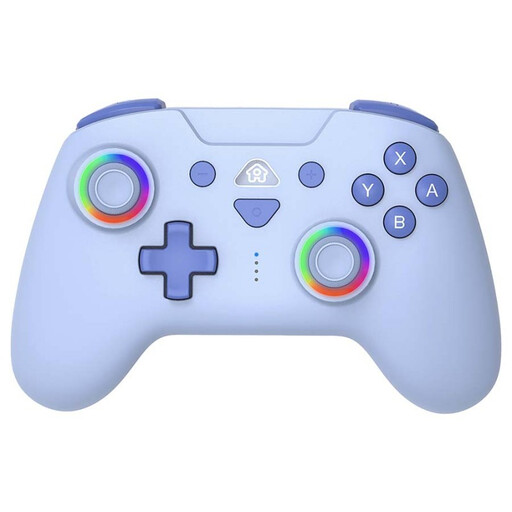
SUBSONIC wireless controller for Switch and Switch Lite, blue
An option if you’re looking for an extra wireless controller for Switch or Switch Lite; check that your game supports it.
The product name lists wireless controls, LED lighting and the colour blue.
View at Joybuy
 No image available
KONIX JoyPad controller pair for Nintendo Switch and Switch OLED, blue and red
A pair of controllers to consider if you need two extra controls for local multiplayer; check that they work with your game.
The product name also lists compatibility with Switch 2, battery life of up to 8 hours and vibration.
View at Joybuy
 No image available
Nintendo Joy-Con controller pair for Switch, neon red/neon blue
For two players using supported Switch software, one Joy-Con per player may be enough. Nintendo confirms that a Joy-Con can be used on its own.
This pair is for the original Nintendo Switch; check that the controls suit the game and players.
View at Joybuy
 No image available
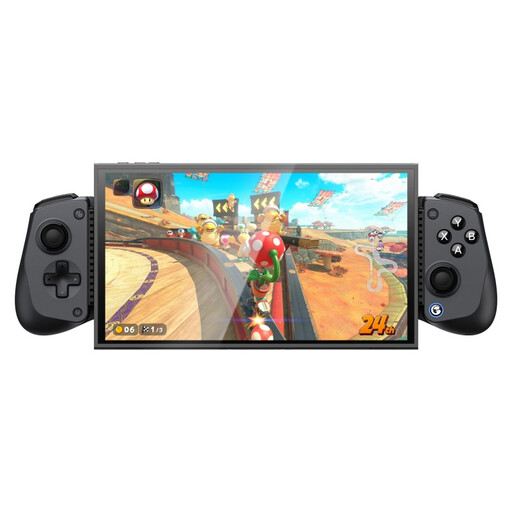
GameSir X5s Bluetooth controller for Switch 2/Android/iOS/PC
An option if you’re looking for a controller for one of the listed platforms; check that your specific game supports it.
The product name lists Switch 2, Android, iOS and PC. Actual support depends on the platform and game.
View at Joybuy
 No image available
Nintendo Switch 2 Joy-Con 2 controller pair, light blue/light red
For anyone looking for extra controls for Nintendo Switch 2. Nintendo says Joy-Con 2 doesn’t work with the original Switch.
The product name lists a pair of Joy-Con 2 for Switch 2; check that they’re supported by the game you want to play.
View at Joybuy
Frequently asked questions
Do I need to buy an extra controller straight away for two-player Overcooked! 2 on Switch?
Not if you’re playing with two compatible Joy-Con used separately: Nintendo describes Overcooked! 2 on Switch as playable with one Joy-Con per chef. However, check your game version and whether both players find these controls comfortable.
Does Joy-Con 2 also work with my original Switch?
No. According to Nintendo, Joy-Con 2 only works with Switch 2. Original Joy-Con can be used with Switch 2, but only wirelessly.
How can I stop extra controllers and charging accessories taking up space?
First, count the controllers you can already use and only buy extra ones if you need them. Then compare their dimensions, cables and charging methods. Nintendo says that separate charging equipment may be needed for original Joy-Con when using Switch 2 on its own.
Can two PC players play Overcooked! 2 without a second game controller?
Yes. According to publisher Team17, two players in local sessions on PC, Mac or Linux can share a keyboard. Check the settings in your game before buying a controller.
What product rule applies to selling a controller in the Netherlands?
The Dutch Authority for Digital Infrastructure states that equipment placed on the market in the Netherlands must meet the applicable European requirements and carry a CE mark. Check the product information and marking on the specific item; a general product description alone doesn’t tell you whether the mark is present.


