What should you look for in a charging station?
First check your controller and battery, then decide how many charging positions you need. Finally, make sure the available power supply is compatible with the dock.
| What to consider |
What to look for |
Who is this important for? |
| Controller and battery |
Check the exact model and generation, charging contacts and battery type. |
I want to be sure my controller and battery will fit the dock; around 31% of consumers in this situation make compatibility their top priority. |
| Two charging positions |
Check whether two compatible controllers can charge at the same time and whether the required batteries are included. |
If we share a desk, I don’t want to have to wait my turn to charge. Around 25% of consumers prioritise having two charging positions available at once. |
| Power supply and desk space |
Check whether the dock needs USB, a power adapter or a mains socket, and allow enough room for it. |
I want to connect the charging station to the power available here, without assuming there’s a mains socket or adapter. Around 25% of consumers prioritise the connection and desk set-up. |
| What’s included |
Compare the box contents with what you already have, such as batteries, battery covers and a suitable power adapter. |
I want to know in advance which extra parts I’ll need to use my chosen charging option. Around 19% of consumers focus on additional parts and their associated costs. |
Joybuy products for controllers and desk power
The products below include Xbox and PlayStation controller solutions, an Xbox battery-and-cable kit and a USB desk socket. Check that each product is compatible with your controller and available power supply. The desk socket isn’t a controller dock.
 No image available
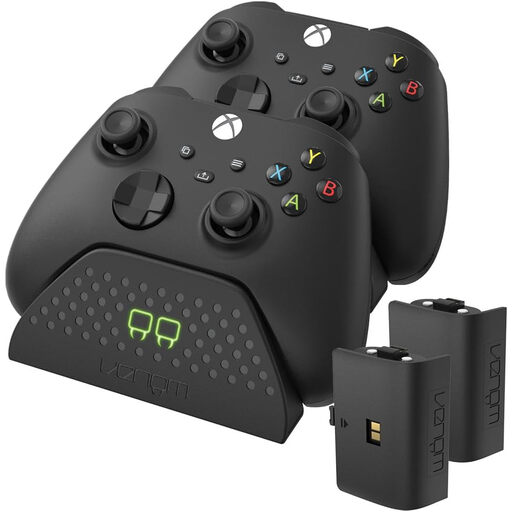
Venom Dual Charging Station with 2 rechargeable battery packs – Black – Xbox Series/Xbox One
An option if you need a dedicated charging spot for two compatible Xbox controllers at the same time.
Two charging positions and two rechargeable battery packs; the product description lists a USB charging cable. Designed for the Xbox Series X|S and Xbox One controllers mentioned.
Joybuy
 No image available
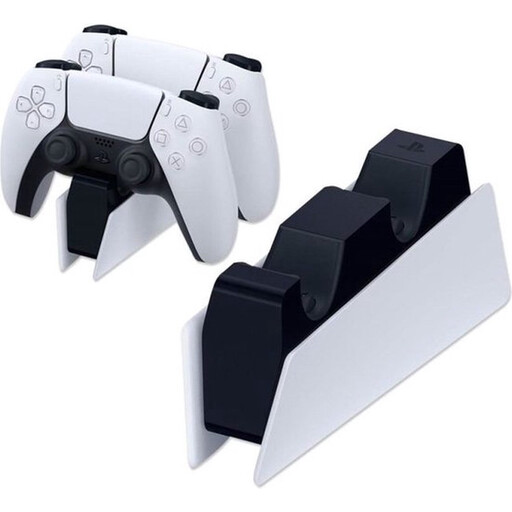
Sony PlayStation 5 DualSense Charging Station (EU) (PS5)
A good choice if you want to charge up to two compatible DualSense controllers in one place.
The product description lists simultaneous charging for up to two DualSense controllers and an AC adapter with power cable. This charging option doesn’t use USB power alone.
Joybuy
 No image available
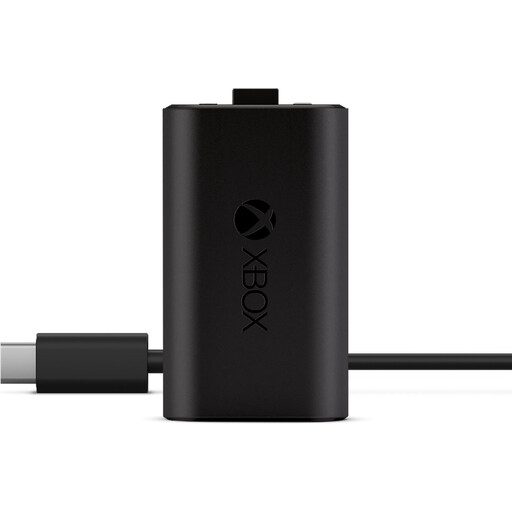
Microsoft Xbox Series X/S Play and Charge Kit
A battery-and-cable option if you want to charge a compatible Xbox controller without a dedicated docking spot.
The kit includes a rechargeable battery and a 2.7 m USB-C cable. Designed for Xbox One and Xbox Series X|S controllers; the description says you can charge while playing or afterwards.
Joybuy
 No image available
Neomounts DS22-840BL6 desk socket with clamp, USB-C and USB-A
A desk socket that keeps USB power close at hand; this product isn’t a controller dock.
The product description lists 2 USB-C ports at 20 W and 1 USB-A port at 18 W, plus a clamp mount.
Joybuy
 No image available
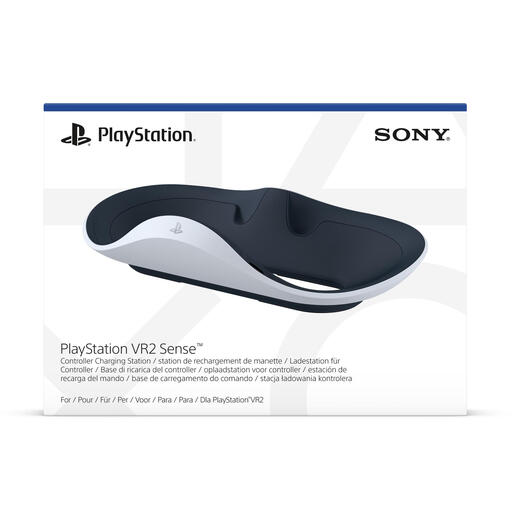
PlayStation VR2 Sense controller charging station
A good choice if you want a dedicated charging spot for the left and right PlayStation VR2 Sense controllers.
The product description lists simultaneous charging with the included charging adapters and an AC adapter. The controllers are sold separately.
Joybuy
Frequently asked questions
Can I charge an Xbox controller with rechargeable AA batteries via USB?
No. According to Xbox Support, rechargeable AA batteries don’t charge inside an Xbox controller. Use the charging method recommended by the battery manufacturer, or check whether a compatible dock includes its own rechargeable battery pack.
Can I connect a charging station without using the shared computer?
That depends on the model’s power requirements. Sony’s DualSense Charging Station comes with an AC adapter and power cable, while 8BitDo lists a USB cable for the single Xbox dock mentioned, but no power adapter. Check whether you have a suitable USB power source or a mains socket available.
What should I check if a controller won’t charge?
First check that the dock supports your controller, battery and any battery covers, and that the charging contacts are making a good connection. For the Nintendo Switch Pro Controller, Nintendo describes charging directly via the included USB charging cable and supported connections.
What are my rights when buying a charger online in the Netherlands?
According to the Dutch government, when you buy from a business online you’ll often have a 14-day cooling-off period, although exceptions may apply. You also have statutory rights if a product is faulty. The Dutch government states that the Netherlands has no fixed statutory warranty period.
Is CE marking required for every USB charging station?
You can’t determine that from the USB connection alone. For the relevant rules on electrical equipment, the NVWA specifies nominal voltages of 50 to 1.000 V AC and 75 to 1.500 V DC. The rules that apply to a particular version and any power adapter depend on the product, so check the relevant product information.


