If you have a spare USB port, choose a charging station that the manufacturer says is USB-powered and compatible with your exact controller model. A station with its own mains adaptor will still need a socket. Also check how many controllers you want to charge at once and which batteries or battery covers are included. For a Nintendo Switch Pro Controller, Nintendo also explains how to charge it using the existing Switch dock and the supplied USB cable.
Who needs a controller charging station when sockets are in short supply?
Gamers with no spare sockets
If you want to charge a controller from an available USB power source without plugging in an extra mains adaptor, check that the station you choose is genuinely USB-powered. PowerA and Venom describe USB-powered models, while Sony supplies an AC adaptor and power cord with its DualSense charging station.
Gamers with different types of controller
First, check the exact PlayStation, Xbox or Nintendo controller model. Charging contacts, battery packs and stands are not necessarily interchangeable. Nintendo, for example, warns that the Joy-Con 2 Charging Grip cannot be used with the original Switch Joy-Con controllers.
Gamers with two controllers
If you want to charge two controllers in one place, compare the number of charging bays with the power source required and the parts included. Sony specifies that its station can charge up to two DualSense or DualSense Edge controllers; the Xbox stations mentioned each have their own power requirements and battery sets.
What should you look for when buying a controller charging station?
| What matters when buying |
What should you check? |
Who is this important for? |
| No extra socket needed |
Check whether the exact model is USB-powered and whether you have a suitable USB power source available. |
If all my sockets are in use, I want to know whether I can use a spare USB port without plugging in an extra mains adaptor. Around 34% of consumers particularly want to avoid using a socket. |
| Controller compatibility |
Check the full model name and, for Xbox stations, whether the required battery and battery covers fit. |
I want the charging bay to fit my exact controller generation, not just look as if the connection will work. Around 33% of consumers put compatibility first. |
| Charging several controllers at once |
Compare the number of charging bays with the number of controllers you want to charge, and check how the station is powered. |
If I want to charge two controllers at once, the number of usable charging bays is essential. Around 20% of consumers say simultaneous charging is their main reason for buying. |
| Complete charging set |
Check which cable, adaptor, battery packs and battery covers are included. Also check who the seller is in case something goes wrong. |
I want to know in advance which parts I’ll need and who to contact if the product develops a fault. Around 13% of consumers are mainly looking for a complete set. |
Common mistakes when buying a controller charging station
-
Confusing a spare USB port with a spare socket
A charging station may work without being connected to your console and still need its own mains adaptor. So check how the specific model is powered before choosing it.
Only choose a station that works with the connection you actually have available.
-
Choosing a station for the wrong controller generation
A charging accessory for one controller generation will not necessarily work with another. Nintendo, for example, says that the Joy-Con 2 Charging Grip is not compatible with the original Switch Joy-Con controllers.
Compare the full controller model name with the station’s compatibility information.
-
Assuming an Xbox controller will charge on an empty dock alone
The Xbox stations mentioned specify rechargeable battery packs; PowerA also lists compatible battery covers. Check that the parts are suitable for your controller version.
Read the list of included items before deciding whether the station has everything you need.
-
Assuming the included warranty defines the limits of your rights
According to ACM ConsuWijzer, your statutory guarantee rights apply alongside any seller or manufacturer’s warranty. If a product is faulty, the seller may be responsible for putting things right.
Keep your proof of purchase and the product description, and contact the seller if something goes wrong.
Relevant controller charging station brands
Sony PlayStation
The DualSense Charging Station CFI-ZDS1 is designed for DualSense and DualSense Edge controllers.
- PlayStation specifies support for up to two controllers at once and includes an AC adaptor and power cord.
- The station needs a socket; controllers are sold separately.
PowerA
The models mentioned are a USB-powered Solo station for DualSense and DualSense Edge controllers, and a Duo station for Xbox Series X|S and Xbox One.
- PowerA specifies one charging bay and a USB-A-to-USB-C cable for the Solo model. The Xbox Duo model includes battery packs and compatible battery covers.
- The Solo model is for one controller; according to PowerA, the Xbox Duo model uses an AC adaptor. These details apply to the models mentioned.
Venom
According to Venom, the VS2881 Twin Docking Station is designed for Xbox Series X|S and Xbox One controllers.
- Venom lists two rechargeable battery packs and a detachable USB-to-USB-C cable.
- Check that the battery packs and other parts are compatible with your exact controller version.
Nintendo
For some Nintendo controllers, charging via an existing console dock may be enough. Charging grips are also available for specific Joy-Con generations.
- Nintendo explains how to charge the Switch Pro Controller via the dock’s USB port using the supplied controller cable.
- The Joy-Con 2 Charging Grip is not compatible with the original Switch Joy-Con controllers. The standard dock supplied with the original Switch does not charge Joy-Con controllers.
Controller charging stations and charging solutions at Joybuy
These Joybuy products offer charging solutions for Nintendo Switch Joy-Con, PS5 and Xbox controllers. Check each product’s controller compatibility, power requirements and included parts.
 No image available
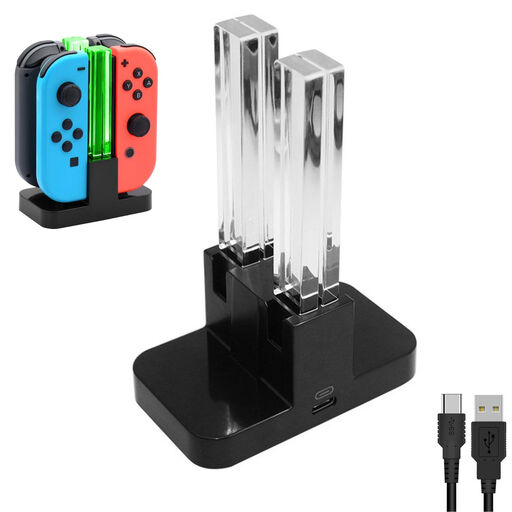
NAXSIR Charging Dock for Switch Controllers, 4-Way Charger
A USB-powered dock for charging several Joy-Con controllers; the product description says it can charge up to four controllers.
Includes a USB-to-Type-C cable. The description lists power via a USB port or a 5V source, with red and green charging indicators.
Joybuy
 No image available
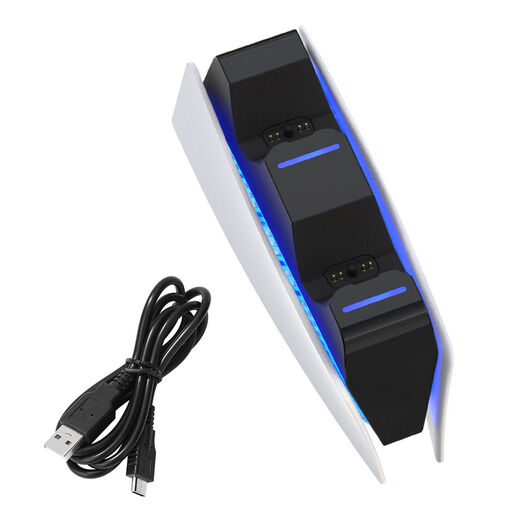
NAXSIR PS5 Controller Charging Dock, 2-Station
For charging two PS5 controllers at once; the product description lists two charging bays.
Includes a USB-C cable and LED charging indicators. The power adaptor is not included.
Joybuy
 No image available
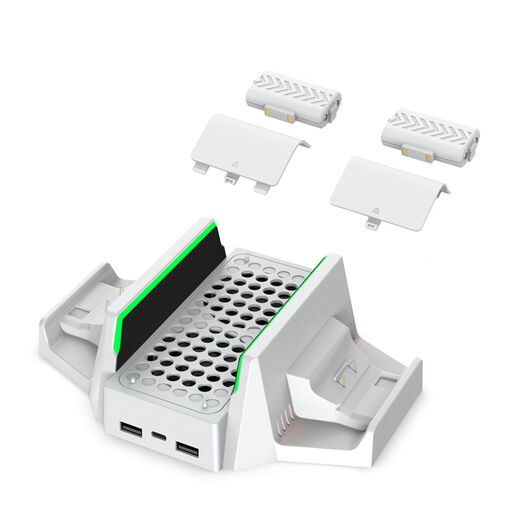
NAXSIR Multifunctional Stand for Xbox Series S, 4 Batteries
For an Xbox Series S set-up with a controller dock and rechargeable battery packs.
The product description lists a Type-C power input, two additional USB ports and four battery packs with compatible covers for Xbox Series X|S and Xbox One.
Joybuy
 No image available
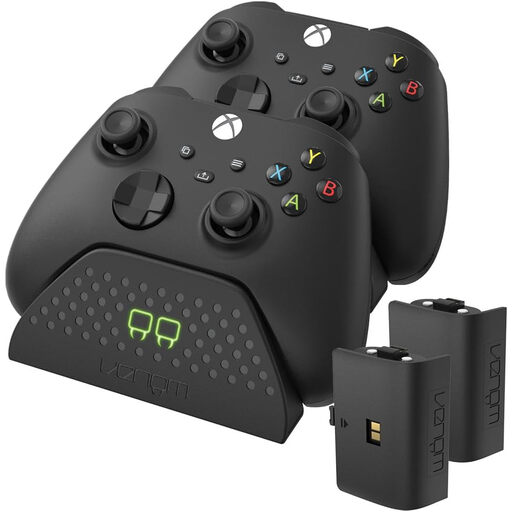
Venom Dual Charging Station with 2 Rechargeable Batteries
For charging two Xbox controllers using a USB power source, such as an Xbox console or PC.
The product description lists two rechargeable batteries and a 2-metre cable.
Joybuy
 No image available
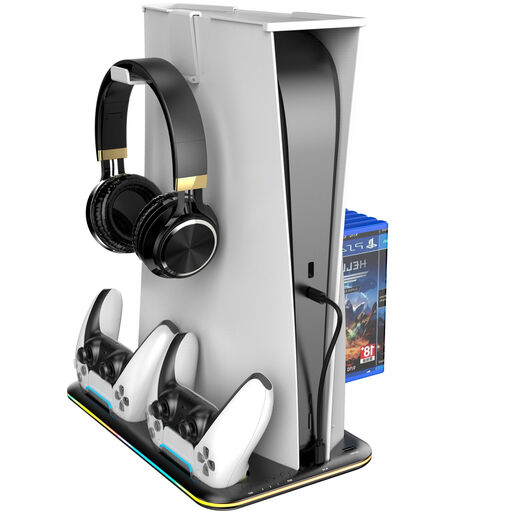
PS5 Stand with 3-speed Fan and Controller Charging Dock
For a PS5 set-up where you want to dock two DualSense controllers.
The product description lists charging status lights, a built-in USB port and storage space for PS5 accessories.
Joybuy
Frequently asked questions about controller charging stations
Is a USB cable always enough to use a controller station without a socket?
No, it depends on how the specific station is powered. PowerA describes its Solo station as USB-powered, while Sony supplies an AC adaptor and power cord with the DualSense station CFI-ZDS1. Also check that you have a suitable USB power source available.
Can I charge my Nintendo Switch Pro Controller without a separate station?
Yes. Nintendo explains that you can charge it using the supplied USB charging cable plugged into an available USB port on the Switch dock. This applies to the Pro Controller and dock mentioned, not necessarily to Joy-Con or other models.
Does the standard Joy-Con grip supplied with the original Switch charge my Joy-Con controllers?
No. Nintendo says the supplied HAC-011 grip does not charge Joy-Con controllers; the separately sold HAC-012 charging grip does.
What are my rights in the Netherlands if the charging station develops a fault or I want to cancel an online purchase?
If a product breaks during normal use sooner than you could reasonably expect, the seller must put things right free of charge, according to ACM ConsuWijzer. For distance purchases, the Dutch government says you can withdraw within 14 days in many cases; check the relevant terms and exceptions.
Does a CE mark mean every USB charging station has been independently tested?
No. A CE mark does not, by itself, mean that every station has been independently tested. The NVWA says that testing is not compulsory for most consumer products. The rules that apply to a station or its supplied mains adaptor depend, among other things, on its electrical design and voltage.


