If you’re taking one controller that can charge with a suitable USB cable, a cable and compatible USB power supply are often the simplest travel option. A controller-specific dock makes more sense if you want to charge compatible controllers together. First, check the exact controller model and battery type: PlayStation Direct Netherlands lists the DualSense and DualSense Edge as compatible with the CFI-ZDS1 charging station, while Microsoft says standard rechargeable AA batteries do not charge inside an Xbox controller.
Which charging options are right for you?
Traveller with one USB-chargeable controller
If you want to travel light, start by identifying your controller model, then choose a suitable cable and power supply. Nintendo Netherlands explains how to charge the Switch Pro Controller with a suitable power supply; Microsoft describes a separate charging option for compatible Xbox battery packs.
Traveller with two DualSense controllers
If you want to charge two compatible controllers in one place, consider a dock and check which power supply and cables you’ll need to bring. PlayStation Direct Netherlands lists DualSense and DualSense Edge controllers as compatible with the CFI-ZDS1 charging station.
Xbox player using AA batteries
If you use standard rechargeable AA batteries in your Xbox controller, decide how you’ll charge them first. Microsoft says these batteries do not charge while inside the controller.
What should you look for in a charging solution?
First, check your controller model and battery type. Then choose between a suitable cable and USB power supply, a dock for specific controllers or a battery pack for a compatible Xbox controller.
| What to consider |
What to look for when buying |
Who is this most important to? |
| Compatibility |
Check the exact controller model and the compatibility listed by the manufacturer for the dock or cable. |
If I’m taking a charging point with me, I want to be sure it works with my controller; around 36% of consumers prioritise compatibility above all else. |
| Packing light |
Compare your controller’s connection with the power supply’s ports and check which cable is included. |
If I want to keep my luggage compact, I pay attention to how many separate items I’ll need; around 29% of consumers prioritise travelling light. |
| Charging two controllers |
Check whether the station has two charging points and whether both controllers are compatible. |
If two controllers need charging at the same time, I look for a solution with two compatible charging points; around 21% of consumers consider simultaneous charging the most important factor. |
| Charging the battery |
Check whether your Xbox controller uses standard AA batteries or a compatible rechargeable battery pack. |
If my Xbox controller uses AA batteries, I want to know how to charge them; around 14% of consumers put a solution suited to their battery type first. |
Common mistakes when choosing
-
Assuming a USB-C connection means a dock will fit every controller
A compatible connection alone doesn’t prove that a controller will fit a particular dock. Sony lists compatible DualSense models; Nintendo describes a dedicated charging option for the Switch Pro Controller.
Look up your exact controller model, then check the charging product’s compatibility information.
-
Assuming USB will charge an Xbox controller with AA batteries
Microsoft says standard rechargeable AA batteries do not charge inside the controller.
Check the battery compartment before choosing a cable or charging station. Charge AA batteries according to the battery manufacturer’s instructions, or see whether a compatible Xbox battery pack suits your needs.
-
Looking only at the number of charging ports
A multi-port power supply and a controller-specific dock are different solutions. The Dutch plug type for the PowerA variant described here has not been confirmed.
Check which cables and power supply are included with the exact variant, and which plug type you need.
Brands to consider
Sony PlayStation
The DualSense Charging Station CFI-ZDS1 is designed for two DualSense or DualSense Edge controllers and doesn’t need to be connected to a PS5.
- PlayStation Direct Netherlands lists an AC adapter and power cable as included.
- It’s a controller-specific dock, not a universal USB charger.
UGREEN
The Nexode 65W wall charger, package 10335, is a multi-port option if you want to charge devices in a hotel using separate, compatible cables.
- UGREEN lists two USB-C ports and one USB-A port.
- Check whether your chosen package includes a cable and whether your controller can charge using the cable and power supply you plan to use.
PowerA
The Twin Charging Station, manufacturer SKU 1516956-04, is another dual dock for DualSense controllers.
- PowerA lists two charging points and an AC adapter.
- Check the plug type of your chosen variant before you set off.
Microsoft Xbox
A rechargeable Xbox battery with a USB-C cable is a charging option for a compatible Xbox controller, not a standalone charging station.
- Microsoft Store Netherlands lists a 2.5-metre USB-C cable.
- Microsoft says standard rechargeable AA batteries do not charge inside the controller.
Nintendo
For the Switch Pro Controller, Nintendo describes charging with the USB charging cable via the Switch dock or directly using a suitable power supply.
- The charging method described is specifically for the Nintendo Switch Pro Controller.
- Those instructions don’t confirm that any controller dock will be suitable.
Joybuy products for the charging options described
This selection includes USB-C wall chargers for devices that charge with a compatible cable, a Joy-Con Charging Grip and dedicated charging solutions for PS5 controllers.
 No image available
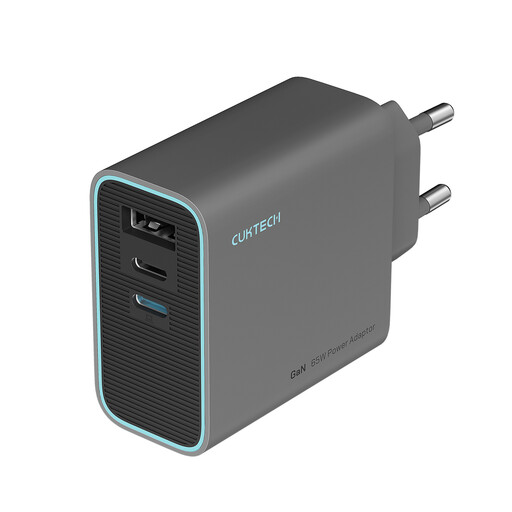
CUKTECH 65W three-port USB-C charger
A travel option for a controller that can charge with a compatible USB-C cable.
The description lists three ports and a foldable plug. Check that your controller is compatible with the cable and power supply you choose; the cable is not confirmed as included.
Joybuy
 No image available
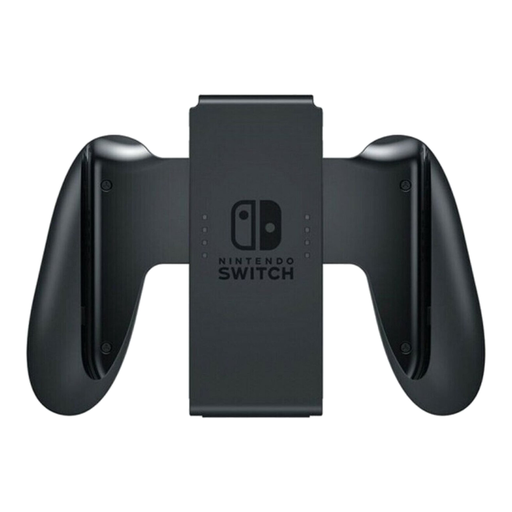
Nintendo Switch Joy-Con Controller Charging Grip, grey
For charging Joy-Con controllers while you play.
The description lists a Charging Grip for Joy-Con controllers. It isn’t a universal charging station for other controller models.
Joybuy
 No image available
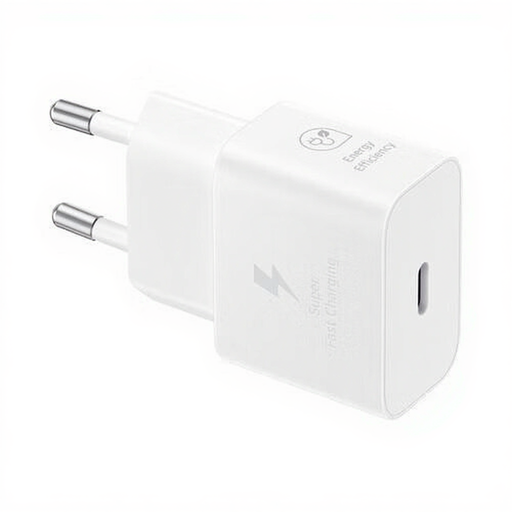
Samsung 25W Efficiency Adapter with USB-C cable, white
An option for a controller that can charge via a compatible USB-C cable.
The adapter has a maximum output of 25 W and comes with a 1-metre USB-C cable. Check that the connection is suitable for your controller.
Joybuy
 No image available
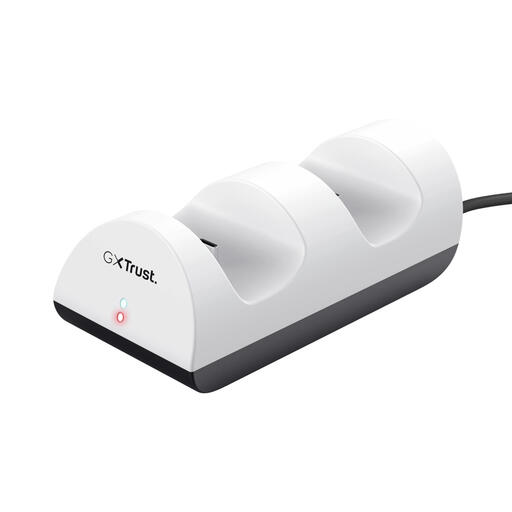
Trust GXT 254 Charge Kit
For charging two PS5 controllers at the same time with a controller-specific station.
The description lists two charging points, an included USB cable and LED charging status indicators. Use the supplied cable and keep the station away from liquids and heat sources.
Joybuy
 No image available
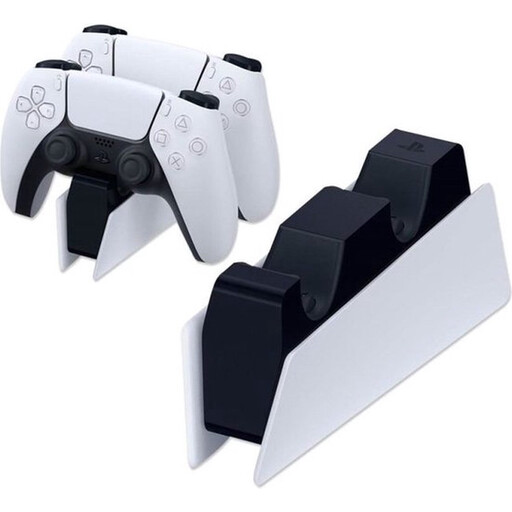
Sony PlayStation 5 DualSense Charging Station, EU
For charging two DualSense controllers in one place without using the PS5 as a power source.
The product description says it can charge up to two DualSense controllers at once. An AC adapter and power cable are included; this is a DualSense-specific station, not a universal controller charger.
Joybuy
Frequently asked questions
Can I charge a Nintendo Switch Pro Controller without the Switch dock?
Yes. Nintendo describes charging it directly with the Nintendo Switch AC adapter or another suitable power supply. Check the power requirements before using a different power supply.
Why won’t a USB connection charge standard rechargeable AA batteries in an Xbox controller?
Microsoft says standard rechargeable AA batteries do not charge inside the controller. Charge them according to the battery manufacturer’s instructions, or check whether a compatible Xbox battery pack works with your controller.
Do chargers in the Netherlands always need a CE marking?
According to the European Commission, a CE marking is required only for products covered by EU rules that require it. The marking alone doesn’t prove that a particular charger will work with your controller.
Does a manufacturer’s warranty cover the full warranty for a charging station bought in the Netherlands?
No. ACM ConsuWijzer explains that the statutory guarantee applies alongside any manufacturer’s or seller’s warranty. There is no fixed time limit for the statutory guarantee in the Netherlands; what you could reasonably expect from the product with normal use also matters.


