
Controller owners who want to check compatibility
You want to know whether the stand and any included battery are compatible with the specific controller model you use.


Choose a charging dock based on your exact controller model and the type of rechargeable battery it uses: a USB connection doesn’t mean a dock will fit every controller. A compatible dock is handy if you want a dedicated spot or need to charge several controllers; for a single controller, a suitable USB cable may be all you need if you already have one. If the dock comes with a mains adaptor, also check that it’s suitable for use in the Netherlands.
You want to know whether the stand and any included battery are compatible with the specific controller model you use.
You’re looking for a dedicated spot for your controller and weighing up a separate dock against charging it with a USB cable you already own.
You may want to store and charge two controllers at once, provided the same dock supports both models.
Start by checking your controller and battery, then consider whether a dedicated charging spot on your desk offers any advantages over using a cable.
| What to consider | What to check | Who should prioritise this? |
|---|---|---|
| Controller and battery | Check the full model name, generation and required battery or battery cover. | When I choose a stand, I want to be sure it fits my controller and battery. Around 36% of consumers prioritise compatibility above all else. |
| Space and cable routing | Think about where you can place the dock and cable, and which USB port or mains socket you’ll need. | At a busy home-working desk, I want a dedicated charging spot without cables getting in the way of my work area. Around 29% of consumers put desk layout and cable management first. |
| Multiple controllers | Check how many controllers the dock can charge and which models are supported in each position. | If I use two controllers, I want to know whether the same dock can charge both at once. Around 21% of consumers value simultaneous charging most. |
| Power supply and components | Check what’s included in the box and whether any mains adaptor is suitable for use in the Netherlands. | I want to know in advance which power supply and battery components I’ll need, and who to contact if a product is faulty. Around 14% of consumers prioritise the power supply and after-sales support. |
A USB connection doesn’t tell you whether the controller’s shape, charging contacts or battery will fit the stand. Sony lists specific DualSense models for its dock; Nintendo says the original Switch Joy-Con controllers aren’t compatible with the Joy-Con 2 charging stand.
Before buying, check the full controller model name and the stand’s compatibility information.
Microsoft says rechargeable AA batteries don’t charge inside the controller. A dock that uses its own battery packs may also require different components.
Check which type of battery your controller uses and which battery is compatible with your chosen charging dock. If you use rechargeable AA batteries, you may need to buy a suitable separate charger.
If a dock comes with a mains adaptor, check the specific adaptor and the applicable Dutch requirements. The NVWA outlines the CE marking requirements for electrical equipment covered by the Dutch Commodities Act Decree on Electrical Equipment.
Check the power specifications and applicable markings for the version you’re planning to buy. Don’t automatically apply requirements for mains-powered equipment to a dock powered solely via low-voltage USB.
According to the Dutch government, there is no fixed statutory warranty period in the Netherlands. Any stated manufacturer’s warranty is separate from your legal rights against the seller if a product is faulty.
Keep your proof of purchase and product description, and contact the seller if you have a problem.
Model-specific charging docks that give supported PlayStation controllers a dedicated place to charge.
Charging docks for supported Xbox controllers, where battery packs and matching battery covers may also be part of your choice.
Charging solutions designed for a specific Joy-Con generation.
A rechargeable battery with a USB-C cable offers an alternative to a separate desk charging dock for supported controllers.
Below you’ll find model-specific charging docks and stands for PS5-, Xbox- and Switch-related controllers. Before choosing, check the exact controller generation, battery type and power supply required.
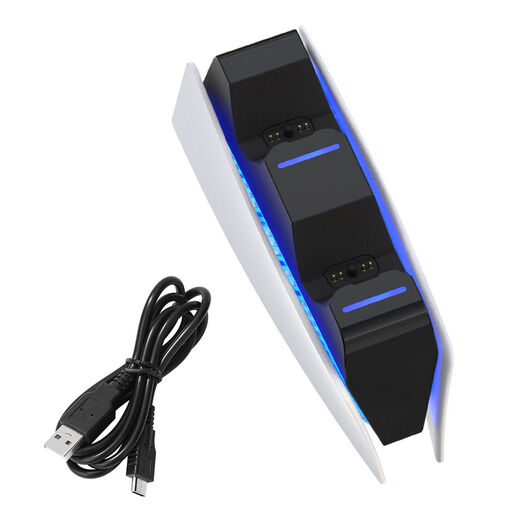 No image available
An option if you want to charge and store two PS5 controllers in one dedicated spot.
The product name specifies two charging positions. Before buying, check that the included power supply is suitable for use in the Netherlands.
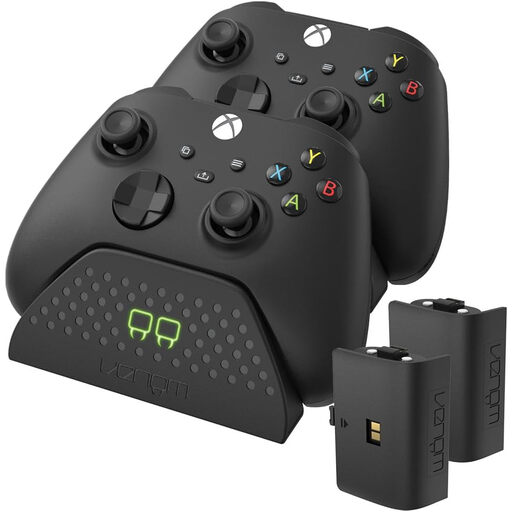 No image available
A good option if you want to use supported Xbox controllers with the included batteries instead of a separate AA battery charging solution.
The product name specifies two rechargeable batteries. Check compatibility with your controller model and whether the power supply is suitable for the Netherlands.
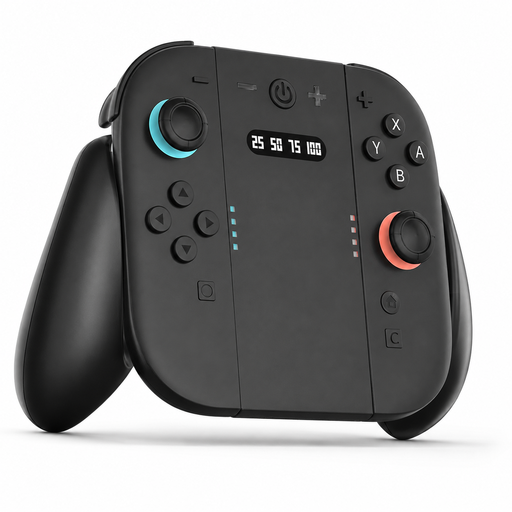 No image available
A possible choice if you want to store and charge Joy-Con controllers alongside your Switch 2.
The product name specifies a magnetic lock. Check that the stand is compatible with your Joy-Con generation.
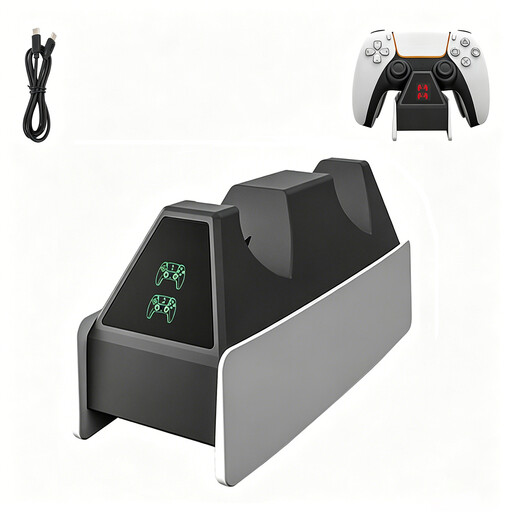 No image available
Worth considering if you’re looking for a charging dock for a PS5 Elite controller.
The product name refers to a PS5 Elite controller. Check full compatibility and the power connection required for your setup.
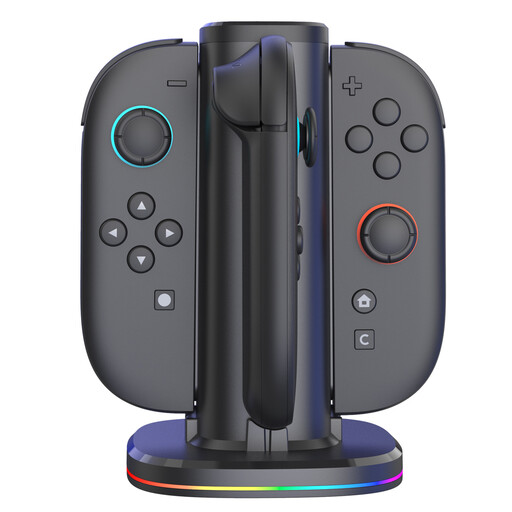 No image available
An option to consider if you want to store and charge several Joy-Con controllers together.
The product name specifies four charging positions and RGB lighting. Check that the stand is compatible with the generation of controllers you use.
Yes, if your controller and USB power source support it. PlayStation describes charging with a suitable USB cable, but notes that some computers or other USB devices may not charge a controller. Microsoft says rechargeable AA batteries don’t charge inside an Xbox controller.
Not necessarily: Nintendo’s Joy-Con 2 charging stand isn’t suitable for the original Nintendo Switch Joy-Con controllers. Check the controller generation in the product information before choosing a stand.
No. According to Microsoft, rechargeable AA batteries don’t charge inside the controller. Check which battery type is compatible with your controller and any charging dock; a separate AA charger is another option.
Check the adaptor and the applicable requirements for the specific version you want to use in the Netherlands. The NVWA outlines the mandatory CE marking for electrical equipment covered by the Dutch Commodities Act Decree on Electrical Equipment. The voltage limits in the Low Voltage Directive don’t automatically apply to a dock powered solely via low-voltage USB.
If you buy as a consumer in the Netherlands, you’re entitled to a product that works as it should, and the seller is your point of contact. According to the Dutch government, there is no fixed statutory warranty period; a manufacturer’s warranty is separate from these legal rights.