
Player with one regular controller
Wants a dedicated charging spot beside the bed and mainly needs to check that the controller model and battery are compatible with the dock or cable.


Choose based on your exact controller model and battery: a compatible dock gives one or two controllers a dedicated place to charge, while a USB charger with the right cable can also leave room for another device. Set up your charger on a clear, stable surface, away from pillows and duvets, and check which power supply, cables and batteries are included.
Wants a dedicated charging spot beside the bed and mainly needs to check that the controller model and battery are compatible with the dock or cable.
Wants to charge both controllers in one place, so checks the number of charging positions, supported models and whether batteries are included.
Wants to share connections with another device and checks that the port types and power output are suitable for charging both at once.
Start with the controller model and battery, then decide whether a controller-specific dock or a compatible USB cable suits the way you use it.
| What to consider | What to look for | Who should consider this? |
|---|---|---|
| Controller and battery | Compare the full controller model, battery and required connection with the product manual. Xbox states that rechargeable AA batteries do not charge inside the controller. | I want to make sure my controller and battery are compatible with the charging method I choose. Around 36% of consumers prioritise compatibility with their controller and battery. |
| A safe spot beside the bed | Choose a stable, clear spot where heat can dissipate, and keep it away from pillows and duvets. The Dutch Fire Service advises placing chargers in the open and not charging devices under bedding. | I want to charge my controller within easy reach, but keep it outside the bedding. Around 29% of consumers give top priority to a clear, suitable charging spot. |
| Charging two devices at once | Decide whether you want to charge two compatible controllers or different devices. Belkin specifies two USB-C ports of up to 20 W per port for WCB006vfWH. | I want to charge two controllers, or connect a controller and another device. Around 21% of consumers prioritise charging multiple devices at once. |
| What’s included | Check whether the required power supply, cables, batteries and battery covers are included. Sony lists an adapter and power cord for CFI-ZDS1; PowerA lists batteries and compatible battery covers for its Xbox dock. | I want to know what I’ll need to have at home to use the charging solution I choose. Around 14% of consumers pay closest attention to whether it’s a complete set. |
A USB port doesn’t automatically mean the batteries inside the controller will charge through that connection. Xbox states that rechargeable AA batteries do not charge inside the controller.
Check the battery type and the recommended charging method for your controller model.
Docks can be designed for specific controller models and components. A dock that isn’t compatible with your controller may not provide the charging set-up you need.
Compare the full controller model with the supported models, and check which parts are included in the box.
A covered charger may not be able to release heat as effectively. The Dutch Fire Service recommends placing chargers in the open and not charging devices under a pillow or duvet.
Choose a stable, clear spot beside the bed and follow the instructions for your charger and controller.
Sony describes CFI-ZDS1 as a DualSense charging station for up to two DualSense or DualSense Edge controllers.
PowerA’s Duo Charging Station 1522767-01 is designed for the specified Xbox Series X|S and Xbox One controllers.
The WCB006vfWH is a two-port USB-C wall charger that can be used with a compatible cable as an alternative for devices that charge via USB.
Xbox offers a rechargeable battery with a USB-C cable for wireless controllers with a USB-C port.
These product picks are controller-specific docks for PS5, Xbox and Nintendo Switch controllers. Check that each product supports your exact controller model.
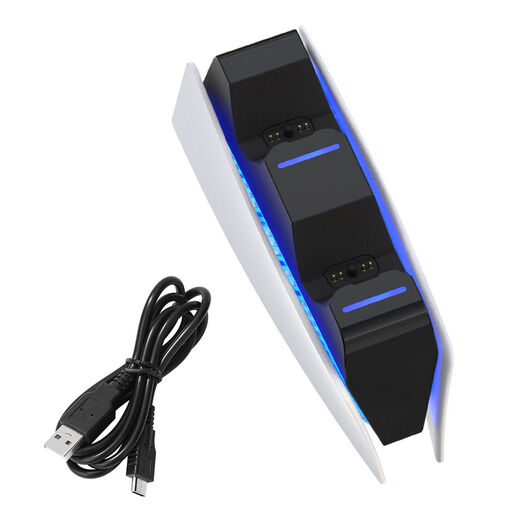 Image unavailable
A controller-specific dock for charging two specified PS5 controllers in one place; check that it’s compatible with your version.
The product description lists two charging positions and LED charging status.
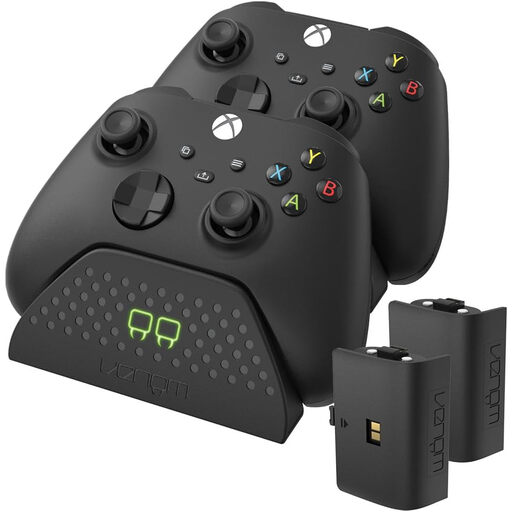 Image unavailable
Designed for the specified Xbox Series and Xbox One controller versions; check that your model is supported.
The product description lists two charging positions, two rechargeable batteries, charging status lights and non-slip feet.
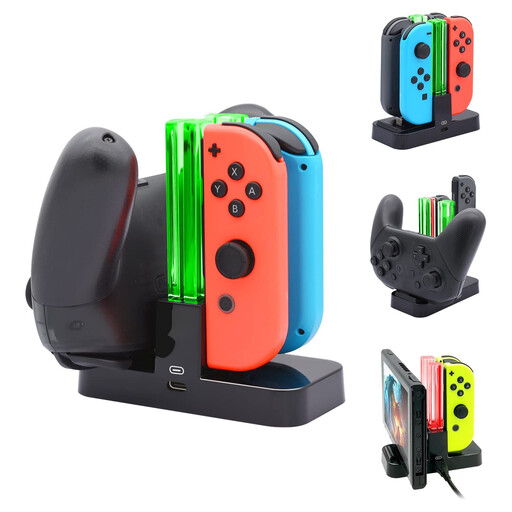 Image unavailable
A model-specific station for the specified Nintendo Switch controller versions; check that your Joy-Con or Pro model is compatible.
The product information lists four charging positions, LED lighting, a USB cable and a 5V USB power source.
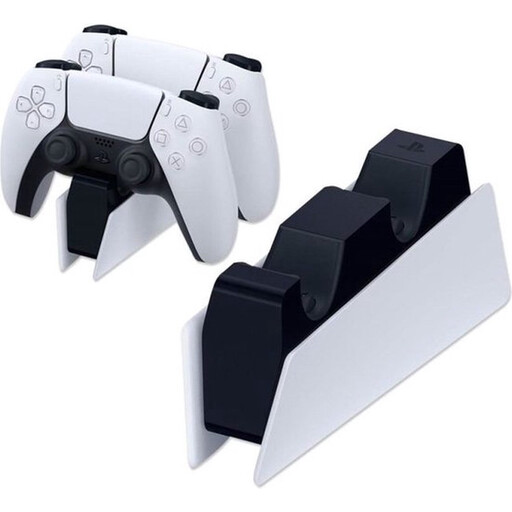 Image unavailable
For anyone who wants a dedicated place to charge DualSense controllers; check that your controller version is supported.
The product description lists two charging positions, a click-in design, and a supplied adapter and power cord. Sony’s manual specifies using the supplied adapter and power cord with this station.
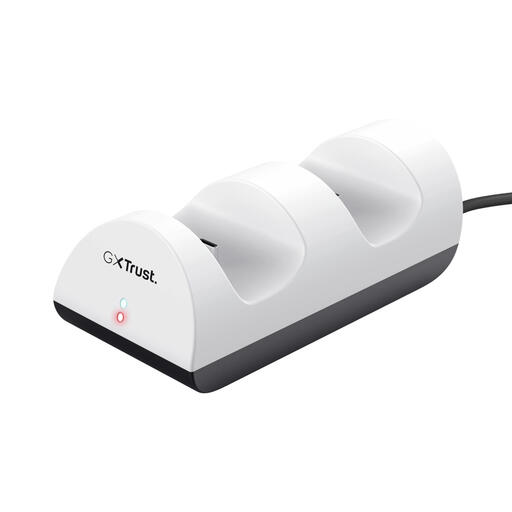 Image unavailable
A dock for the specified PS5 controller versions; check that your model is compatible.
The product description lists two charging positions, LED charging status and a supplied USB cable.
No. Xbox states that rechargeable AA batteries do not charge inside the controller. Follow the battery manufacturer’s recommended charging method; a compatible Xbox battery pack is another option.
Place the charger and controller on a stable, clear surface, not under a pillow or duvet. The Dutch Fire Service advises keeping chargers in the open so that heat can dissipate.
Sony lists an AC adapter and power cord in the box for CFI-ZDS1. The manual specifies using the supplied adapter and power cord with this model.
No. Don’t assume a controller has USB-C based on those rules alone. The European Commission lists handheld video game consoles among the designated product categories, but not controllers as a separate category, so check the connection on your controller.
The Dutch government states that electronic devices sold in the EU must carry a CE marking. Check the product information and marking on the specific charger; a CE mark shown on a retail page is not, by itself, an independent safety test.