
Players who want audio through their controller
You want to connect a wired headset close at hand. Check that the jack works with your platform and chosen connection method. For example, Xbox specifies a jack for compatible headsets.


First, choose a controller that suits your console or PC and the game you want to play. Then decide where to connect your headset and how the audio will be transmitted. Xbox specifies a 3.5mm jack for compatible headsets, while Sony requires a wired controller connection for headset audio via DualSense on PC. Nintendo states that the Switch 2 Pro Controller only works with Switch 2.
You want to connect a wired headset close at hand. Check that the jack works with your platform and chosen connection method. For example, Xbox specifies a jack for compatible headsets.
You’re looking for a controller for your existing PS5, Xbox, Switch, Switch 2 or PC. Sony, Xbox and Nintendo each specify different platform and model requirements, so check the full model name and support for your game.
You want to make actions in an action RPG easier to reach. Nintendo, GameSir and PowerA list customisable extra buttons on specific controllers. Also consider whether a cable would be comfortable while you play.
Start by checking support for your system and game, then check the audio connection. After that, weigh up extra buttons, power and freedom of movement.
| What to consider | What should you check? | Who should pay particular attention? |
|---|---|---|
| System and game compatibility | Check support for your exact console or PC and the game you want to play. For example, Nintendo distinguishes between the Switch Pro Controller and the Switch 2 Pro Controller. | I want to make sure the controller is right for my system and game first, so I don’t choose a model that won’t work with my setup. Around 34% of consumers prioritise compatibility. |
| Audio through the controller | Check that the jack and headset are compatible, and that audio works with your chosen connection. Sony requires a wired connection for headset audio via DualSense on PC; Nintendo specifies a 4-pole 3.5mm jack on the Switch 2 Pro Controller, using the CTIA standard. | I want to hear audio or chat through a clear, reliable connection and know whether I’ll need a cable. Around 33% of consumers put headset audio first. |
| Easy-to-reach, customisable buttons | Check which buttons can be assigned and whether the controller and controls you want are compatible with your system. Nintendo, GameSir and PowerA list these buttons on specific models. | I want to make frequently used actions in my action RPG easier to perform, without choosing extra buttons I don’t need. Around 20% of consumers prioritise customisable controls. |
| Comfort and freedom of movement | Consider the trade-off between wired play and the freedom to sit further from your system. GameSir lists a detachable 3 m USB-C cable for the G7 SE; Microsoft Xbox lists a textured grip on the Xbox Wireless Controller. | I want to play comfortably during longer sessions and choose between a cable and more freedom of movement based on where I sit. Around 13% of consumers prioritise power, comfort or freedom of movement. |
The jack won’t necessarily work with every connection method. Sony requires a wired controller connection for headset audio via DualSense on PC. For the Xbox One Chat Headset mentioned, Xbox specifies USB or the Xbox Wireless Adapter on PC.
Check the controller, headset and connection as one combination. Also decide whether you only want to listen or use the microphone too.
Nintendo states that the Switch 2 Pro Controller only works with Switch 2. The original Switch Pro Controller is a different model and doesn’t offer the same option of connecting audio through a jack on the controller.
Check the full product name and the system you want to play on before choosing a model.
The Xbox Wireless Controller is designed for supported Xbox consoles, Windows PCs and other devices listed by Microsoft.
DualSense for PS5 and supported PC games, with haptic feedback and adaptive triggers when a game supports these features.
There’s a difference between the Switch Pro Controller for the original Switch and the Switch 2 Pro Controller, which is designed exclusively for Switch 2.
The G7 SE is a wired option for Xbox and Windows, with a headset jack and extra buttons.
The Enhanced Wired Controller is a wired option for Xbox and Windows, with a headphone jack.
The product names below list various platforms, including Nintendo Switch and PC. Check each model’s compatibility with your system and game, and separately check how to connect your headset audio.
 No image available
The product name lists Nintendo Switch and PC. Check that the controller works with your game and how to connect your headset audio.
The product name lists dual vibration and a gyroscope.
 No image available
The product name lists PC and a PS5 layout; that layout alone doesn’t confirm compatibility with a PS5.
The product name lists a 3.5mm jack, programmable rear buttons and Hall Effect sticks. Check the headset and audio connection for your setup.
 No image available
A controller for the original Nintendo Switch. Plan to connect headset audio separately rather than through an audio jack on a Switch 2 controller.
The product information lists motion controls, HD Rumble, amiibo functionality and a built-in rechargeable battery.
 No image available
The product name lists PC, Nintendo Switch and other devices. Check support for your specific system and game.
The product name lists six programmable buttons, haptic triggers and adjustable joystick damping. The product information lists wired, wireless and Bluetooth connections.
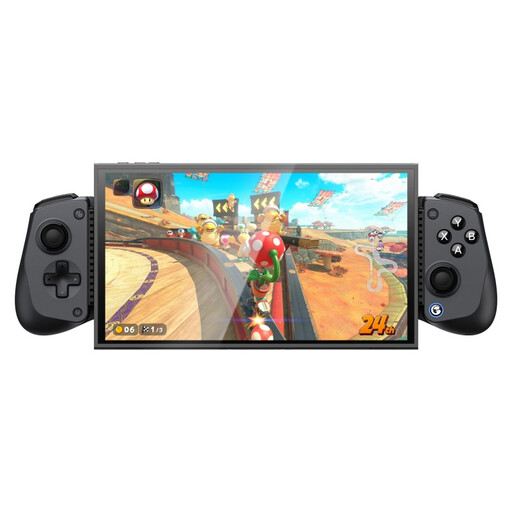 No image available
The product name lists several platforms. Also check how the controller works with your system and game, and where to connect your headset.
The product name lists Hall Effect joysticks, dual HD Rumble motors and a turbo function.
No, not for audio through that jack: according to PlayStation Support, using the headset jack on PC and Mac requires a wired controller connection. Also check whether the game supports the other DualSense features.
Yes, with a compatible wired headset. Nintendo specifies a 4-pole 3.5mm stereo jack using the CTIA standard. Nintendo states that the Switch 2 Pro Controller only works with Switch 2, not the original Switch.
Pair your headphones through the Switch’s Bluetooth audio settings; don’t assume that audio will come through the Pro Controller. Nintendo states that Bluetooth microphones don’t work, that a maximum of two wireless controllers can be connected at once, and that audio lag may occur.
No, don’t assume it does. For the Xbox One Chat Headset, Xbox Support specifies USB or the Xbox Wireless Adapter on PC. Check the required connection for your headset and controller before making an audio jack a deciding factor in your purchase.