
Reader with limited desk space
You want to prop up the screen and read using separate controls, without putting a monitor on your desk.


Start with the visual novels you want to play, then check that each title is available on your chosen platform, supports your preferred text language and works with the controls. A Switch with tabletop mode can be handy if you don’t have a separate monitor. A Steam Deck or Windows handheld may suit you better if you already have a PC game library, but you’ll still need to check compatibility and readability for each game.
You want to prop up the screen and read using separate controls, without putting a monitor on your desk.
Your choice starts with the visual novels you already own or want to buy. Availability, language and controls matter more than the handheld’s brand.
You want to check in advance whether the text in your games is comfortable to read on the built-in screen, or whether you’d prefer to use an external display.
Start with your list of titles and preferred text language. Then choose a setup that suits your desk, and only after that check the screen specifications and accessories you’ll need.
| What to consider | What should you check? | Who should pay particular attention? |
|---|---|---|
| Readability | Check the text in the games you play and look up compatibility information for each title. Nintendo lists a 7.9-inch screen for Switch 2; Valve specifies 7.4 inches for Steam Deck OLED. Lenovo lists an 8-inch screen for the Legion Go S model referenced here. Screen size alone doesn’t guarantee comfortable reading. | If I’m going to read for a long time, I want to know whether the text in my games is easy to follow on the built-in screen. Around 33% of consumers prioritise readability on their preferred screen. |
| Desk setup | Decide whether you want tabletop play, handheld play or to use an existing external screen. Nintendo describes Switch 2 and Switch OLED as having an adjustable stand; according to Nintendo, Switch Lite is designed for handheld use and doesn’t connect to a TV. | If I want to prop up the screen and keep my hands free to use the controls, I’ll look for a suitable tabletop setup. Around 33% of consumers make their desk setup their top priority. |
| Games, languages and controls | Make a list of the titles you want, then check each game’s platform, text language, play style and any compatibility information. Nintendo warns that some Switch games aren’t fully compatible, or aren’t compatible at all, with Switch 2. Valve provides Steam Deck compatibility information for each game. | If I have specific visual novels or text languages in mind, I want to know first whether they’re available on my chosen platform and work well with its controls. Around 25% of consumers give the most weight to the games and languages they want. |
| Everything you’ll need | Check which accessories your setup actually requires and what’s included with the model you choose. Nintendo specifies microSD Express for expanding game storage on Switch 2. Lenovo says the Dutch Legion Go S offer referenced here doesn’t include a USB-C power adapter; the Dutch ASUS store says that the ROG Xbox Ally X model checked doesn’t include a charger. | If I want to put together a complete gaming setup, I want to know in advance which extra items I’ll need. Around 9% of consumers put the total requirements first. |
Resolution and screen size don’t tell you how large the text will appear in a particular visual novel. Controls and compatibility can also vary from game to game.
Check the text and compatibility details for your most important titles before comparing screen specifications.
Nintendo describes Switch Lite as a handheld without TV connectivity. That’s different from a screen that can stand upright on your desk by itself.
If you want to read with the console on your desk and use separate controls, check that the model you choose has a tabletop stand.
Nintendo specifies microSD Express for expanding game storage on Switch 2. According to Nintendo, other microSD standards aren’t an equivalent alternative for game storage.
First check whether the internal storage will be enough, and only choose a card that’s suitable for the type of storage you need.
The Dutch Lenovo offer referenced here doesn’t include a USB-C power adapter. The Dutch ASUS store says the ROG Xbox Ally X model checked doesn’t include a charger.
Check the box contents and power requirements for the exact model you’re considering.
A relevant choice if the visual novels you want are available on a Switch family model and you’re looking for a compact tabletop setup.
Steam Deck OLED is an option if the visual novels you want are in your Steam library.
The Legion Go S Powered by SteamOS is worth considering if you want a larger built-in screen for Steam games.
The ROG Xbox Ally X is a Windows handheld to consider if the visual novel you want is available as a Windows PC game.
These Joybuy products suit the Switch 2 and handheld PC options for visual novels. Before buying, check that the games you want work on the model you’ve chosen.
 No image available
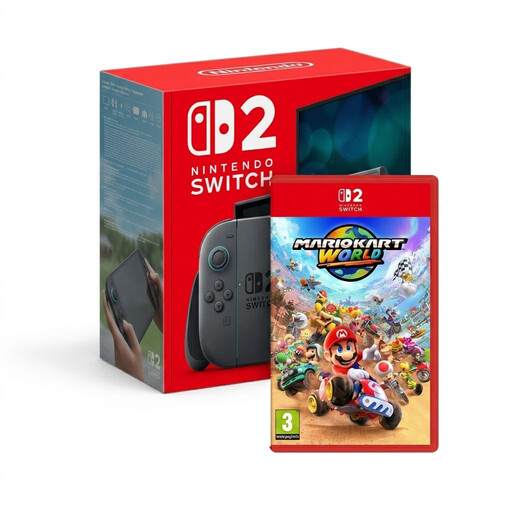
An option if your visual novel is available for Switch 2 and you also want to play the included game. Check compatibility for each title.
The product name lists a Switch 2 console with Mario Kart World.
 No image available
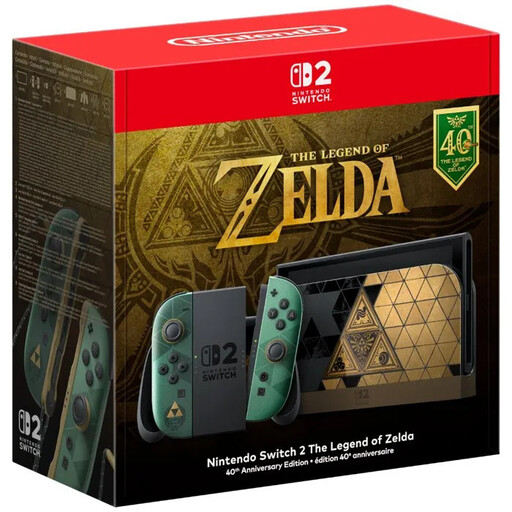
A good fit if you want a Switch 2 tabletop setup and the games you want to play are available for this console. Check compatibility for each title.
According to the product description, no game is included.
 No image available
A handheld PC option if the visual novel you want is available on your chosen PC platform. Check each game and its controls separately.
The product name identifies this model as a handheld gaming console.
 No image available
An option if you have visual novels in your Steam library and check compatibility and controls for each game.
The product information lists SteamOS and requires an approved USB-C power adapter with 65–100 W Power Delivery.
 No image available
A handheld PC option if the game you want is available for this setup. Check the title, language and controls in advance.
The product name lists 16GB RAM, 512GB SSD and the colour White. According to the product description, the charger must be bought separately.
No, don’t assume that automatically. Nintendo says some Switch games aren’t fully compatible, or aren’t compatible at all, with Switch 2, so check the information for the specific title.
No. According to Valve, a game rated ‘Playable’ may require manual adjustments. Check the compatibility details for your title. For a ‘Verified’ rating, Valve considers factors including readable text and suitable controls.
Yes. Nintendo says you can charge it while playing in tabletop mode using the power supply provided. Make sure your setup leaves enough room for the cable.
Nintendo specifies a compatible microSD Express card to expand game storage; it’s sold separately. Check the card standard before you buy one.
According to the Dutch government, the seller must provide a solution if a product is faulty. There’s no fixed statutory guarantee period for all products in the Netherlands; what you can expect depends, among other things, on the product.