
Playing together without an extra monitor
You want to put the console on your desk and use its built-in screen. Nintendo describes tabletop mode for Switch 2 and Switch – OLED Model, but your chosen game must support this way of playing.


If you don’t have a separate screen, first look for a console you can use in tabletop mode, and check that your chosen game supports local multiplayer on a single console. If you already have a screen, a PS5 or Xbox Series S could also be an option. In that case, pay particular attention to the games you want to play, how many controllers you’ll need and whether you want to use discs. A built-in screen or two included controllers doesn’t automatically tell you how many players your game supports.
You want to put the console on your desk and use its built-in screen. Nintendo describes tabletop mode for Switch 2 and Switch – OLED Model, but your chosen game must support this way of playing.
You already have a screen and are choosing mainly based on the local games you want to play, how many controllers you need and how much space the console takes up.
You’re comparing not just consoles, but also the games and controllers you’ll need, and whether to play digitally or use game discs.
A good fit if: you want to play on the built-in screen without a separate monitor. Nintendo lists the screen size as 7.9 inches.
Bear in mind: tabletop mode and GameShare don’t automatically mean a game supports local multiplayer on one system. GameShare is available for supported games and play across multiple systems.
A good fit if: you want to play on the built-in 7-inch screen without a separate display, and your chosen games are compatible with the original Switch. Nintendo describes it as having a wide, adjustable stand.
Bear in mind: its screen is smaller than the Switch 2’s. Also check which controllers each game requires.
A good fit if: you already have a separate screen and mainly want to play local PS5 games. PlayStation lists local multiplayer games that require an extra DualSense controller.
Bear in mind: check the specific version, what’s included in the controller bundle and whether it has a disc drive.
A good fit if: you have a separate screen and want to play games you’ve bought digitally. Xbox lists one controller and an HDMI cable as included.
Bear in mind: the Series S is all-digital. Check whether each game supports local multiplayer and whether you’ll need an extra controller.
Start by deciding whether you want to use a built-in screen or one you already own. Then check that your chosen game supports local play on a single console and find out which controllers you’ll need.
| What to consider | What should you check? | Who is this important for? |
|---|---|---|
| Playing without a separate monitor | Check for tabletop mode, the screen size and whether the game can be played locally on one console. | If I don’t have a separate monitor, I want to be able to use the built-in screen on my desk. Around 31% of consumers prioritise playing without a monitor. |
| Games and controllers | Check the exact game to find out how many people can play locally and which controllers are needed. | I want to know in advance whether we can play our chosen game together using the controllers we have. Around 31% of consumers prioritise having a suitable game and enough compatible controllers. |
| Space for the screen | Allow room for the screen, console or stand, and cables. | If I already have a screen, I want to know whether it will fit on my desk alongside the console, screen stand and cables. Around 19% of consumers prioritise using a screen they already own. |
| Games and console version | Compare the controllers and games you’ll need with the exact console version; check whether it has a disc drive. | I want to consider the components I’ll need alongside whether I prefer digital games or discs. Around 19% of consumers prioritise the complete purchase. |
Local multiplayer, playing across multiple systems and GameShare aren’t the same thing. Nintendo describes GameShare for supported games and multiple systems; this doesn’t confirm that a game supports two players on one screen.
Before choosing, check the exact game’s local mode, player count and play style.
If the mode you want doesn’t work on one console, you may need a different game or a second system.
The standard digital PS5 version mentioned and the Xbox Series S each include one controller. A PS5 bundle with two controllers is a separate version.
Compare the contents of the exact bundle with the game’s controller requirements.
You may need an extra compatible controller for another player.
The Xbox Series S is all-digital. The digital PS5 version mentioned also has no built-in disc drive.
Check your existing game collection and the console version before choosing.
To play games on disc, you’ll need a version with a compatible disc drive. With a digital version, you’ll play digital games.
These brands offer console versions suited to playing on a small desk or using a screen you already own. The features below apply to the product lines mentioned; on their own, they don’t tell you whether a specific game supports local play.
Switch 2 and Switch – OLED Model are worth considering if you want to play in tabletop mode without a separate screen.
A PS5 suits a set-up with a separate screen and the local PS5 games you want to play.
Xbox Series S is an option if you use a screen you already own and want to play digital games.
These products include Switch 2 bundles for tabletop play, a PS5 bundle for use with a separate screen, and portable handhelds. For each game, check that it works with the version you’ve chosen and supports local multiplayer.
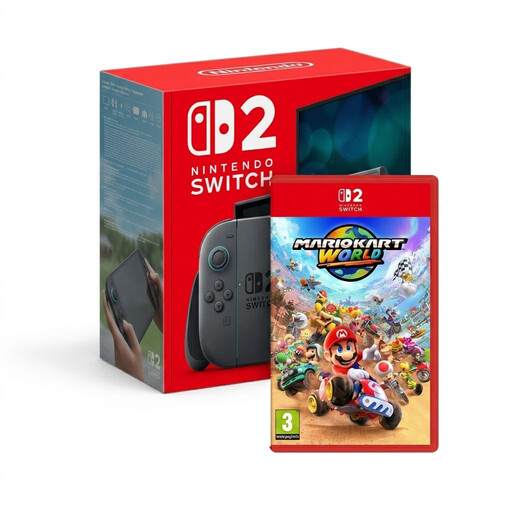 No image available
This bundle is an option if you’re looking for a Switch 2 with a built-in screen and want to play Mario Kart World together locally.
Check that the game works in your preferred play style and with the number of players you have in mind.
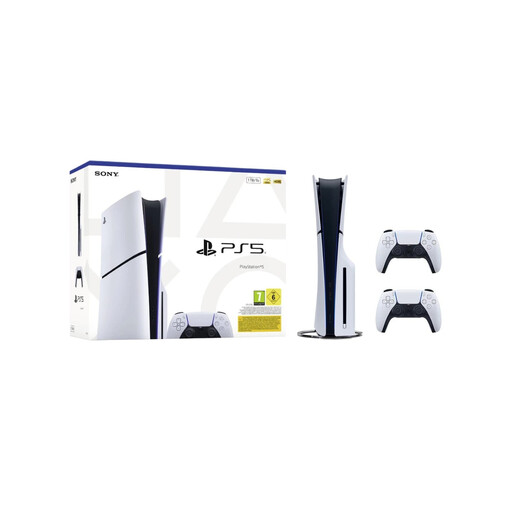 No image available
This bundle is designed for a set-up with a separate screen and includes two DualSense controllers for local multiplayer.
The product name specifies the Disc Edition and 1TB. Check whether each game supports local multiplayer.
 No image available
This Switch 2 bundle is an option if you want to play in tabletop mode without a separate screen.
The product information lists a 7.9-inch screen, Joy-Con 2 controllers and tabletop mode. Check which local modes your chosen game supports.
 No image available
This handheld is an option if you’re looking for a gaming system with a built-in screen. Check in advance that your chosen game and local multiplayer mode work on it.
The product information lists an 8.8-inch OLED touchscreen and detachable controllers.
 No image available
This handheld PC is an option if you’re looking for a portable system with a built-in touchscreen. Check that your chosen game is available for this version and supports local multiplayer.
The product information lists an 8-inch WUXGA touchscreen and SteamOS.
No, it varies from game to game. Check whether the specific game supports local multiplayer on one console, how many players can join in and which play style is supported. Nintendo describes GameShare separately, for supported games and multiple systems.
Remove the Switch 2 from its dock, unfold the stand and place the console on a flat surface. Nintendo describes tabletop mode with the Joy-Con 2 controllers detached; then check the game’s control requirements.
Nintendo specifies microSD Express for storage expansion. According to Nintendo, other microSD standards can only be used to copy screenshots and videos from an original Switch. You’ll need to update the system via the internet to use microSD Express.
No, there are exceptions. The Dutch government states that distance purchases generally come with a 14-day cooling-off period, but exceptions apply. The seller must tell you about the terms and conditions, so check them before placing your order.
PEGI describes its age ratings as recommendations based on a game’s content and as a guide to help people choose, including parents. Don’t treat them as a general legal age restriction for purchases; check the rating of the specific game.