What should you look for when choosing?
First, check the local game mode and controller requirements for your chosen game. Then choose the controls and console set-up that work in your limited space.
| What to consider |
What should you check? |
Who is this important for? |
| A local match |
Check that the exact version of the game has a local game mode, and that there's one compatible controller per player. The Dutch Nintendo page specifies this controller requirement for multiplayer. |
If you want to play a standard match with someone beside you on one console, the local mode needs to suit you both. Around 33% of consumers prioritise playing together on one console. |
| Space and controls |
Decide where the screen and players will be, and whether you want to play using buttons. Allow enough clear space to move for motion-controlled minigames. |
If you have a narrow living room, you'll want to adapt your set-up and controls to fit the space. Around 27% of consumers prioritise a set-up that works in a limited space. |
| Offline play |
Check which specific game modes work offline. According to Xbox Support, Xbox Cloud Gaming doesn't support local multiplayer. |
If you want to play without relying on online multiplayer or cloud gaming, check the offline mode in advance. Around 20% of consumers prioritise offline access. |
| Controllers and games |
Compare the number of controllers included and check whether the console has a disc drive if you want to use physical games. |
If you want to avoid being short of a controller or finding that an existing disc won't work, it's worth checking what's in the box and which game formats are supported. Around 20% of consumers focus on what else they'll need alongside the console. |
Joybuy products for this set-up
These products are suited to playing together on one console, with a choice between a TV set-up and a portable Switch 2 set-up.
 No image available
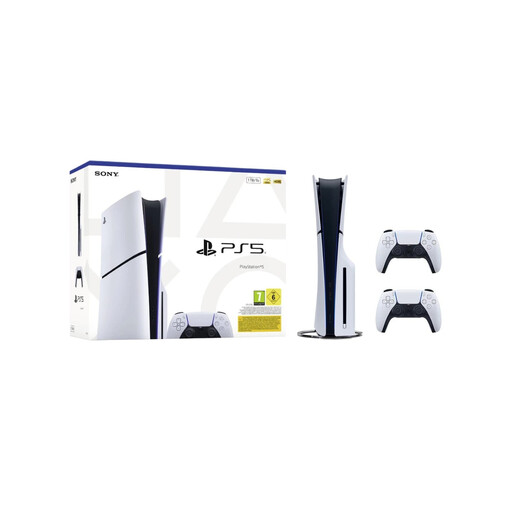
Sony PlayStation 5 Slim Disc Edition 1TB console bundle with 2 white DualSense controllers, EU version
The two controllers listed make this a good option for playing together; the Dutch PS5 page for NBA 2K27 lists 1–4 players.
Disc Edition; 1TB; 2 white DualSense controllers; EU version.
View at Joybuy
 No image available
Nintendo Switch 2 console, EU
Handheld, tabletop and TV modes offer different ways to set up your gaming space in the living room.
According to Nintendo, NBA 2K27 multiplayer requires one compatible controller per player.
View at Joybuy
Frequently asked questions
Do I need an online subscription to play a match side by side?
The Dutch PS5 and Xbox pages list Play Now as available offline. Make sure you choose the right platform version and local game mode; online multiplayer requirements are separate.
Can I play NBA 2K27 with two people on one screen using Xbox Cloud Gaming?
No. Xbox Support says cloud gaming doesn't support local multiplayer. For this, choose a suitable installed console version and check the local game mode for the Xbox game.
Are the two Joy-Con 2 controllers enough for every basketball match?
It depends on the game mode you choose. The standard Switch 2 bundle includes two Joy-Con 2 controllers, but the Dutch NBA 2K27 page says multiplayer requires one compatible controller per player. So check the controls for the match you want to play.
What should I consider for a narrow living room?
First decide whether you want to play sitting down with buttons or try the motion-controlled minigames on Switch 2. Nintendo describes these minigames as motion-controlled, so check that there's enough clear space before you play.
Can I use physical games I already own on a digital console?
No. A digital console without a disc drive can't play games on disc. Before you buy, check that the console has a disc drive if you want to keep using physical games.


