
Smash players on one screen
You have a particular local fighting game in mind and want to know which systems it works on. Nintendo says Super Smash Bros. Ultimate supports battles with up to eight players.


Start by choosing the local arena game you want to play, then check how many players it supports on one console. Only then compare the systems. Nintendo says Super Smash Bros. Ultimate supports up to eight players on one system, while the PlayStation Store in the Netherlands lists local battles for one to four players in Gang Beasts. If you’re considering Switch 2, check whether your existing Switch games are compatible and bear in mind the controllers your game requires.
You have a particular local fighting game in mind and want to know which systems it works on. Nintendo says Super Smash Bros. Ultimate supports battles with up to eight players.
You sometimes play with more than two people. The maximum number of players supported by each game and the number of controllers available determine whether everyone can join in at the same time.
You want a console and way to play that suit a small living room, without losing sight of the game you want or any extra purchases you might need.
Choose this option if: Super Smash Bros. Ultimate is the game you want. Nintendo lists support for up to eight players in Smash; you can connect the Switch OLED to a TV using its stand.
Bear in mind: you may need extra controllers. The OLED screen makes the biggest difference when you’re not playing on a TV.
Choose this option if: you also want to play Switch 2 games or switch between TV and tabletop mode.
Bear in mind: Nintendo says some older Switch games are not compatible, or may not be fully compatible. Check compatibility and controller requirements for the specific game you want to play.
Choose this option if: the game you’re looking for is in the PlayStation library. The PlayStation Store in the Netherlands lists local battles for one to four players in Gang Beasts.
Bear in mind: check the local player limit and controllers required for each game. Gang Beasts may need an update on PS5, and some PS4 features are missing.
Choose this option if: a compact console and digital games suit you, and the arena game you want is playable locally on Xbox. Microsoft lists its dimensions as 6,5 × 15,1 × 27,5 cm.
Bear in mind: this model has no disc drive and comes with one controller. Check the game and controller requirements for each title.
If you’re looking for a console for local arena battles in a small living room, your choice mainly comes down to the game you want, the number of players, your set-up and what you’ll need to play together.
| What to consider | What should you check? | Who is this most important for? |
|---|---|---|
| The game you want | Check that the title works on the system and has a local play mode. | If I want to play one particular fighting game, I first want to know whether it’s available for local play on the console; around 33% of consumers put the game first. |
| Players at the same time | Check the maximum number of players in local mode and which controllers are needed. | I want my whole group to play on one screen, rather than discover after buying that we need extra controllers; around 27% of consumers prioritise group size. |
| The living room set-up | Measure the space by the TV and check whether TV or tabletop mode suits the way you play. | With limited space, I want to know in advance how the console will fit by my TV and how we’ll watch together; around 20% of consumers prioritise the set-up. |
| A ready-to-play set-up | Check what’s included in the bundle, which controllers you need and whether you want to use physical games. | I want to know what I need to get started with my group, without overlooking a disc drive or the need for extra controllers; around 20% of consumers focus on the total purchase. |
A game can support multiplayer without offering the mode you want for local play, or allowing everyone to play on one system at the same time.
Before buying, check the local play mode, the maximum number of players and the controller required for each player.
Larger groups may need extra controllers.
Nintendo says some older Switch games are not compatible, or may not be fully compatible; certain features may require the original Joy-Cons.
Check compatibility and controller requirements for the specific game you want to play.
Some games may require a different controller or a different choice of game.
The Xbox Series S 512 GB has no disc drive, so you can’t use it to play physical games from disc.
Check which console model you’re choosing and how you want to use your existing games.
If you only own a game on disc, you may need to buy a digital copy if your chosen console has no disc drive.
Nintendo specifies an LCD screen for Switch 2. When checking a bundle, look at the exact model and what’s included, rather than relying only on a claim about the screen in the description.
Compare the bundle details with Nintendo’s specifications before deciding.
A relevant choice when a particular local game, such as Super Smash Bros. Ultimate, is at the heart of your decision.
A relevant choice if the local fighting game you want is in the PlayStation library.
The Xbox Series S 512 GB is a compact, all-digital option if the game you choose can be played locally on Xbox.
These Joybuy products include consoles and portable gaming devices to compare. Check whether your chosen game supports local multiplayer on each device and whether its connections suit your set-up.
 Image unavailable
If you’re considering a portable gaming device, check whether your chosen game supports local multiplayer and whether the connections suit your set-up.
 Image unavailable
This portable gaming console is worth comparing if you’re looking for a handheld. Check the local play mode for the game you want and whether its connections work for your set-up.
 Image unavailable
If you want to compare portable gaming consoles, check whether you can play your chosen game locally with others and how the device connects at your gaming spot.
Listed configuration: 16GB RAM and 512GB SSD.
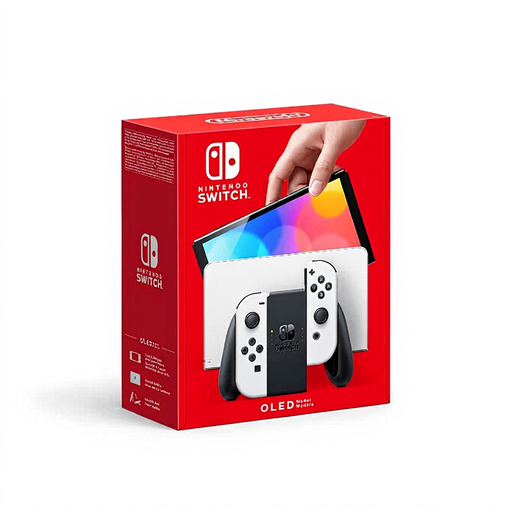 Image unavailable
If you want to play Super Smash Bros. Ultimate on a TV, Nintendo lists support for up to eight players in Smash, and the Switch OLED model’s stand has an HDMI connection for TV use.
Check which controllers are needed for your chosen game mode and group size.
 Image unavailable
If you want to switch between TV and tabletop mode, this model may be worth considering. Check compatibility and controller requirements before playing older Switch games.
The product description mentions TV mode and Joy-Con 2 controllers. Nintendo specifies an LCD screen for Switch 2.
No. Nintendo says the Switch Lite doesn’t support TV mode. For TV play, choose a model that supports this play style, then check whether the game you want can be played locally.
For TV mode, place a Switch or Switch OLED in its dock and select the correct TV input. Then check how many players and which controllers the game’s local mode supports; you may need extra controllers.
PlayStation Plus isn’t listed as a requirement for the local mode of Gang Beasts described in the PlayStation Store in the Netherlands; the Store lists it as a requirement for online play. Check the requirements for other games separately.
According to the Dutch government, if a product is faulty, you have statutory guarantee rights against the seller; there is no fixed statutory guarantee period in the Netherlands. For distance purchases, you generally have 14 days to change your mind, although there are exceptions.
No. PEGI describes whether the content is suitable for a particular age, not how difficult the game is. Check the rating of the game you choose if children will be playing.