
Players with specific fantasy games in mind
If you already have a few titles in mind, first check the console version and edition you need. The official game pages for PlayStation, Xbox and Nintendo show that availability varies by title.


Start by choosing the fantasy games you want to play, then check which console version is available for each title. Next, compare what the game supports on your TV and decide whether you want game discs, an all-digital experience or the option to play away from the TV too. A console’s maximum specifications don’t guarantee the same performance in every game.
If you already have a few titles in mind, first check the console version and edition you need. The official game pages for PlayStation, Xbox and Nintendo show that availability varies by title.
If you mainly play from the sofa, compare what your TV can do with what the game supports. Information from Xbox, Nintendo and PlayStation makes clear that a console’s output capabilities don’t automatically apply to every game.
If you want to play a game on your TV as well as on the built-in screen, look for a system that supports both ways to play. Nintendo lists these options for Switch 2; also check the version and compatibility for each game.
Choose it if: Your preferred fantasy game has a PS5 version and you want to use compatible game discs.
Consider: Check the exact game edition; a disc drive doesn’t make a console compatible with every title or edition.
Choose it if: You’re looking for Xbox versions of your preferred games and want a console designed for TV gaming.
Consider: Microsoft also lists an all-digital version, so check whether your chosen model has a disc drive.
Choose it if: The Xbox games you want fit your plans and you’re happy to play digital games only.
Consider: Microsoft lists 512 GB and 1 TB versions. Check the storage capacity and remember that this is an all-digital system.
Choose it if: You want to play a compatible fantasy game on your TV and on the built-in screen.
Consider: Nintendo says you need a compatible TV and game for 4K; at 4K, the maximum frame rate is 60 fps. Not every older Switch game is fully compatible.
Choose it if: You mainly want to play supported PS5 games on a compatible 4K TV.
Consider: Sony describes the standard console as digital, with no built-in disc drive. The improvements listed vary by supported game.
| What matters when buying | What should you check? | Who should consider this? |
|---|---|---|
| Fantasy games you want to play | Check the console version and edition for each title with the publisher or platform store. For example, Nintendo lists a Switch 2 Edition of The Legend of Zelda: Tears of the Kingdom, while PlayStation lists a PS5 version of Final Fantasy VII Rebirth. | I want to know in advance whether my favourite game is available on the console, so I don’t choose based on the wrong version. Around 33% of consumers give their preferred game versions top priority. |
| Picture quality on your TV | Check what both your TV and the specific game support. Nintendo makes this a requirement for 4K on Switch 2; Microsoft’s stated console limits aren’t a guarantee for every game. | If I mainly play from the sofa, I want to know what my TV and chosen game can do together. Around 27% of consumers prioritise TV picture quality. |
| Playing on and away from the TV | Check whether your chosen game version and older games are compatible. Nintendo lists a 7.9-inch built-in screen for Switch 2, as well as TV play using the dock. | I want to play on the TV at home and away from it too, so both the ways to play and game compatibility matter. This is the top priority for around 20% of consumers. |
| Discs, downloads and ongoing costs | Check whether the exact model has a disc drive, its storage capacity and the terms for any games or services you want to use. The digital PS5 and Xbox Series S are described by their manufacturers as all-digital. | If I want to use my game discs—or download everything—the model needs to suit that preference. Around 20% of consumers prioritise purchase format and ongoing costs. |
Also check the CE marking on the specific product you’re buying. The Government of the Netherlands says that electronic devices sold on the EU market must meet the applicable safety requirements; a brand name alone doesn’t confirm this.
A game page for one platform doesn’t confirm that the same version is available on another console.
Before choosing a console, check the exact title, edition and platform listing with the publisher or platform store.
Sony describes the standard PS5 Pro as digital. Microsoft lists Xbox Series X versions with and without a disc drive.
Check with the manufacturer and the seller’s listing for the exact product to confirm whether it has a disc drive.
A console’s maximum output doesn’t mean every game uses that resolution or frame rate. Nintendo also requires both the TV and the game to support 4K on Switch 2.
Check TV and game support separately, and don’t compare different game settings as if they apply at the same time.
A description may not match the disc capabilities of the model listed. Sony describes the standard PS5 Pro as digital, with no built-in disc drive.
Check the model number and what’s included in the bundle with the seller and manufacturer before choosing a version.
Worth considering if your preferred fantasy games have a compatible PS5 version, or if playing supported games on a suitable 4K TV matters to you.
Worth considering if you’re looking for Xbox versions of fantasy games and want to choose between the Series X models and the all-digital Series S.
Worth considering if you want to play fantasy games such as The Legend of Zelda: Tears of the Kingdom – Nintendo Switch 2 Edition on your TV and on the built-in screen.
This selection includes Nintendo Switch models and PS5 consoles for TV gaming. Check that each fantasy game is available for the right console, then choose the way to play and purchase format that suit you.
 No image available
An option for compatible Nintendo Switch games if you want to play on your TV and in handheld mode; the product description lists TV mode via the dock.
The description lists TV, handheld and tabletop modes.
 No image available
Suited to anyone who wants to play a compatible game on the TV and on the built-in screen. Nintendo lists a Switch 2 Edition of The Legend of Zelda: Tears of the Kingdom.
Nintendo lists TV output of up to 4K under certain conditions and a maximum of 60 fps at 4K; the TV and game must support 4K. The built-in screen measures 7.9 inches.
Check whether each older Switch game is fully compatible.
 No image available
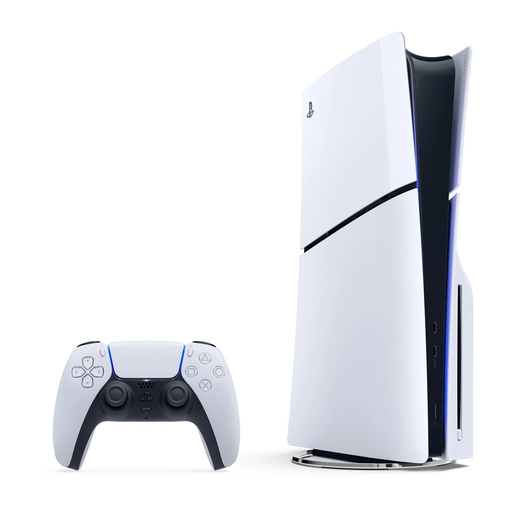
An option if you want to play a PS5 game and use compatible game discs. PlayStation lists a PS5 version of Final Fantasy VII Rebirth.
The product name specifies a disc drive; the description mentions connecting to a television via HDMI. Check the game’s output for each title.
 No image available
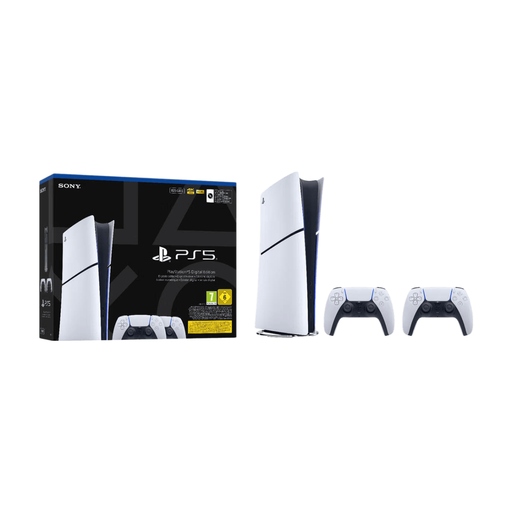
An option for playing PS5 games on your TV if you want to use digital games. PlayStation lists a PS5 version of Final Fantasy VII Rebirth.
This digital version has no disc drive. The product name lists 825GB and 2 controllers; the description mentions 4K support and HDMI 2.1.
No. A console specification doesn’t guarantee that result for every game. Nintendo lists a maximum of 60 fps at 4K for Switch 2, and requires a compatible TV and game. Microsoft lists 4K and up to 120 fps as Xbox Series X capabilities; check the support and settings for the specific game.
For PS5, use the HDMI connection and cables as described by PlayStation. To use Switch 2 with a TV, use the dock. Check the connections and manual for the exact model before connecting your console.
Not always. Nintendo offers owners of The Legend of Zelda: Tears of the Kingdom on Switch a separate upgrade pack for the Switch 2 Edition. Check compatibility and any upgrade terms for each other game.
According to the Government of the Netherlands, if there’s a problem with a product, the seller must provide a solution; it’s not solely the manufacturer’s responsibility. A manufacturer’s warranty or additional cover comes on top of this.
Check that the specific device has the CE marking; the Government of the Netherlands says that electronic devices sold on the EU market must meet the applicable safety requirements. PEGI ratings indicate the age group a game’s content is suitable for, not how difficult the game is. PEGI also states that parental controls are available on every platform.