You don’t automatically need a separate streaming player to watch concert films. First, check that the film you want is available and that its app works on your existing TV. If you also want to hear the sound in the kitchen, choose an option with a suitable audio connection: Apple Support explains how to send audio to one or more AirPlay devices, while Google Streaming Help says the Google TV Streamer can connect to one Bluetooth audio device at a time. Then check that the connections, cables and supported picture and sound formats are compatible with your TV, film and speaker.
Who is this choice relevant to?
Listening between the living room and kitchen
You want to watch a concert film on your TV and hear the sound near the kitchen too. Apple Support explains how to send audio to compatible AirPlay devices; Google Streaming Help says the Google TV Streamer can connect to one Bluetooth audio device at a time.
Watching one favourite concert film
You want to check whether that particular title is available in the Netherlands and whether its app works on your existing TV or chosen player. The Netflix Help Centre describes the types of supported devices; you should also check whether the title you want is available.
Dealing with a TV app that keeps buffering
You’re considering a separate player for easier control or a better network connection, but first want to work out which part of your current set-up is causing the problem. The Google Store lists Ethernet for the Google TV Streamer; check which connection suits your own set-up.
What should you look for?
First, check whether you can watch the film on your existing TV. Then see which audio connection works in the kitchen, and only after that check whether the connections, picture and sound formats and any extra accessories are suitable.
| Consideration |
What should you check? |
Who is this important to? |
| Sound in the kitchen |
Check whether your speaker supports AirPlay or Bluetooth, and whether you need one or more audio outputs. Apple Support explains how to send audio to one or more AirPlay devices; Google Streaming Help says the Google TV Streamer can connect to one Bluetooth audio device at a time. |
If I want to listen from the kitchen, the connection to my speaker needs to suit my set-up. That’s why around 31% of consumers prioritise kitchen audio. |
| Film and app |
Search for the exact title with the Dutch provider and check that its app works on your existing TV or chosen player. The Netflix Help Centre describes the types of supported devices, but you’ll need to check the availability of a particular film by title. |
If you want to watch one specific concert film, an app that gives you access to that title is what matters most. Around 25% of consumers prioritise the film and its app. |
| Connection and control |
Check that you have a spare HDMI input and that Wi-Fi or Ethernet suits your network. The Google Store lists built-in Ethernet for the Google TV Streamer; Xiaomi lists 2.4 and 5 GHz Wi-Fi for the TV Box S (3rd Gen). |
If I add a player, I want to connect it to my TV and network without any hassle. Around 19% of consumers prioritise connection and control. |
| Picture and film sound |
Check your TV, chosen film, streaming service and audio equipment together. The Netflix Help Centre says that for 5.1 surround sound, the streaming device, audio equipment and title must all support the format. |
If you care about picture and sound formats, you’ll want to know whether your whole viewing set-up can handle them. Around 13% of consumers prioritise compatible picture and sound formats. |
| Player, cable and service |
Check which accessories are included and the terms of the film service. Google says the required HDMI 2.1 cable for the Google TV Streamer is sold separately; Xiaomi lists an HDMI cable with the TV Box S (3rd Gen). |
If I don’t want to buy extra hardware or a cable, I first check whether my TV app will do and what’s included in the box. Around 12% of consumers prioritise the total equipment needed. |
Buying pitfalls
-
Assuming a 4K or Dolby logo guarantees better concert sound
A logo on the player doesn’t tell you whether the film, TV and audio equipment all support the same format, or whether the sound will reach the speaker in the kitchen.
Check the entire audio chain and the route you want the sound to take before choosing based on picture or sound logos.
-
Assuming casting from your phone works with every app
Netflix limits casting from its mobile app to the devices it lists and doesn’t support AirPlay from an iPhone or iPad.
Check the specific app and, if needed, use it directly on your TV or player.
-
Only checking the cable and exact model generation after you’ve bought it
The Google TV Streamer requires a separately sold HDMI cable, while Xiaomi lists an HDMI cable with the TV Box S (3rd Gen). Apple also has different generations of Apple TV 4K; according to Apple, the announced fourth-generation model will be available from 13 November 2026.
Compare the exact generation, version, connections and box contents. Don’t assume that specifications for a new generation also apply to an older model.
If you don’t already have a suitable HDMI cable, you’ll need to buy one separately for the Google TV Streamer.
Brands to compare
Apple
Apple TV 4K is worth considering if sending audio to compatible AirPlay speakers in other rooms and controlling everything within the Apple ecosystem are important to you.
- Apple Support explains how to send audio from Apple TV 4K to one or more AirPlay devices on the same network.
- Make sure you distinguish between generations: Apple says the fourth generation will be available from 13 November 2026. Don’t apply its specifications to a listing for the 2022 model.
Google
The Google TV Streamer (4K) is a separate player with a remote control, built-in Ethernet and Bluetooth audio for a compatible device.
- The Google Store lists Ethernet; Google Streaming Help explains Bluetooth audio.
- Google Streaming Help says you can connect to one Bluetooth audio device at a time. The required certified HDMI 2.1 cable is sold separately.
Xiaomi
The TV Box S (3rd Gen) is a Google TV box worth comparing if you’re looking for an included HDMI cable and wireless connections.
- Xiaomi lists 4K output, 2.4 and 5 GHz Wi-Fi, Bluetooth 5.2 and an HDMI cable in the box.
- Check that the app and audio connection you want will work with your set-up; these specifications don’t confirm that film audio can play in multiple rooms at the same time.
Joybuy products for this viewing set-up
This selection features a smart TV with a built-in streaming platform, for anyone who wants to use apps directly on their TV rather than connect a separate streaming player.
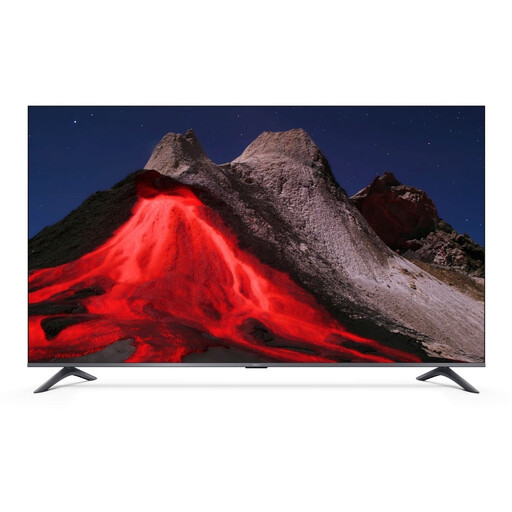 Image unavailable
XIAOMI TV A Pro 55, 55-inch, 4K UHD QLED
Suitable if you want to use streaming apps on a TV without adding a separate streaming stick or set-top box.
The product title describes a 55-inch (140 cm) 4K UHD QLED smart TV with Google TV. It also mentions HDR10+, Game Boost Mode 120Hz and 2GB+8GB.
The product title lists compatibility with Apple AirPlay and Google Cast. Check that the app and audio connection you want will work with your viewing set-up.
View on Joybuy
Frequently asked questions
Can you automatically watch any concert film with a new player?
No. Check the exact title with the Dutch provider and see whether its app works on your TV or chosen player. A device on its own won’t give you access to a title that isn’t available.
Can you cast Netflix from your phone to any Google TV player?
No. Check which devices Netflix supports for casting from its mobile app. Netflix lists, among others, third-generation Chromecast devices and earlier; on other supported players, you can use the Netflix app with the remote if needed.
What should you check before connecting a separate player?
Check that your TV has a spare HDMI input and find out what power supply and network connection the device needs. Google says the TV Streamer requires a separately sold HDMI cable and lets you choose between Wi-Fi and Ethernet; for another model, follow its own instructions.
What can you check if surround sound isn’t working?
Check that the title, player and audio equipment support the format you want. If 5.1 playback is missing, Netflix also recommends checking the audio track, output settings and connections.
What cooling-off period and product rights apply to online purchases in the Netherlands?
ACM ConsuWijzer explains that online purchases generally have a cooling-off period of up to 14 days after delivery, subject to legal exceptions. According to the Dutch government, you’re entitled to a product that works properly, and the seller is your point of contact if a product is faulty; there is no single fixed statutory guarantee period for all products.
Do you need a service or HDMI cable as well as a player?
That depends on the film and the version you choose. Check that you have access to the film service and look at what’s in the box: Google sells the required cable for the TV Streamer separately, while Xiaomi lists an HDMI cable with the TV Box S (3rd Gen).


