
Vandaag of morgen in huis

Kwaliteit gegarandeerd

Welkomstaanbiedingen ontgrendelen: GRATIS bezorging | Tot 80% korting | Gratis 30 dagen JoyPlus-proefperiode
Download de app
A computer mouse may seem like a simple product, but you quickly notice the difference between models. A mouse can be too small, make noise during meetings or feel less smooth than its high DPI rating suggests. For gamers, the sensor, polling rate and programmable mouse buttons also matter. If you work from home, you are more likely to prioritise comfort, quiet operation and wireless connectivity.
When comparing models, do not just look at the brand, lighting or number of buttons. The practical fit, connection method and settings determine whether a mouse remains comfortable to use every day.
A high-DPI mouse moves the cursor further with the same hand movement. This is useful for certain games or large screens, but a high maximum DPI is no guarantee of better control. Also check the sensor type, adjustable DPI steps and maximum polling rate.
For office work, 1200 to 2400 DPI is often sufficient. Gaming mice generally offer more adjustment options, but you will not always use the highest setting.
A wide wrist rest or rubberised finish may feel comfortable, but it says little about the actual fit. Check whether the mouse is suitable for your hand size and whether you are left- or right-handed. A vertical mouse positions your hand differently from a traditional model. This may take some getting used to.
Brands’ statements about reducing strain or affecting particular muscles are marketing claims. According to the relevant brand’s own research, such results may apply under specific circumstances; do not treat them as a guaranteed personal effect.
A wireless mouse works via Bluetooth, a radio receiver or both. Therefore, check the connection type, battery life and charging method. A model with a built-in battery needs to be connected to USB-C regularly. A mouse with replaceable batteries can be practical if you do not want to plan charging times.
A wired mouse does not need a battery and usually works immediately via USB. The trade-off is having a cable on your desk.
An optical mouse uses an optical sensor to register movement. Look out for:
High resolution is mainly useful when you want to fine-tune the sensitivity. Extreme values are generally unnecessary for word processing, spreadsheets and browsing.
Three buttons are enough for basic use. For gaming, image editing or productivity, programmable mouse buttons can be useful. Check how many buttons can actually be configured and whether software is required.
Also check compatibility. Some configuration programmes only work on Windows or provide access to all features only when the mouse is connected by cable. RGB lighting is visual; it does not automatically improve tracking performance.
A lightweight gaming mouse can support fast movements, while a heavier model may feel more stable. A quiet mouse is suitable for a shared workspace, library or home office. With an ergonomic mouse, also check:
If you use a computer for long periods, take regular short breaks and set up your workstation properly. A mouse is not a substitute for a suitable working posture.
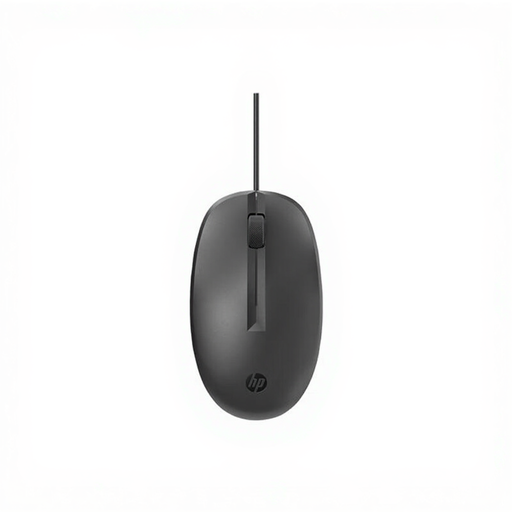
Why it suits this profile: This straightforward wired mouse is suitable for basic use with a PC or laptop. The USB-A connection works on a plug-and-play basis.
The specifications are straightforward: a 1.8-metre cable, 1200 DPI and a symmetrical shape. There are no unnecessary software features to configure first.
Symmetrical design, laser tracking, USB-A and a weight of 80.5 grams.

Why it suits this profile: A right-handed user who wants to combine an ergonomic shape, wireless flexibility and plenty of customisation options.
The product information clearly states the vertical shape, right-hand orientation and dimensions. Bear in mind that this shape may not feel immediately familiar to every hand.
Up to 30,000 DPI, six buttons, 18-zone RGB and Bluetooth plus Razer HyperSpeed.
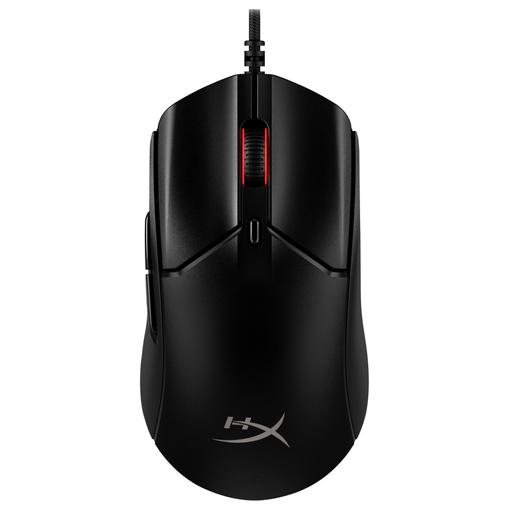
Why it suits this profile: Designed for gamers who want a lightweight wired gaming mouse, high DPI and a high polling rate.
The combination of a 52-gram weight, flexible cable and PTFE feet makes the key physical characteristics easy to assess. However, the 8000 Hz mode may place additional demands on software or system resources.
HyperX 26K sensor, up to 26,000 DPI, six programmable buttons and RGB lighting.
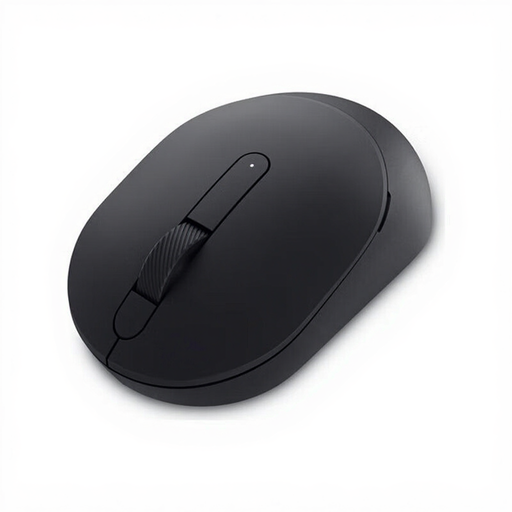
Why it suits this profile: The compact, ambidextrous shape and quiet operation are well suited to shared workspaces and flexible home working.
The product description explicitly mentions quiet clicking, scrolling and gliding. According to Dell’s own information, the battery life is up to 36 months; actual battery life depends on usage and the batteries used.
Bluetooth and RF, up to 4020 DPI, suitable for left- and right-handed use, and weighing 67 grams.
We have put together a complete, up-to-date list of products that fully meet these strict selection criteria and the applicable European safety regulations.
For a laptop, a compact wireless mouse or a wired mouse with USB-A is practical. Check whether your modern laptop has a USB-A port. Bluetooth avoids the need for a separate dongle, but it does require pairing and battery management.
Its lifespan depends on click frequency, cable strain, battery or rechargeable battery use, and maintenance. Do not use a damaged cable, keep the sensor free from dust and clean the casing according to the manufacturer’s instructions. Many of these products come with a statutory minimum two-year guarantee; additional manufacturer’s terms may vary.
Not necessarily. A quiet mouse is primarily designed for low-noise operation. For gaming, sensor settings, polling rate, grip, weight and button response are more important. If you want to use a mouse for both purposes, compare the technical specifications rather than relying solely on the ‘quiet’ label.
