
Vandaag of morgen in huis

Kwaliteit gegarandeerd

Welkomstaanbiedingen ontgrendelen: GRATIS bezorging | Tot 80% korting | Gratis 30 dagen JoyPlus-proefperiode
Download de app
A computer mouse may look simple, but you’ll quickly notice a poor choice. A mouse that’s too small can feel uncomfortable, a wireless model can unexpectedly run out of power, and a gaming mouse with thousands of DPI doesn’t automatically give you more control. Terms like “ergonomic”, “quiet” and “high precision” also aren’t always clearly explained.
With this practical checklist, focus on the features that really make a difference in the Netherlands: connectivity, hand shape, sensor, DPI, buttons and power.
A wireless mouse usually works via a 2.4GHz USB receiver or via Bluetooth. These aren’t always the same options. A USB receiver uses up a USB port but often works straight away once plugged in. Bluetooth is handy for a laptop or tablet without a free USB port, provided the device supports Bluetooth.
Also check whether the receiver is included and where you can store it. For a laptop mouse, a small nano receiver is practical, but losing it makes the mouse far less useful.
DPI indicates how sensitive the sensor is. A higher value means the cursor moves further across the screen with a smaller hand movement. That can be useful for large monitors or gaming, but for office work an adjustable value between about 800 to 2400 DPI is often sufficient.
So a high-DPI mouse isn’t automatically more accurate in everyday use. Also look at the ability to adjust the pointer speed and the type of surface the optical sensor works on.
A right-handed mouse isn’t suitable for every user. Left-handers and people who switch hands should look at an ambidextrous mouse. A vertical mouse changes your wrist position and takes some getting used to, so don’t rely on the word “ergonomic” alone.
Pay attention to the length, width and height of the mouse. A compact model is convenient for a laptop, while a larger mouse can offer more hand support at a fixed workstation.
A USB mouse with a cable is ready to use straight away and doesn’t need batteries or charging. That makes a wired model suitable for a desktop PC or fixed office setup. The downside is the cable on your desk.
A wireless mouse over radio frequency usually works with a USB receiver. Check the range and the battery type. Some models use AA or AAA batteries; others have a built-in battery and a USB charging cable.
A Bluetooth mouse is especially handy when you use multiple devices. According to the product information, the Trust Ozaa+ can connect to up to three devices via a USB receiver and Bluetooth. That can be practical for a laptop, desktop and tablet.
An optical mouse uses a light sensor to register movement. Most modern models work well on a mouse mat or a matte desk surface. Glossy, transparent or highly reflective surfaces can affect tracking.
Alongside maximum DPI, look at adjustability. For example, the HP 105 uses an optical sensor of 1600 DPI, while the Logitech M280 uses 1000 DPI. For word processing, browsing and spreadsheets, these values are generally easy to control.
Three buttons and a scroll wheel are enough for basic use. Extra thumb buttons are handy for browser navigation or programmable functions. On a gaming mouse, six or more buttons can be useful, but they also make operation more complex.
For gaming, weight, polling rate and cable or wireless latency also matter. According to the product information, the Razer DeathAdder V3 weighs 59 grams, has an optical sensor up to 30,000 DPI and a polling rate up to 8000 Hz. A high polling rate may increase CPU usage according to the manufacturer, so check whether your computer can handle this.
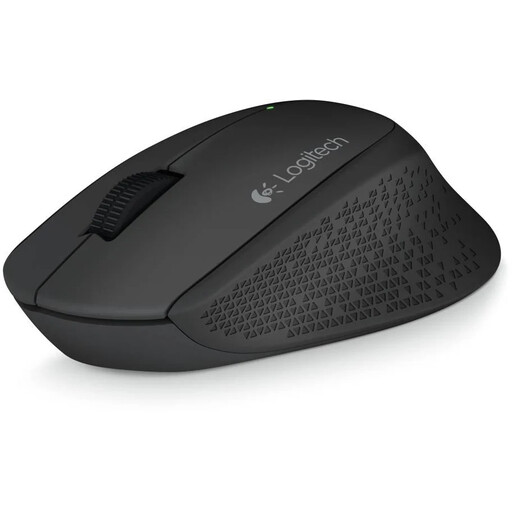
Why it suits this profile: This right-handed wireless mouse has three buttons, a 1000 DPI optical sensor and a 2.4GHz connection with a nano USB receiver. According to the product information, one AA battery is included.
The product specifications are straightforward: no unnecessary software, no complicated settings and a clear USB receiver.
Wireless range up to 10 metres, rubber grips and a compact design for home or office.
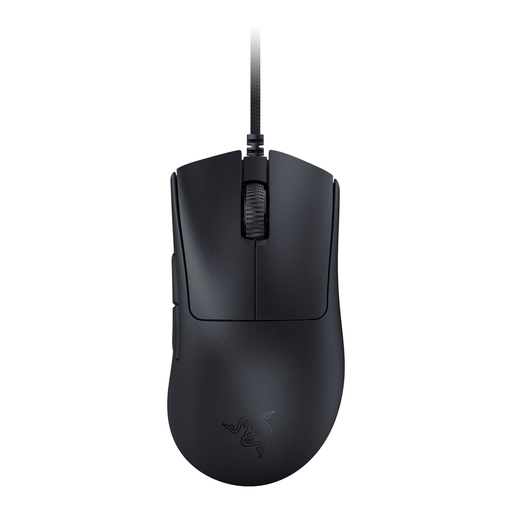
Why it suits this profile: For PC gamers who value low motion latency, a low weight and extensive settings. The figures cited come from Razer’s product information.
The sensor resolution and polling rate are clearly stated. You can compare these figures instead of relying purely on marketing terms.
59 grams, optical sensor up to 30,000 DPI, six buttons and USB connection.
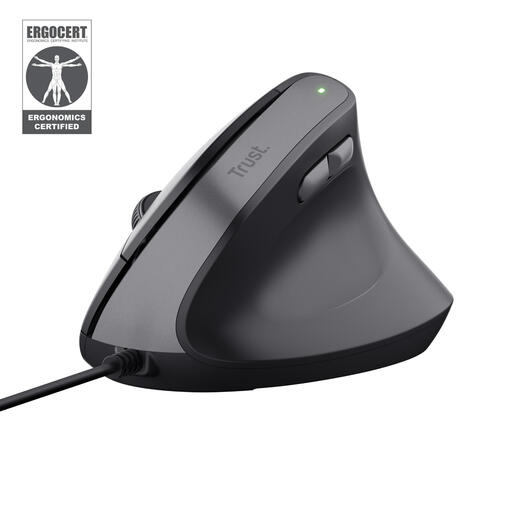
Why it suits this profile: The vertical shape is designed for users who want to try a different hand position during long workdays. This wired model suits a fixed workstation.
The shape, 57-degree angle and DPI range of 800 to 2400 are clearly stated upfront. Do note the right-handed design.
USB plug-and-play, five buttons and adjustable DPI without batteries or charging.
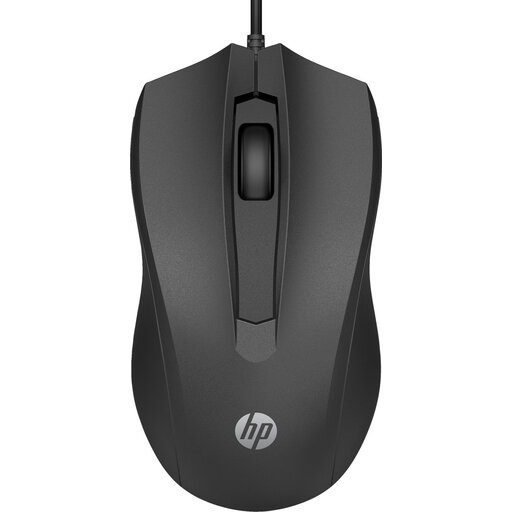
Why it suits this profile: The ambidextrous shape suits both left- and right-handed use. The USB-A cable and 1600 DPI optical sensor are a good fit for office, home working and a fixed laptop setup.
The hand orientation and connection are clearly indicated. There are no batteries, charging times or a wireless receiver to misplace.
Three buttons, USB Type-A and support for Windows and Mac according to the product specifications.
We’ve compiled a complete, up-to-date list of products that fully meet these strict selection criteria and comply with current European safety regulations.
Yes, if you have enough USB ports for the receiver or Bluetooth available on your computer. Check the battery or built-in battery and store the receiver safely when you carry the mouse.
That depends on usage, build quality, cable strain, battery and cleaning. A legal guarantee of at least two years generally applies to much consumer electronics in the EU; always check the specific product and seller terms. Use a mouse mat, don’t pull on the cable and keep the sensor free of dust.
“Quiet” usually means the click makes less noise than a standard model, not that there’s no sound at all. For a shared office or home workspace, a quiet mouse can be more comfortable. Also check whether the scroll wheel and extra buttons are quiet.
