
Vandaag of morgen in huis

Kwaliteit gegarandeerd

Welkomstaanbiedingen ontgrendelen: GRATIS bezorging | Tot 80% korting | Gratis 30 dagen JoyPlus-proefperiode
Download de app
Buying a computer monitor seems straightforward, until you have to choose between Full HD, QHD, 4K, IPS, VA, 120Hz and a whole range of connections. Marketing copy often focuses on one eye-catching specification, while other features may be less suited to the way you use your screen.
The most common buying mistakes come down to three pitfalls:
Resolution determines how many pixels the screen displays. Here’s what the different options mean in practice:
A 34-inch ultrawide screen such as the LG 34WR50QK-B has a resolution of 3440 × 1440 pixels and a fixed 1800R curvature. It’s handy for multitasking, but you’ll need a wide desk.
Refresh rate is measured in hertz:
A claimed response time of 1ms may be based on MPRT and isn’t always directly comparable with a GtG figure. Check which measurement method has been used. Also make sure the HDMI or DisplayPort version available can support your preferred refresh rate.
A FreeSync monitor can help reduce screen tearing and stuttering when the monitor and graphics card are compatible. Performance depends on the settings, connection and hardware you use. Don’t assume G-Sync compatibility: check the specific model.
An IPS monitor is generally known for its wide viewing angles and consistent colour reproduction. This can be useful for office work, photos and creative applications. According to product specifications, a VA monitor often offers higher static contrast, which can be useful for films and dark games. The right choice depends on your priorities; no panel type is best for every user.
Also look out for:
The selection below is based on verifiable product specifications. Features such as HDR10, colour coverage and eye comfort modes are shown as described in the product information. According to a brand’s own research, these features don’t automatically guarantee the same experience in every room or use case.
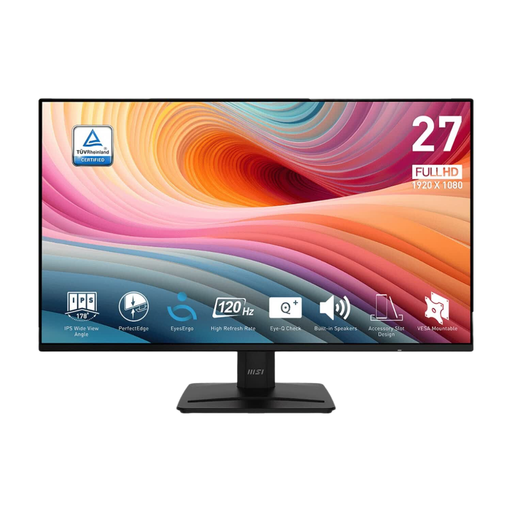
Why it suits this user: This 27-inch Full HD monitor is designed for everyday work, programming and multimedia. Its 120Hz refresh rate offers smoother performance than a standard screen.
The combination of a 27-inch screen and Full HD keeps pixel demands manageable. The product information lists IPS, 120Hz, VESA 100 mm and a tilting stand.
IPS panel, 120Hz, built-in speakers, HDMI, DisplayPort and VGA.
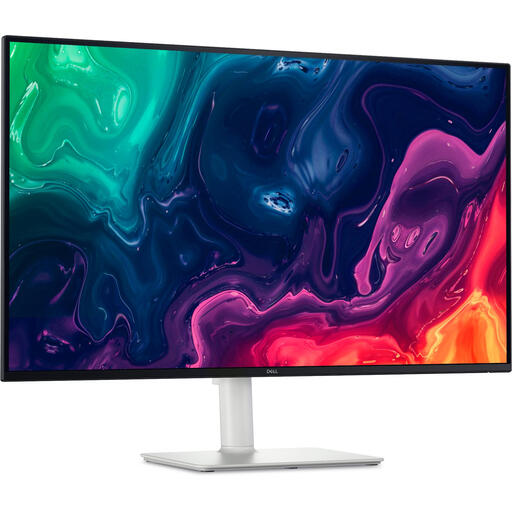
Why it suits this user: This screen is aimed at users who value 4K detail, a large working area and an adjustable setup.
The resolution, 120Hz refresh rate and HDMI 2.1 are listed separately, so you can check the combination against your computer or console in advance.
3840 × 2160 pixels, VA panel, 120Hz, height adjustment, pivot function and built-in speakers.
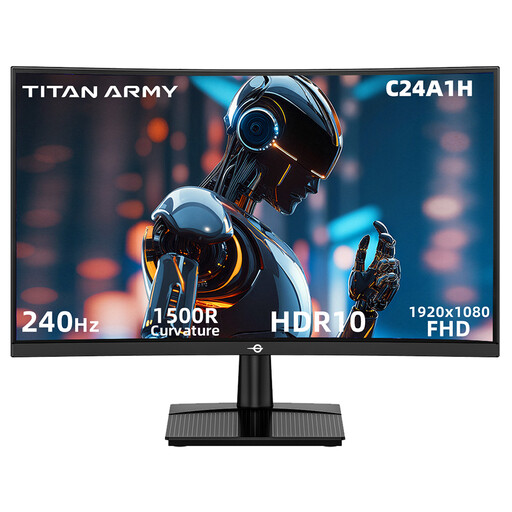
Why it suits this user: This gaming monitor is designed for players who value a high refresh rate more than a higher resolution.
The product information lists both the FHD resolution and 240Hz. This makes it clear that the model is designed primarily for fast-paced gaming, not maximum screen space.
23.6-inch VA panel, 240Hz, 1500R curvature, HDR10 support and FreeSync compatibility.
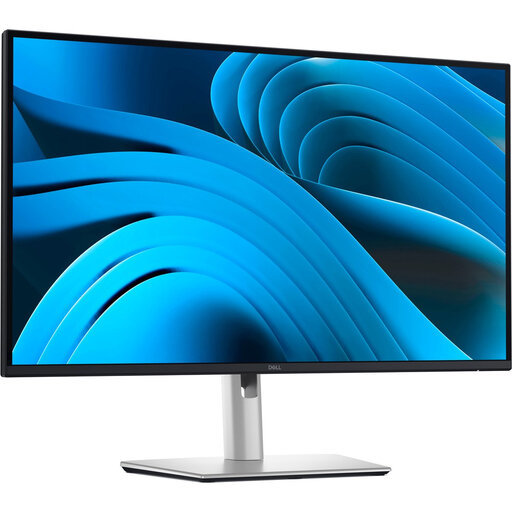
Why it suits this user: The combination of QHD, USB-C, an integrated hub and ergonomic adjustment options is designed for a tidy home office setup.
According to the product specifications, the USB-C connection supports video, data and up to 90W Power Delivery. Check that your laptop supports these functions over USB-C.
27-inch IPS, QHD, 100Hz, three USB ports, RJ45 network connection and height adjustment.
We’ve put together a complete, up-to-date list of products that meet these strict selection criteria and comply with current European safety regulations.
Yes, 120Hz can make scrolling and movement look smoother than 60Hz. For word processing, the difference matters less than good resolution, a matt finish, an adjustable stand and suitable brightness. For office work, 100Hz or 120Hz is often a practical middle ground.
Lifespan depends on hours of use, heat, transportation and the quality of the power supply. Place the screen securely, keep the ventilation openings clear and clean it with a soft, dry cloth. Check the warranty terms before buying, and keep your proof of purchase and accessories.
Not necessarily, but screen size, brightness, resolution and refresh rate all affect power consumption. Check the EU energy label and the figures for SDR and HDR. Enable power-saving mode when the screen won’t be used for an extended period.
