
Vandaag of morgen in huis

Kwaliteit gegarandeerd

Welkomstaanbiedingen ontgrendelen: GRATIS bezorging | Tot 80% korting | Gratis 30 dagen JoyPlus-proefperiode
Download de app
A computer mouse may seem like a simple accessory, but you quickly notice when you have chosen the wrong one. A cable that is too short, a connection that keeps dropping out or a shape that does not suit your hand can cause daily frustration. Marketing terms such as “silent”, “ergonomic” and “high DPI” do not always tell the full story either.
Pay particular attention to the connection, shape, sensor and intended use. Below, you can find out which specifications really matter and which computer mouse is right for your situation.
DPI determines how far the cursor moves when you move the mouse. A mouse with 10,000 DPI is not automatically more accurate or more comfortable than an optical mouse with 1,000 or 1,200 DPI. For word processing, browsing the internet and office software, moderate sensitivity is usually sufficient.
A mouse with adjustable DPI is particularly useful if you regularly switch between applications. For gaming, several DPI levels can be useful, for example for fast movements or precise aiming.
A wireless mouse usually works via a 2.4GHz receiver or Bluetooth. A nano USB receiver is practical for laptops with a USB-A port, but you need to be able to connect it. A Bluetooth mouse works without a separate receiver, but your computer must support Bluetooth and pairing can vary between devices.
Also check whether the mouse works with Windows, macOS or ChromeOS. Some functions, such as macros and lighting, require additional software that may not be available for every operating system.
An ergonomic mouse can offer a different hand position, but the right shape depends on your hand size, grip and personal preference. A vertical mouse also takes up more space and often requires a short adjustment period. A compact model is convenient when travelling, but may be less comfortable during prolonged use.
Check the stated dimensions, weight and hand orientation. A right-handed mouse is not automatically suitable for left-handed use.
A USB mouse is usually plug-and-play: connect the cable and you can get started straight away. This means you do not need to charge batteries and gives you a consistent connection, but the cable can get in the way.
A wireless RF model uses a USB receiver. For example, the Logitech M280 has a range of up to 10 metres, a 1,000 DPI optical sensor and runs on one AA battery, according to the product information. This type of connection is practical for a permanent workstation.
Bluetooth is useful when you have few USB ports or work with several devices. Check the Bluetooth version and compatibility in advance. Some models combine Bluetooth with 2.4GHz, allowing you to switch between devices.
An optical mouse uses a light sensor to register movement. It is best to use the mouse on a flat, clean surface. As well as DPI, consider whether you can adjust the sensitivity and how stable the cursor is.
For standard office work, three buttons and a scroll wheel are often sufficient. For gaming or complex software, programmable mouse buttons can provide additional shortcuts.
A silent mouse reduces clicking noise, which can be useful in a shared office, library or home-working space. According to Logitech’s own product information, the M330 Silent Plus reduces clicking noise by more than 90% compared with traditional mice. Treat this as a product specification from the brand, not as a guarantee that the mouse will operate completely silently.
For wireless models, check the type of power supply. Some mice run for months on an AA battery, while others have a built-in rechargeable battery and USB-C charging. A rechargeable mouse eliminates the need for loose batteries, but it does need to be charged in good time. Keep the sensor and glide feet clean and avoid contact with liquids.
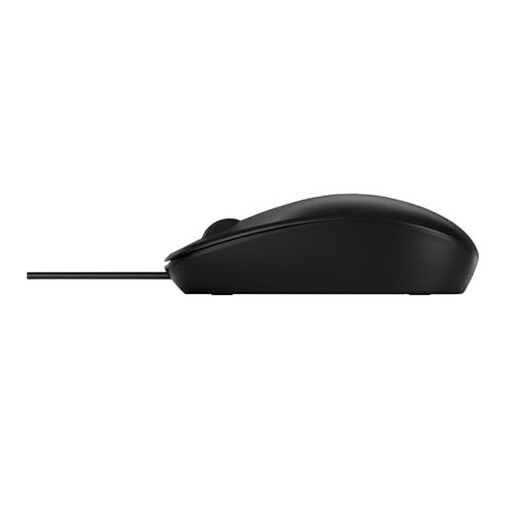
Why it suits this profile: This wired computer mouse is suitable for everyday use in the office, at home or while studying. You do not need a battery or wireless pairing.
The USB connection removes the need for batteries and avoids wireless compatibility issues. The optical sensor has a resolution of 1,200 DPI.
Plug-and-play via USB-A, ambidextrous shape, three buttons and a 1.8-metre cable.

Why it suits this profile: The vertical shape is designed for users who consciously focus on their working posture and want a wireless mouse with several connection options.
The shape and hand orientation are clearly described. The model is shaped for right-handed use, making it less suitable for left-handed users.
Bluetooth and 2.4GHz via receiver, adjustable 4,000 DPI and a rechargeable battery.
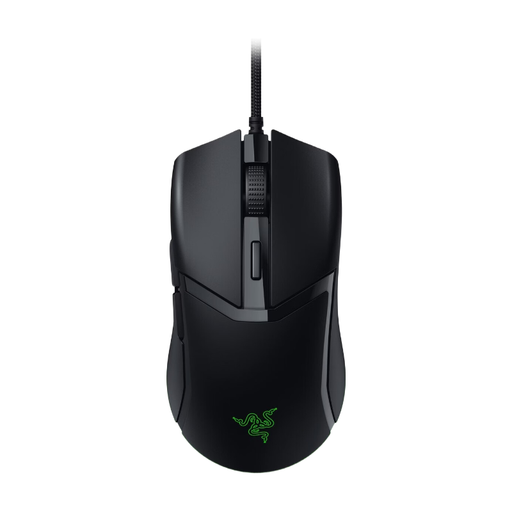
Why it suits this profile: This wired gaming model is aimed at players who value programmable buttons, DPI adjustment and a low weight.
You do not need to recharge a battery. The USB cable provides a constant connection; according to the product information, the settings software is intended for Windows.
Optical sensor up to 8,500 DPI, six buttons, adjustable sensitivity and a stated weight of 58 grams.
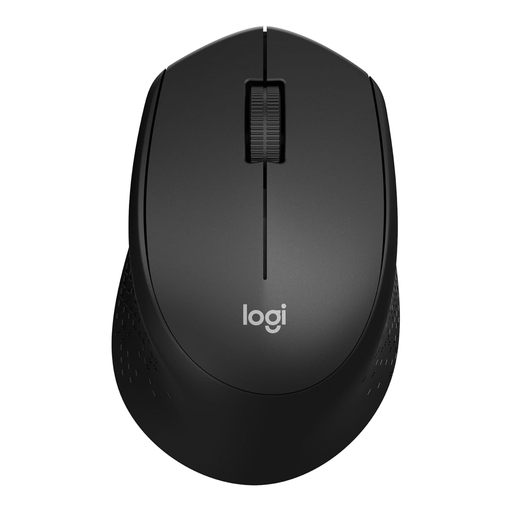
Why it suits this profile: This wireless mouse is aimed at home workers, students and office professionals who want less clicking noise when sharing a workspace.
Reduced clicking noise is an explicitly stated product specification. The mouse uses a USB nano receiver and does not require Bluetooth.
Optical tracking, a stated battery life of up to 24 months and a wireless range of up to 10 metres according to Logitech.
We have put together a complete, up-to-date list of products that fully meet these strict selection criteria and the applicable European safety regulations.
Insert the USB receiver into an available USB port and switch on the mouse. For a Bluetooth mouse, open your computer’s Bluetooth settings and select the model. Always follow the instructions when several connection modes are available.
Its lifespan depends on usage, storage and construction. A wired mouse does not have a battery that loses capacity, while a wireless model relies on batteries or a built-in rechargeable battery. Clean the sensor, avoid dropping the mouse and do not pull on the cable. Products are covered by at least the statutory guarantee under the applicable EU consumer rules; check the product page for additional terms and conditions.
Yes, but not every gaming mouse is practical in an office. Consider the lighting, number of buttons, weight and cable. For word processing, three buttons are often sufficient. A gaming mouse with programmable buttons and adjustable DPI is most useful when you actually use those functions.
