
Vandaag of morgen in huis

Kwaliteit gegarandeerd

Welkomstaanbiedingen ontgrendelen: GRATIS bezorging | Tot 80% korting | Gratis 30 dagen JoyPlus-proefperiode
Download de app
A computer mouse may look impressive on paper yet still feel uncomfortable at your desk. A high DPI value, for example, means little if the shape does not suit your hand. A wireless mouse is not automatically more convenient either if you often need to recharge it or require a free USB port.
The most common purchasing pitfalls are:
A wired mouse connects via USB and does not need a battery. This is practical for a fixed workstation and prevents interruptions caused by charging. However, check that the cable is long enough and does not rub against the edge of your desk.
A wireless mouse with a 2.4GHz receiver gives you greater freedom of movement. You will usually need a free USB port, though. A Bluetooth mouse can connect directly to compatible laptops, tablets or PCs. This saves a USB port, but the Bluetooth version and compatibility vary by device.
Models with multiple connection options are useful when you switch between, for example, a work computer and a laptop. According to its product specifications, the Razer Pro Click V2 Vertical supports Razer HyperSpeed, Bluetooth and a USB-C connection. The Logitech MX Master 4 for Business can, according to the information provided, connect to up to three devices.
A standard, symmetrical computer mouse is often suitable for both left- and right-handed use. An ergonomic mouse usually has a shape that supports the hand differently. A vertical mouse is held at an angle; the Trust Bayo II, for example, has an angle of 57 degrees and is designed for right-handed use.
Pay attention to the following:
A lightweight mouse can be comfortable for fast movements during gaming. A heavier model may feel more stable for office work. An ergonomic design is no guarantee of comfort; getting used to it and personal preference also play a part.
DPI determines how quickly the cursor moves across the screen for the same hand movement. A mouse with adjustable DPI allows you to adapt the sensitivity. Moderate settings are often sufficient for word processing and browsing. Gamers can use different sensitivity levels depending on the game or playing style.
Also check:
A high polling rate can be relevant for competitive PC gaming, but may require greater system and software support. A mouse with RGB lighting is primarily a style choice and has no direct effect on cursor precision.
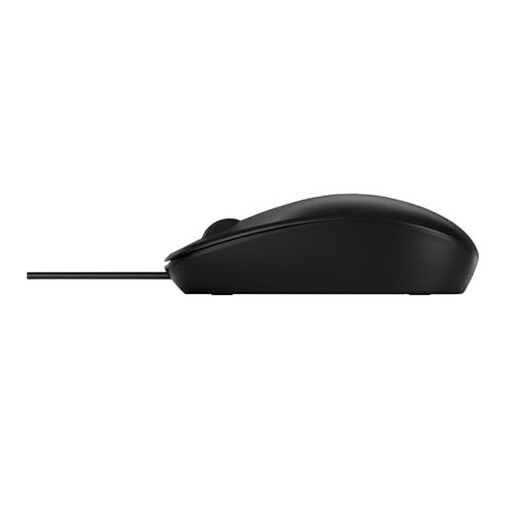
Why it suits this profile: This straightforward computer mouse is designed for everyday use and works via plug-and-play USB. According to the specifications, its symmetrical shape is suitable for both left- and right-handed users.
You are not paying for features you may never use: this model has three buttons, a scroll wheel and a fixed USB connection.
1200 DPI, 1.8-metre cable, optical sensor and symmetrical housing.

Why it suits this profile: This right-handed model is designed for office work across multiple devices, with quiet clicks, horizontal scrolling and a rechargeable battery.
The product specification lists both Bluetooth and a Logi Bolt receiver, so you can check in advance which connection suits your workstation.
8,000 DPI, eight buttons, adjustable DPI, USB-C charging and quiet clicking according to the product details.
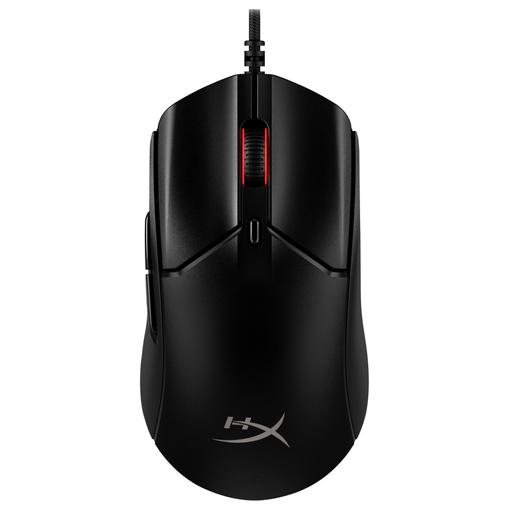
Why it suits this profile: This wired gaming mouse is designed for lightweight, fast control and is compatible with PC, PlayStation and Xbox according to the product information.
The cable eliminates the need to manage a battery. However, check in advance whether you want to use the high polling rate and software features on your system.
52 grams without the cable, up to 26,000 DPI, six programmable buttons and a polling rate of up to 8,000 Hz.
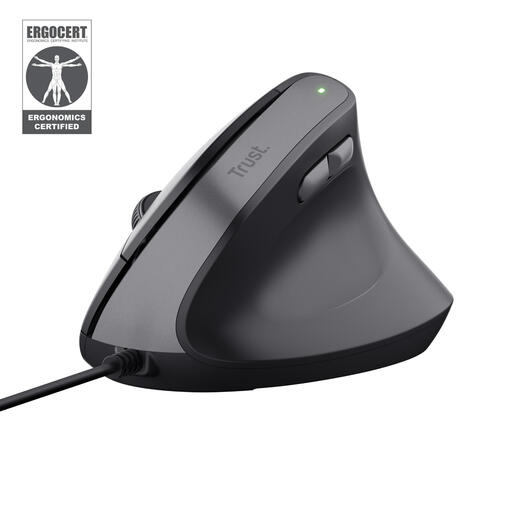
Why it suits this profile: The vertical, right-handed shape is designed for office and home workers who want to try an alternative to a traditional mouse.
The angle, hand orientation and dimensions are clearly stated. This allows you to compare the shape before ordering.
57 degrees, USB connection, adjustable DPI from 800 to 2400 and two thumb buttons.
We have put together a complete, up-to-date list of products that fully meet these strict selection criteria and the applicable European safety regulations.
That depends on your workstation. A wireless mouse keeps your desk free from cables, while a wired mouse does not need a battery and works directly via USB. A cable can be practical for gaming; for a laptop or flexible workstation, Bluetooth may be more convenient.
Its lifespan depends on usage, switches, cable quality, battery and maintenance. Keep the sensor and surface clean, do not pull on the cable and keep liquids away from the electronics. With a rechargeable model, battery capacity decreases over time.
For office work, a moderate DPI setting is usually sufficient. A higher range can be useful for gaming or large screens. Above all, check whether the DPI is adjustable and whether the increments suit your preference. A higher maximum does not automatically mean more accurate or more comfortable control.
