
Vandaag of morgen in huis

Kwaliteit gegarandeerd

Welkomstaanbiedingen ontgrendelen: GRATIS bezorging | Tot 80% korting | Gratis 30 dagen JoyPlus-proefperiode
Download de app
A computer mouse may seem simple, but you quickly notice when you have made the wrong choice. A mouse may be too small for your hand, awkward to use with your laptop or irritating after just a few weeks because of loud clicks, flat batteries or an unstable connection. High DPI figures and terms such as “ergonomic” also do not automatically mean that a model is right for the way you use it.
As a Joybuy Product Recommendation Officer, I therefore focus mainly on verifiable specifications: connection, shape, sensor, power supply, buttons and dimensions. This allows you to compare a wireless mouse, Bluetooth mouse, gaming mouse or ergonomic mouse based on practical features rather than marketing language.
DPI determines how far the cursor moves when you move the mouse. A higher value can be useful for large screens or fast movements, but for office work, an adjustable range of, for example, 1200 to 3200 DPI is often perfectly adequate. A gaming mouse with 12.000 or 24.000 DPI is not automatically more suitable for everyday use.
Also check whether the DPI can be adjusted. A fixed sensor resolution offers less flexibility when you switch between word processing, photo editing and gaming.
An RF or 2,4GHz mouse usually uses a USB receiver. This generally works straight away with a PC or laptop with a USB-A port, but it does take up a port. A Bluetooth mouse does not need a dongle, but your device must support Bluetooth and the pairing process may vary between operating systems.
For use with several devices, a mouse with both connection options is more convenient. Also check how many devices can be paired at the same time and how you switch between them.
An ergonomic mouse should suit your hand size, grip and working posture. A vertical mouse, for example, is operated differently from a traditional mouse. The angle and dimensions are more important than the “ergonomic” label alone. A large model may feel comfortable with a full palm grip, but be less practical for small hands or when you are travelling.
Choose a USB mouse when you want to connect directly without pairing. A 2,4GHz wireless mouse is practical for keeping your desk tidy, while Bluetooth is particularly useful with laptops, tablets and devices with few spare USB ports.
Check:
A computer mouse should rest securely under your hand without your fingers hanging over the buttons. Pay attention to length, width, height and weight. A lightweight mouse weighing around 60 to 75 grams is easy to move, while a heavier model can offer greater stability.
A vertical mouse positions your hand differently from a standard model. This often requires a short adjustment period. Also check the hand orientation: some models are suitable for both left- and right-handed use, while others are designed specifically for right-handed users.
An optical mouse uses an optical sensor and is suitable for most desks. A mouse mat with an even surface can improve tracking. In addition to DPI, look at the number of buttons, programmability and the position of the DPI switch.
There are three common power options:
Quiet buttons are useful in a shared workspace or when working from home and you do not want to disturb others. “Quiet” does not mean that every mouse is completely silent, so check the product specification and consider how you intend to use it.
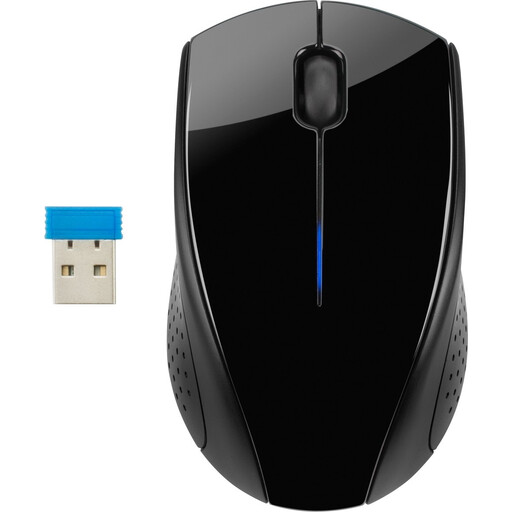
Why it suits this profile: This straightforward mouse is suitable for basic use with a laptop or office PC. The 2,4GHz connection works via a USB receiver and the rounded shape is suitable for both left- and right-handed use.
The specifications are clear: optical tracking, 1300 DPI, three buttons and a range of up to 10 metres according to the product information. There are no unnecessary gaming features to pay for.
Wireless, optical sensor, symmetrical shape and, according to HP, up to 15 months of battery life with daily use.
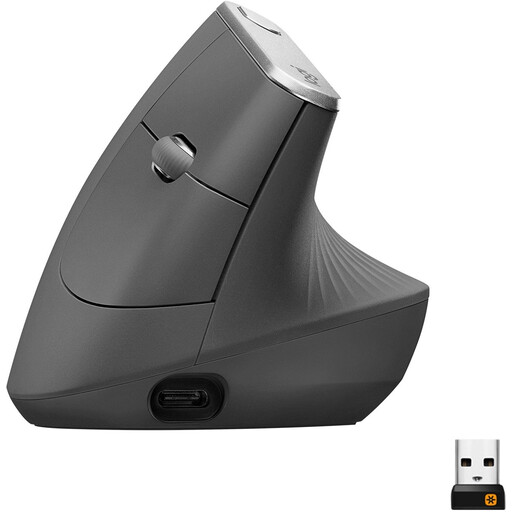
Why it suits this profile: This model is designed for extended office and home working where a vertical hand position is preferred. The mouse supports Bluetooth and a 2,4GHz connection via the included receiver.
The shape is clearly described as vertical and right-handed. This tells you in advance that it is not a universal flat mouse, allowing you to assess the grip more precisely.
4000 DPI with adjustable speed, rechargeable battery, Bluetooth, 10-metre range and five buttons.
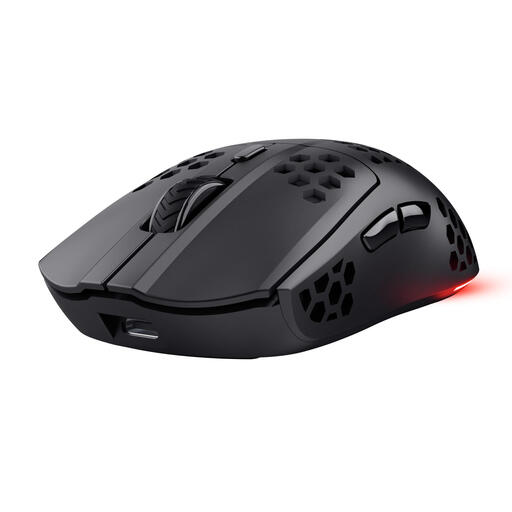
Why it suits this profile: This wireless gaming mouse is intended for PC and laptop gamers who value low weight, programmable buttons and a rechargeable battery.
The product specification clearly states 75 grams, a 2,4GHz receiver, six programmable buttons and a USB-C connection. This makes the relevant gaming features easy to verify.
Optical sensor up to 4800 DPI, polling rate up to 1000 Hz, RGB lighting and, according to Trust, up to 80 hours of battery life.
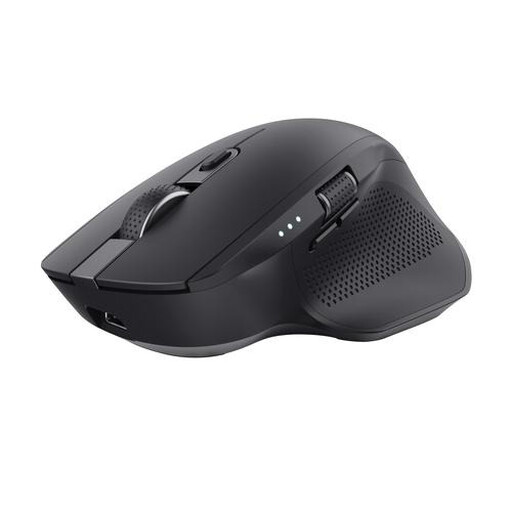
Why it suits this profile: The Ozaa+ is designed for users who switch between a laptop, PC and tablet and regularly work with wide spreadsheets, timelines or documents.
The connections are clearly specified: one 2,4GHz receiver and two Bluetooth channels. There is also a separate horizontal scroll button for wide documents.
Up to three paired devices, quiet buttons, rechargeable battery, horizontal scrolling and an optical sensor up to 3200 DPI.
We have put together a complete, up-to-date list of products that fully meet these strict selection criteria and the applicable European safety regulations.
Yes, provided you have a spare USB port for the receiver or are using a device with Bluetooth. Check the range, battery type and whether the mouse has a quiet-click function. For a fixed workstation, a wired mouse can also be practical because you do not need to charge it or replace batteries.
Its lifespan depends on usage, cleaning, buttons and the battery. A mouse with a rechargeable battery remains usable as long as the battery and electronics continue to function properly. With a model using replaceable batteries, power management is particularly important. Keep a wireless receiver in a set place and clean the sensor, scroll wheel and buttons with a dry cloth.
No. A Bluetooth mouse is useful if you do not want to use a USB dongle, but a wireless mouse with a USB receiver works just as well. Check which ports are available on your laptop. If your laptop only has USB-C, a Bluetooth model or a suitable adapter may be more practical.
