
Vandaag of morgen in huis

Kwaliteit gegarandeerd

Welkomstaanbiedingen ontgrendelen: GRATIS bezorging | Tot 80% korting | Gratis 30 dagen JoyPlus-proefperiode
Download de app
Buying a computer mouse seems straightforward, until you have to choose between a wireless mouse, wired mouse, ergonomic mouse or gaming mouse. Marketing often focuses on high DPI, RGB lighting or long battery life. These features are not automatically useful for the way you use your mouse.
Pay particular attention to three common pitfalls:
A wired mouse generally connects directly via USB. You do not need to charge a battery, and the connection remains stable as long as the cable is long enough. This makes this type suitable for a fixed PC setup, office work and gaming.
A wireless mouse offers greater freedom of movement. Bluetooth models are convenient for laptops and tablets, while a 2.4GHz USB receiver is often practical for desktop PCs. Some mice support both connection types. For example, the Trust Ozaa can be connected to up to three devices via Bluetooth or a USB receiver.
Before buying, check:
DPI indicates how sensitively the cursor responds to movement. A mouse with adjustable DPI lets you switch between slow, precise work and faster navigation across a large screen.
For office and home use, a range of around 1,200 to 3,200 DPI is often practical. For gaming, a wider range can be useful, particularly if you play different types of games. Also consider the sensor type and the surface you work on. An optical sensor generally performs well on a standard mouse mat or desk, but highly reflective surfaces can affect tracking.
A high DPI value alone says nothing about the mouse’s shape, software, buttons or comfort.
Choose a model that suits your hand and grip. A vertical mouse positions your hand differently from a traditional model. This can feel comfortable, but not everyone finds the shape natural straight away.
Look out for:
A product description may include claims about comfort or ergonomics. Treat these as information provided by the brand, not as a guaranteed result for every user. If you use a mouse for long periods, take regular breaks and adjust your workspace.
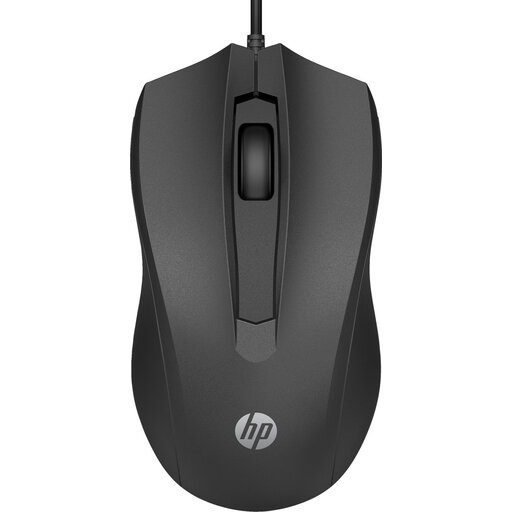
Why it suits this profile: A straightforward mouse for everyday use in the office, at home or with a laptop featuring a USB-A connection. The symmetrical shape is suitable for both left- and right-handed users.
No battery, software or wireless pairing is required. The USB connection works on a plug-and-play basis.
1,600 DPI, three buttons and an ambidextrous design.

Why it suits this profile: For right-handed users who want to combine a vertical mouse with wireless flexibility, support for multiple devices and advanced settings.
The specifications list both Bluetooth and wireless radio connectivity. However, check that the vertical shape suits your grip.
Optical sensor up to 30,000 DPI, six programmable buttons and a stated battery life of up to six months.
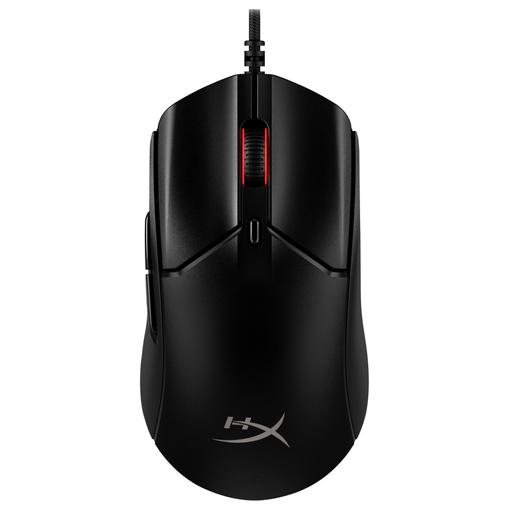
Why it suits this profile: Designed for gamers who value a lightweight wired mouse, programmable buttons and a high polling rate.
The cable means you do not need to charge the mouse while gaming. According to the product specifications, the symmetrical shape supports both left- and right-handed use.
52 grams, HyperX 26K sensor, polling rate of up to 8,000 Hz and six buttons.
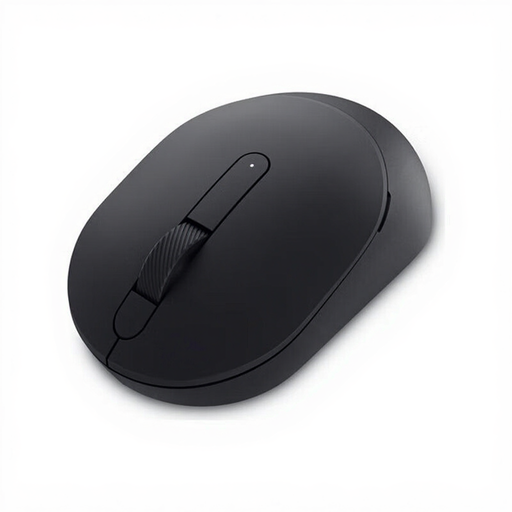
Why it suits this profile: For home workers and office professionals looking for a compact, quiet mouse suitable for both left- and right-handed use.
The mouse uses Bluetooth and radio connectivity. This allows you to choose the connection method that best suits your laptop or PC.
Quiet operation, ambidextrous design and adjustable resolution of up to 4,020 DPI.
We have put together a complete, up-to-date list of products that fully meet these strict selection criteria and the applicable European safety regulations.
That depends on your workspace. A wireless mouse is convenient if you want to minimise cables or regularly work with a laptop. A wired mouse is practical if you do not want to charge a battery and a stable connection is important to you. For gaming, a wired model can also be a sensible choice if you do not need a wireless connection.
Its lifespan depends on usage, construction, the cable or battery, and the quality of the switches. Manufacturers sometimes specify a click lifespan, such as 90 or 100 million clicks. These are product specifications provided by the brand, not a guarantee that every individual unit will reach that figure in all circumstances. With a wireless model, the battery is also a component subject to wear.
For word processing, browsing the internet and using spreadsheets, around 1,200 to 3,200 DPI is sufficient for many users. A higher value can be useful with large screens or for gaming, but it does not automatically improve comfort or accuracy. Above all, choose a mouse that lets you easily adjust the speed to suit your personal preference.
