
Vandaag of morgen in huis

Kwaliteit gegarandeerd

Welkomstaanbiedingen ontgrendelen: GRATIS bezorging | Tot 80% korting | Gratis 30 dagen JoyPlus-proefperiode
Download de app
A computer mouse might seem like a straightforward purchase – until you’re working daily with a model that’s too small, a wireless connection that keeps needing a charge, or you realise that a high DPI rating adds little to your actual use. Marketing often focuses on RGB lighting, extreme sensor sensitivity or a large number of buttons. Those features aren’t relevant for everyone.
So pay attention to the connection type, shape, sensor and dimensions instead. That way, you avoid paying for features you’ll never use.
DPI indicates how far the cursor moves in relation to a given hand movement. A mouse with adjustable DPI is practical if you want to switch between slow, precise work and faster navigation. However, a maximum of 26,000 or 30,000 DPI doesn’t automatically mean you’ll work more accurately. For office software, internet browsing and admin tasks, a lower range is often sufficient.
Also check whether the DPI is actually adjustable and how – via a physical button or through software.
A wireless mouse keeps your desk tidy, but it runs on a battery or rechargeable cell. So check:
A Bluetooth mouse is handy for a laptop with few USB ports. A radio connection with a dongle can be more practical on a desktop PC. A wired mouse doesn’t need a battery, but the cable can get in the way.
An ergonomic mouse or vertical mouse can feel quite different from a traditional model. The hand position isn’t immediately comfortable for everyone. Pay attention to the width, height, weight and hand orientation. A vertical mouse is often designed primarily for right-handed users – always check this in the product specifications.
An ergonomic shape is not a medical solution, either. If you use a computer for long periods, take regular breaks and set up your workstation properly.
For a mouse for PC and laptop, USB, Bluetooth and wireless radio connections are the most common options.
Choose wired when constant availability is important. Choose wireless when you frequently switch between devices or want a clutter-free desk.
An optical mouse uses a light sensor to track movement. A laser sensor is a different technology. More important than the marketing label are the resolution, tracking performance and suitability for your surface.
For office work, 1,200 to 2,000 DPI is often usable. For gaming, a mouse with adjustable DPI is useful because you can choose a different level for each game or situation. A suitable mouse mat also helps with smooth, consistent movements.
Check whether the mouse is designed for left- or right-handed use. A left-handed mouse often has a tailored shape and thumb buttons on the opposite side. A symmetrical model can be used by either hand, but the side buttons aren’t always present on both sides.
For gaming, programmable buttons can be useful. For word processing and browsing, three to five buttons are usually enough. A lightweight model moves easily, while a heavier one can offer more stability. RGB lighting doesn’t change sensor performance at all – so choose it mainly if the look of your setup matters to you.
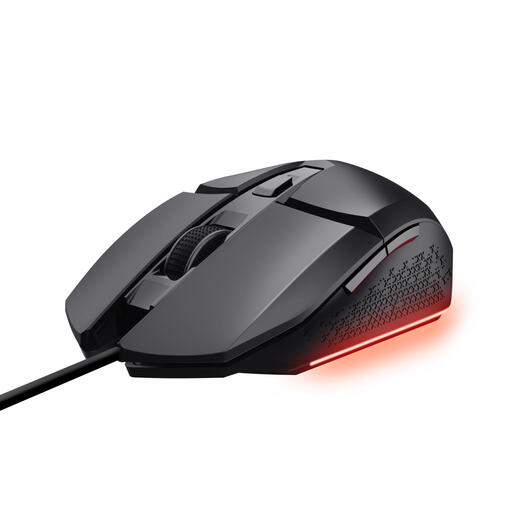
Why it fits this profile: This wired gaming mouse is ideal if you’re looking for a simple USB solution with adjustable speed and extra buttons.
The specifications clearly state a fixed 1.5-metre cable, an optical sensor and DPI settings from 200 to 6,400. So there’s no battery or hidden wireless accessory needed.
Six buttons, programmable functions, RGB lighting and USB Type-A connection.

Why it fits this profile: A right-handed user who combines work and gaming gets a vertical shape, wireless connection and extensive customisation options.
The vertical shape and dimensions are listed in the product details. Bluetooth and Razer HyperSpeed are also available, so you’re not solely reliant on a cable.
Optical sensor up to 30,000 DPI, six buttons, programmable functions and 18-zone RGB lighting.
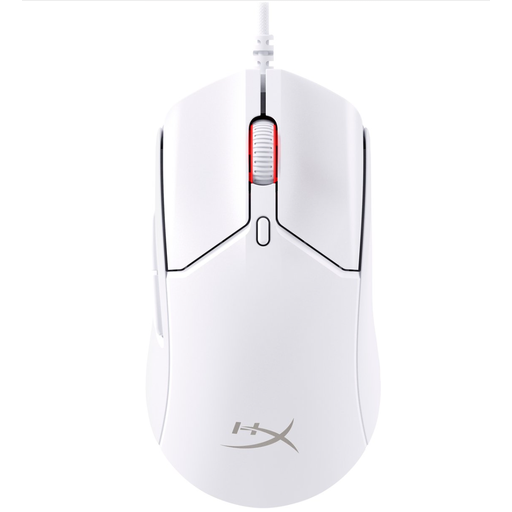
Why it fits this profile: Aimed at PC and console gamers who want a lightweight wired mouse with a high polling rate and customisable controls.
The product information states the weight of 52 grams without the cable, a 1.8-metre cable and an optical HyperX 26K sensor. This makes the performance easy to compare.
Up to 26,000 DPI, polling rate up to 8,000 Hz, six programmable buttons and included grip tape.
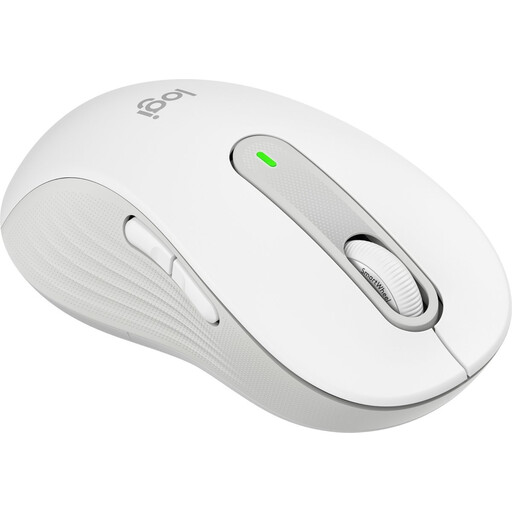
Why it fits this profile: This is a left-handed mouse for users with larger hands who want a wireless, quiet-clicking experience.
The hand orientation, dimensions and connection via Bluetooth LE or Logi Bolt are all specified. According to Logitech, SilentTouch reduces click noise by up to 90 per cent – this is a brand claim, not a universal sound measurement.
Left-handed design, five buttons, optical sensor with 2,000 DPI and a stated battery life of up to two years on a single AA battery.
We’ve put together a full, up-to-date list of products that fully meet these strict selection criteria and comply with current European safety regulations.
Choose a model with a comfortable shape, a reliable connection and, if you like, quiet buttons. A high DPI rating or RGB lighting is usually unnecessary for standard office software. Also pay attention to the hand orientation and weight.
That depends on the type of battery, how often you use it and the connection method. A model with a stated battery life of months or years will need charging or replacing less often. However, do check whether the manufacturer mentions a specific usage scenario alongside that claim.
A wired mouse prevents battery interruptions and connects directly via USB. That can be practical for a fixed gaming PC. A wireless model gives you more freedom of movement. So compare weight, polling rate, sensor, cable or receiver, and the shape of the mouse.
