
Vandaag of morgen in huis

Kwaliteit gegarandeerd

Welkomstaanbiedingen ontgrendelen: GRATIS bezorging | Tot 80% korting | Gratis 30 dagen JoyPlus-proefperiode
Download de app
A computer mouse might seem simple to choose – until, after a few weeks, you find yourself frustrated by a cable that gets in the way, loud clicks during a video call, or a shape that doesn't quite fit your hand. Marketing terms like "ultra-precise", "ergonomic" and "long battery life" only mean something once you check the underlying specifications.
This buying guide will help you choose a computer mouse for office work, working from home, gaming, or use with a laptop, Mac or tablet. You'll also find a few popular choices with verifiable features.
A mouse with high DPI can move the cursor faster across the screen. That doesn't automatically mean you'll find the mouse more comfortable or accurate. For office work, an adjustable value between roughly 800 and 2400 DPI is often practical. Gamers may want more control over sensitivity, polling rate and sensor settings.
So don't just look at the maximum DPI number. Also check whether the DPI is adjustable and whether the mouse supports software for personal profiles.
An ergonomic mouse isn't always suitable for every user. A vertical mouse is usually shaped for a specific hand. A right-handed model can be uncomfortable for left-handed users, even if the shape looks appealing.
Check before you buy:
A vertical mouse can encourage a different posture, but it doesn't replace a good workstation and regular breaks.
A wireless mouse can connect via a 2.4GHz USB receiver, Bluetooth, or both. A USB receiver typically works straight away when your laptop or PC has a free USB port. Bluetooth is handy for tablets, Macs and laptops without an extra receiver, but the device must support this protocol.
With a wireless mouse, also pay attention to the power supply:
An optical sensor is common for office and gaming mice. DPI indicates the cursor sensitivity. A higher value is mainly useful when you need fast movements or use a high screen resolution.
The polling rate, expressed in hertz, indicates how often the mouse sends data to the computer. A value of 1000 Hz is common for gaming mice. For word processing, browsing the internet and spreadsheets, this is usually not a decisive factor.
A USB mouse is straightforward: plug it into a USB port and use it. Do check whether your laptop only has USB-C ports; you may need an adapter.
A Bluetooth mouse saves a free USB port, but requires pairing via the settings of Windows, macOS, ChromeOS, Android or iPadOS. With a wireless mouse that uses a receiver, it's handy if the receiver can be stored inside the mouse.
A silent mouse can be pleasant in a shared workspace or during online meetings. Check which buttons are silent; a brand might only describe the left and right mouse buttons as quiet.
For gaming or complex software, extra and programmable buttons can be useful. For basic use, two main buttons and a scroll wheel are often sufficient. More buttons don't automatically increase ease of use.
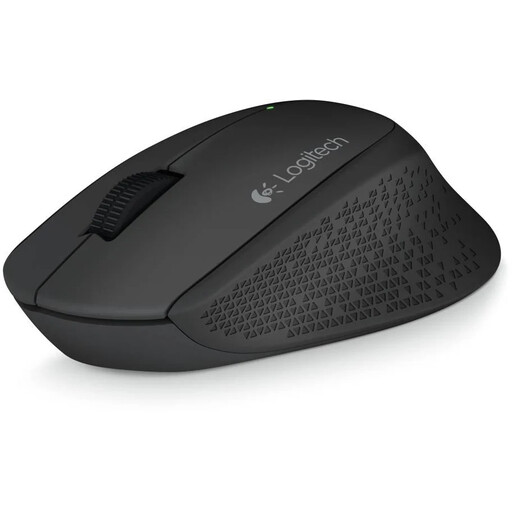
Why this fits the profile: A simple wireless mouse for home, study and office, with three buttons and a 2.4GHz receiver.
The product details clearly state a 1000 DPI resolution, an optical sensor and a range of up to 10 metres; there is no excessive focus on unnecessarily high DPI.
Wireless connection, rubber grips and power via one AA battery.

Why this fits the profile: Aimed at home workers and professionals looking for a vertical mouse with Bluetooth, USB receiver and rechargeable battery.
The hand orientation, vertical angle and connection options are clearly stated. According to the product description, the mouse is right-handed and has an adjustable sensor up to 4000 DPI.
Bluetooth and USB receiver, rechargeable battery, five buttons and a range of up to 10 metres.
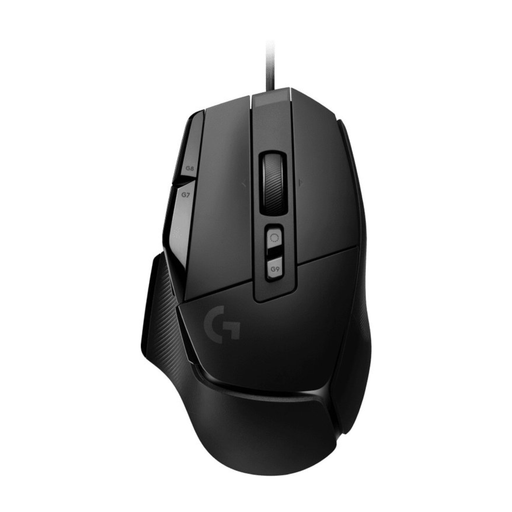
Why this fits the profile: A wired gaming mouse for right-handed players who want extra buttons, adjustable DPI and a direct USB connection.
The cable prevents battery interruptions. The product information states an optical sensor, 25600 DPI, a polling rate of 1000 Hz and programmable buttons.
USB Type-A connection, ergonomic shape, DPI switch and multiple programmable functions.
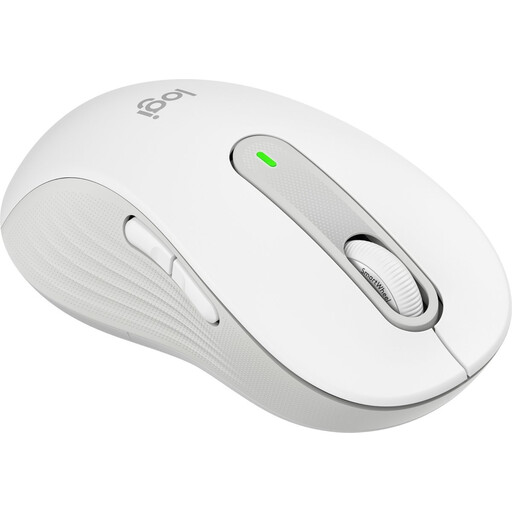
Why this fits the profile: Designed for left-handed users with larger hands who want a silent Bluetooth mouse or a mouse with a USB receiver.
The left-hand orientation and size are explicitly specified. According to the product description, SilentTouch reduces click noise by up to 90 per cent compared to traditional mice.
Bluetooth Low Energy, Logi Bolt receiver, 2000 DPI and power via one AA battery.
We've put together a full, up-to-date list of products that fully meet these strict selection criteria and current European safety regulations.
With a model that uses a USB receiver, insert the receiver into a free USB port and turn the mouse on. For a Bluetooth mouse, open the Bluetooth settings on your computer, activate pairing mode and select the mouse. Always follow the manual if the connection doesn't establish automatically.
The lifespan depends on usage, build quality, battery type and maintenance. A wired mouse has no battery that ages, whereas a rechargeable wireless mouse may gradually hold less charge per cycle. Keep the sensor and glide pads clean, and never pull a USB cable out of the computer by the cord.
With a model that uses AA batteries, the ongoing costs depend on the battery type and how often you use it. A rechargeable mouse mainly requires regular charging. A USB mouse has no battery costs, but does use a free port and a cable on your desk. So consider your workspace and usage time, not just the purchase price.
