
Vandaag of morgen in huis

Kwaliteit gegarandeerd

Welkomstaanbiedingen ontgrendelen: GRATIS bezorging | Tot 80% korting | Gratis 30 dagen JoyPlus-proefperiode
Download de app
A computer mouse might seem like a straightforward purchase, until you find yourself using a model that’s too small, has an unreliable connection or leaves your hand feeling tired after a long day. People working from home, office professionals and gamers also have different needs. A compact Bluetooth mouse is handy when you’re out and about, while a wired gaming mouse can offer a stable connection without needing a battery.
When comparing models, don’t focus only on appearance or a high DPI figure. The shape, connection, handedness and the way you’ll actually use the mouse all affect how comfortable it is over time.
DPI indicates how far the cursor moves in response to a particular hand movement. A high-DPI mouse can be useful with large screens or for certain games, but a higher figure doesn’t automatically make a model a better choice. For office work, a moderate, consistent setting is often enough. Check whether you can adjust the DPI and whether the sensor works well on your surface.
An ergonomic mouse won’t necessarily suit every hand. A vertical mouse is often specifically shaped for right-handed use. If you’re left-handed, check whether the product is designed specifically for left-handed users or has a symmetrical shape. Size matters too: a large model may be awkward for smaller hands, while a compact mouse may not offer enough support for a larger hand.
A wireless mouse keeps your desk free of cables, but it runs on batteries or a built-in rechargeable battery. So, check how it charges, its battery life and the type of connection it uses. Bluetooth is handy for laptops and tablets without a spare USB port. A USB receiver, on the other hand, can be simpler to use at a permanent workstation. A wired mouse doesn’t need charging, but its cable can restrict your movement.
Check the length, width and height, and compare them with the way you hold your mouse: palm, claw or fingertip grip. A model with a thumb rest can provide extra stability, while a symmetrical mouse may suit both left- and right-handed users.
A vertical mouse positions your hand differently from a traditional model. Manufacturers may describe this as offering ergonomic benefits. Treat these claims as information provided by the brand, and focus on features you can check, such as the angle, support surfaces and number of buttons. If you use a mouse for long periods, take regular breaks and make sure your desk is at the right height.
Check which ports and systems you use before you buy:
Also check whether you need software for programmable buttons, macros or DPI settings. Before ordering, make sure it’s compatible with Windows, macOS, ChromeOS, Linux or mobile devices.
Optical sensors are common in office and gaming mice. DPI determines cursor sensitivity, and an adjustable setting gives you more flexibility. The polling rate can also matter for gaming. It indicates how often the mouse sends information to your computer. A higher polling rate may use more system resources and may not be noticeable to every user.
For a gaming mouse, weight, cable, grip, button layout and software are important too. A lighter model can help with quick movements, while a heavier mouse may feel more stable. Look at the whole package, not just one eye-catching figure.
The selection below is based on the product details provided, including connection type, size, DPI, buttons, handedness and power source.
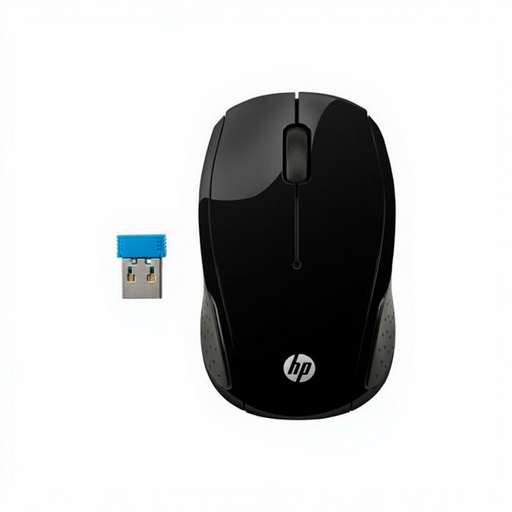
Why it suits this user: This wireless mouse is designed for everyday computer use and comes with two AAA batteries. Its symmetrical shape is suitable for both left- and right-handed users.
The product details specify 1000 DPI, an optical sensor and a USB receiver. This makes it clear what you’re getting for standard office work, without making a feature of unnecessarily high settings.
2.4GHz wireless connection, symmetrical shape and compatibility with Windows, Mac and ChromeOS.
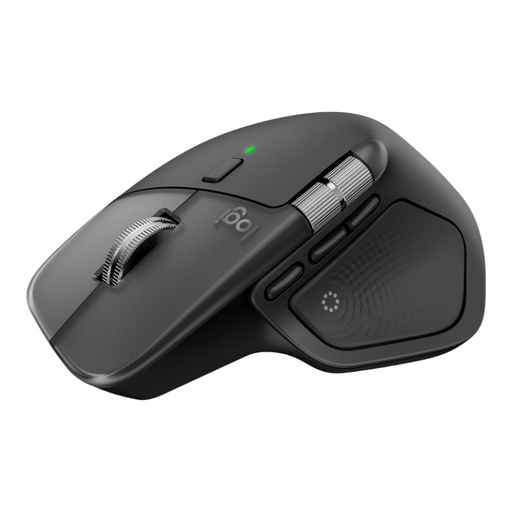
Why it suits this user: An option for professionals who do a lot of scrolling, use multiple devices and want to customise buttons for office software.
The specifications list eight programmable buttons, Bluetooth and a Logi Bolt receiver. Check that the size and Mac-focused features suit your workstation.
Connects to up to three devices, charges via USB-C and has a scroll wheel with free-spin and stepped modes, according to the product description.
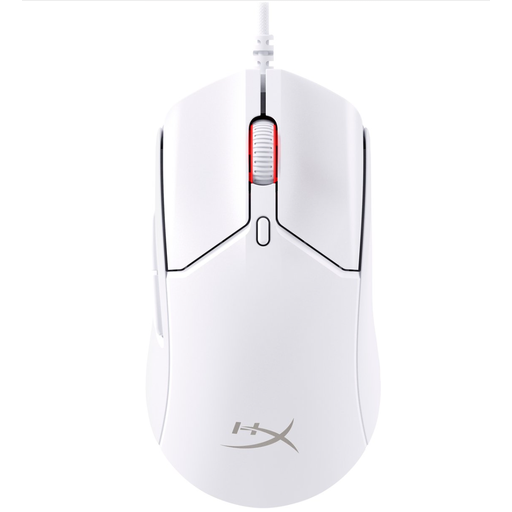
Why it suits this user: Designed for gamers looking for a lightweight wired gaming mouse with programmable buttons and adjustable sensitivity.
The cable means you won’t need to charge it while you play. Its listed weight of 52 grams, six buttons, adjustable DPI up to 26,000 and polling rate up to 8,000 Hz are all specifications you can check.
Flexible cable, PTFE feet, RGB lighting and support for PC, PlayStation and Xbox, according to the product information.
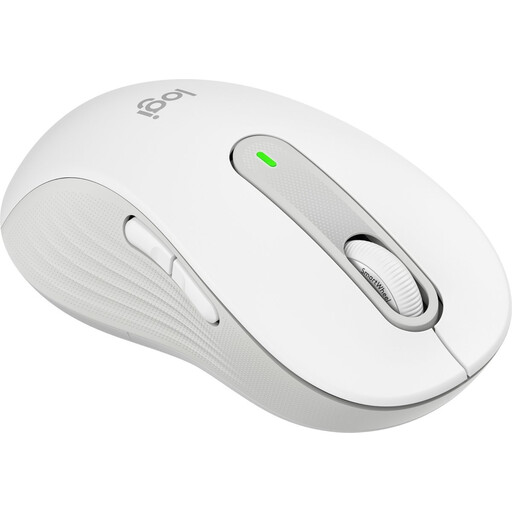
Why it suits this user: This model is specifically designed for left-handed use and, according to the product specifications, measures 118.19 mm in length and has five buttons and 2,000 DPI.
The handedness is explicitly listed as left-handed. Logitech says SilentTouch reduces click noise; this is a brand claim, not a universal guarantee for every working environment.
Bluetooth Low Energy or Logi Bolt, five buttons and a stated battery life of up to two years from one AA battery.
We’ve put together a complete, up-to-date list of products that meet these strict selection criteria and current European safety regulations.
It depends on how you’ll use it. Bluetooth frees up a USB port and is handy with laptops. A USB mouse with a receiver or cable is often easy to set up with a desktop computer. Always check your device’s Bluetooth version and compatibility.
Its lifespan depends on how much you click, whether it uses a cable or batteries, and how well you clean and maintain it. A wired mouse doesn’t have a battery that needs charging. With a wireless model, the battery type and whether it can be replaced are important. The statutory guarantee in the EU is at least two years; you may also have additional rights under Dutch consumer law.
Choose a model that suits your hand size and working posture. Look for a comfortable grip, the right handedness, quiet clicks if that matters to you, and a connection that suits your workstation. An ergonomic or vertical mouse may feel different from a traditional model. Try not to keep your wrist at an uncomfortable angle for long periods, and take short breaks regularly.
