An ultrawide monitor suits producers who often want to see a long DAW timeline and other windows side by side. An adjustable 27-inch QHD monitor is more compact if you usually work in a single project window. Before choosing, check the space available on your desk, how readable text is at your preferred scaling setting, and your computer’s video connection. A larger screen won’t automatically manage project versions or, by itself, improve how you assess sound.
Who are these monitor options suitable for?
Producer working with long arrangements
If you want to keep more of the timeline and other windows visible while mixing, consider a wide monitor. How useful it is will also depend on how you arrange windows in your DAW. Ableton explains how to use a second window to view different elements.
Producer with a compact workspace
If you want a readable, adjustable screen without the width of an ultrawide, consider a more compact size. Think about how you position it on your desk, too: Arboportaal highlights readability, contrast and reflections when working with screens.
Producer using a laptop
If you want to connect video and potentially power your laptop through a single connection at a fixed workstation, check that your laptop, monitor and cable are compatible. Dell describes different features for the P2725D and P2725DE; these models don’t have the same connectivity options.
What should you consider when choosing?
| Consideration |
What to look for |
Who should prioritise this? |
| Timeline and windows |
Compare the desk space available, the resolution and how you usually arrange windows in your DAW. |
If I want to see the timeline and other windows at the same time while mixing, I make that my priority; around 36% of consumers say having a clear overview is their main reason for buying. |
| Readability and positioning |
Check the height adjustment, screen size, reflections and how readable DAW text is at your preferred scaling setting. |
If you spend long periods at your screen, you’ll want text that’s easy to read and a screen you can position comfortably; around 29% of consumers put readability and a compact workspace first. |
| Laptop connection |
Check your laptop’s video output, the monitor’s connections, USB-C video support, charging power and the cable. |
If I want to use my laptop in a fixed setup with as few separate connections as possible, I check compatibility first; around 21% of consumers prioritise a simple laptop connection. |
| Features you need |
Decide which screen layouts and connections you’ll actually use, then compare the specifications of the exact models. |
If you don’t need features for other types of work, you can narrow your choice down to what your DAW setup requires; around 14% of consumers prioritise avoiding screen features they won’t use. |
LG lists a 34-inch ultrawide with a 21:9 aspect ratio and 3440 × 1440 pixels; Dell lists the P2725D as a 27-inch monitor with 2560 × 1440 pixels. These specifications can help you compare screen layouts, but they don’t determine which windows your DAW can display at the same time.
Which buying mistakes can you avoid?
-
Confusing a wide monitor with software for managing project versions
A larger screen only gives you access to the windows and views your DAW supports. You’ll still need to manage files and project versions separately.
Try out your DAW’s window layout first, and manage saved versions independently of your monitor choice.
-
Assuming every USB-C monitor can power a laptop with one cable
Video output and laptop charging are separate compatibility considerations. Dell says the P2725DE has a USB-C hub and 90 W power delivery; don’t assume the P2725D has these features.
Check the full monitor model, your laptop’s output, the power it needs and the cable.
Depending on the setup, you may also need a suitable cable, adapter or separate power supply.
-
Choosing a larger screen without measuring your workspace
An ultrawide screen needs more horizontal space. Readability and positioning also depend on your setup and the ambient light.
Measure the available desk space and check text size, screen height and reflections before choosing between an ultrawide and a 27-inch monitor.
Which brands are worth considering?
LG
LG makes ultrawide computer monitors for anyone looking for extra horizontal screen space.
- LG lists a 21:9 aspect ratio and 3440 × 1440 pixels for the 34U650A-B.
- You’ll need enough desk space for the wider setup; these screen specifications don’t prove that audio mixing will be more precise.
Dell
The Pro Plus P2725D and P2725DE are two 27-inch QHD models for a more compact workspace.
- Dell lists a resolution of 2560 × 1440 pixels for both models.
- The USB-C hub and 90 W power delivery are features of the P2725DE; check the model number before comparing connections.
Philips
The E Line 346E2CUAE/00 is a curved ultrawide monitor with USB-C.
- Philips lists 3440 × 1440 pixels and MultiView, which is designed to display multiple devices.
- MultiView isn’t the same as managing or comparing project versions within a DAW.
BenQ
BenQ positions the Creative Pro PD2706UA, a 27-inch 4K monitor with an ergonomic arm, as a display for design work.
- The adjustable monitor arm may be useful if you want to change the screen position easily.
- BenQ’s claims about colour consistency relate to visual work and don’t establish an advantage for audio mixing.
Computer monitors at Joybuy
These computer monitors suit a workspace where you want to arrange a DAW timeline and other windows across a wide screen. Measure your desk space first and check that the screen features listed suit the way you plan to use it.
 No image available
LG UltraWide 34U601B-B WQHD VA monitor
An ultrawide option for anyone who wants to arrange the timeline and other DAW windows side by side; check your available desk space first.
34-inch, WQHD, VA, 1800R curved and 120 Hz.
View at Joybuy
 No image available
CRUA 49-inch curved ultrawide gaming monitor
An extra-wide screen for anyone who wants plenty of horizontal space for an arrangement and other windows; check that it will fit on your desk before buying.
49-inch, 32:9, 5120 × 1440 pixels, 165 Hz and 1500R VA panel.
View at Joybuy
 No image available
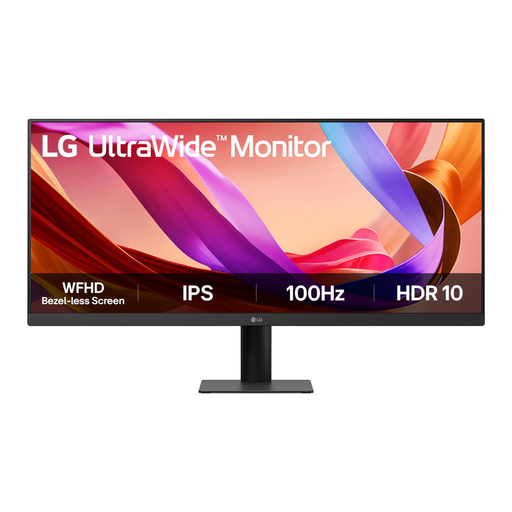
LG UltraWide 29U511A-B 29-inch Full HD IPS monitor
A 29-inch ultrawide option for anyone who wants to arrange windows side by side; check that text is readable at your preferred scaling setting.
29-inch, Full HD, IPS and 100 Hz.
View at Joybuy
 No image available
LG UltraWide 34U511A-B 34-inch monitor
A 34-inch ultrawide screen for anyone who wants more horizontal space for the timeline and other windows; allow for the extra desk space it needs.
34-inch.
View at Joybuy
 No image available
LG 34WR50QK-B 34-inch Wide Quad HD monitor
A 34-inch ultrawide option for anyone who wants to view a long timeline and other windows side by side; check the space available on your desk.
34-inch, 3440 × 1440 pixels and Wide Quad HD.
View at Joybuy
Frequently asked questions
Will a larger monitor automatically show multiple versions of one project at the same time?
No, that depends on how your DAW arranges windows. Ableton describes support for a second window, including on one large screen, but Clip View and Device View can’t both appear in both windows at once. Also check how your DAW opens separate project versions.
How can I keep different project versions and the audio files they use together?
Ableton’s documentation says that multiple variations of one track can be kept in the same Live Project. To transfer a project to another computer, Ableton describes Collect All and Save for the files in use; this doesn’t copy plug-ins. This is file management, not a monitor feature.
Can I connect and charge my laptop with a single USB-C cable?
Only if the monitor provides the video and power features you need, and your laptop and cable are compatible. Dell lists a USB-C hub and 90 W power delivery for the P2725DE; check the requirements of your own laptop.
What can I do in the Netherlands if a monitor bought online disappoints or breaks down too soon?
According to ACM ConsuWijzer, online consumer purchases generally come with a 14-day cooling-off period after delivery, subject to legal exceptions. You’re also covered by the statutory guarantee: if a product doesn’t do what you could reasonably expect under normal use, the seller is responsible for providing an appropriate solution. This doesn’t mean every monitor has a fixed two-year guarantee period.
Do energy labelling rules for computer monitors apply in the Netherlands?
The European Commission states that EU energy labelling and ecodesign rules apply to electronic displays, with exceptions for certain types. Check the product information sheet and energy label for a specific model; a label doesn’t tell you whether the screen is suitable for your DAW setup.


