
Worksheet creator with limited desk space
Wants to find out whether a compact typing keyboard will do the job, and measures the available space before adding any equipment.


If you mainly type explanations and exercises, a compact computer keyboard is usually enough. If you regularly enter notes, a MIDI keyboard is better suited to that way of working. If you choose a MIDI keyboard, measure the available width and depth, and check that your notation software supports MIDI input. A MIDI controller won’t replace your computer keyboard for text and formatting.
Wants to find out whether a compact typing keyboard will do the job, and measures the available space before adding any equipment.
Regularly creates musical examples and wants to enter pitches using a MIDI keyboard, without overlooking text editing.
Mostly types explanations and exercises, and uses notation software for short examples or printable scores.
Choose this if: you mainly type text, format pages or only enter notes occasionally. MuseScore Studio supports note input using a computer keyboard, according to the MuseScore Studio Handbook.
Bear in mind: a typing keyboard doesn’t have piano keys for entering pitches; check the layout and keyboard shortcuts too.
Choose this if: you regularly enter melodies or pitches and your notation software supports MIDI input. The MuseScore Studio Handbook lists a MIDI keyboard as an input method.
Bear in mind: a controller is an extra piece of equipment alongside your typing keyboard; extra pads and faders aren’t automatically necessary for worksheets.
| Consideration | What to look for | Who is it important for? |
|---|---|---|
| Desk space | Measure the available width and depth, including space for your mouse and paper. Korg lists the microKEY2-25 as 395 × 131 mm; Novation lists the Launchkey Mini 25 MK4 as 339 × 177 mm. | If I also need room for paper and my mouse, I want to know how much space the equipment actually takes up. Around 36% of consumers put desk space first. |
| Entering notes | Check that your notation software supports MIDI input, and try the input mode you want to use with your own types of musical examples. | If I regularly want to enter pitches using piano keys, I focus on how MIDI input works. Around 29% of consumers prioritise entering notes. |
| Text and formatting | Check the keyboard layout and make sure you can easily reach the keys you use most often. | If my worksheets mainly consist of explanations and exercises, I want to be able to type and format them quickly. Around 21% of consumers make text and formatting their main priority. |
| Connection and controls | Check which port and cable you need, and whether any extra controls suit the way you work. | If I want to connect my equipment easily and avoid unnecessary controls, I first look at the connection and the software I use. Around 14% of consumers put these points first. |
A MIDI keyboard is designed for entering notes; it won’t replace your typing keyboard for writing explanations and formatting. MuseScore Studio also supports input using a computer keyboard, according to the MuseScore Studio Handbook.
First, try the input method already available in your notation software, then decide whether you need piano keys.
On a small desk, depth also affects how much room you have left for paper and a mouse. The listed dimensions vary by model: Korg gives the microKEY2-25 as 395 × 131 mm, while Novation lists the Launchkey Mini 25 MK4 as 339 × 177 mm.
Measure the available width and depth, and mark out both sets of dimensions on your desk before choosing.
A MIDI controller may have pads, faders or DAW controls, but that doesn’t mean you need them to enter notes in notation software.
First, assess the input options in your own software, and only consider extra features if you’re actually going to use them.
Logitech offers compact computer keyboards, including the Pebble Keys 2 K380s and MX Keys Mini.
The microKEY2 range consists of USB MIDI keyboards with different numbers of keys.
The MiniLab 3 combines a compact MIDI keyboard with controls for music production.
The Launchkey Mini 25 MK4 is a MIDI controller for anyone who uses DAW features as well as entering notes.
The MPK Mini MK3 is designed for a combination of note input and music production.
These product picks focus on compact computer keyboards for text, formatting and computer-keyboard input on a small desk. They aren’t MIDI keyboards for entering notes.
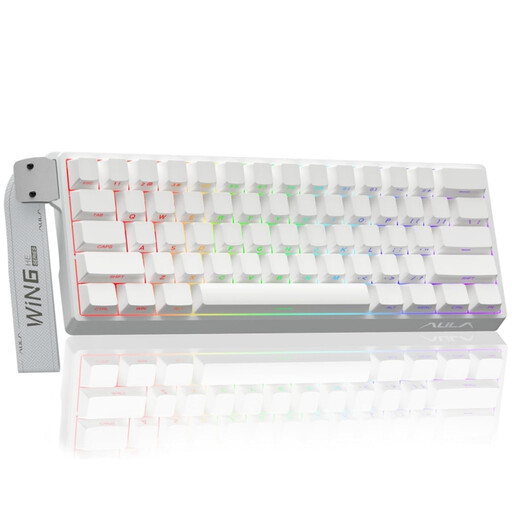 No image available
A compact computer keyboard option if you want to use less of your desk space for your keyboard.
The product name specifies a 60% layout and a wired connection. Check that the layout suits the way you use keyboard shortcuts.
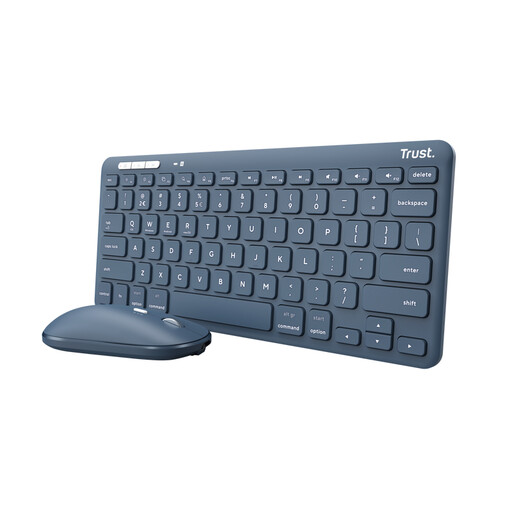 No image available
A compact keyboard and mouse set to consider if you need both devices; remember to allow space for the mouse too.
The product description lists a tenkeyless keyboard, Bluetooth and a USB receiver. The layout is US QWERTY, so check that it suits you.
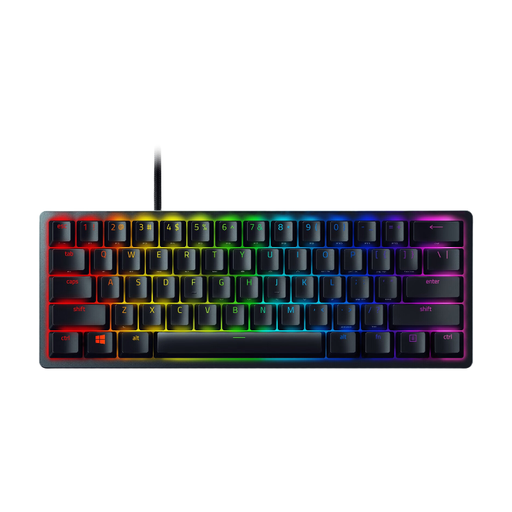 No image available
This compact version could be a good fit if you’re looking for a small computer keyboard for text and formatting.
The product information lists dimensions of 294,6 × 104,1 mm and a detachable USB-C cable. Check that the US QWERTY layout suits the way you work.
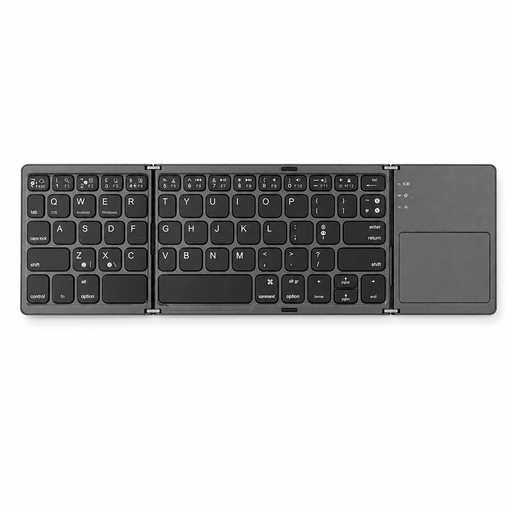 No image available
The foldable design could be useful if you want to put the keyboard away after use; bear in mind the space taken up by the touchpad.
The product description lists 63 keys, Bluetooth and dimensions of 305 × 98 mm when unfolded and 152 × 97 × 12 mm when folded. Check that the connection and layout are compatible with your computer.
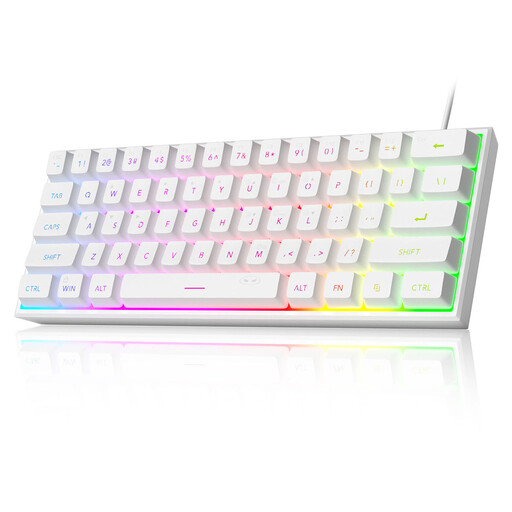 No image available
A compact keyboard option for typing if you’re looking for a wired connection.
The product information lists 61 keys, dimensions of 29,2 × 10,1 cm and a US QWERTY layout. Check that the layout suits the way you type and use keyboard shortcuts.
No. MuseScore Studio also supports input using a computer keyboard and mouse, according to the MuseScore Studio Handbook. Choose MIDI input if you prefer to enter pitches using piano keys, and check that your software supports this input method.
For standard input, first choose a note duration, then enter a pitch. To create a printable version, you can export a score as a PDF. If you’re using a MIDI keyboard, also check the connection and the input mode you’ve selected.
No. According to the Dutch government, there is no fixed statutory warranty period in the Netherlands. If a product is faulty, contact the seller; a manufacturer’s or extended warranty comes on top of your statutory rights.
According to the Dutch government, distance selling usually comes with a 14-day cooling-off period, but this depends on the purchase and any applicable exceptions. Check the seller’s information before placing your order.
Not necessarily: according to the Dutch government, you need the creator’s permission to use copyrighted music. The rules for education and specific exceptions don’t apply in the same way to every worksheet, so check which permission or exception applies to your material.