
Hybrid presenter
You’re presenting from a laptop to people in the room and online, and your main priority is making sure online participants can hear you clearly. Logitech describes the H390 as a USB headset for computer use.


For a hybrid presentation from a single laptop, a computer headset is the most straightforward choice. To amplify your voice through the room’s sound system, you’ll need a headset microphone system with a compatible receiver. If you want to move around, check the connections too, and, for a wireless system, make sure the frequency variant is suitable for the location where you’ll use it. A personal headset won’t automatically pick up the voices of other people in the room.
You’re presenting from a laptop to people in the room and online, and your main priority is making sure online participants can hear you clearly. Logitech describes the H390 as a USB headset for computer use.
You want your voice amplified through the room’s existing sound system, so you need a microphone system that can connect to it. Shure describes the BLX14/PGA31 as a system with a headset and receiver.
You want to move around during your presentation without running a microphone cable to your laptop or sound system. Samson describes the XPD2 Headset as having a USB receiver for computers.
Suitable if: you mainly present from one spot and need your voice to reach online participants through your laptop.
Consider: a cable limits how far you can move, and a personal headset won’t automatically amplify your voice for people in the room.
Suitable if: you need to keep your hands free and want your voice to be heard through an existing sound system.
Consider: check that the receiver and sound system are compatible. For wireless systems, the frequency variant and location also matter.
| What to consider | What to check before buying | Who should pay particular attention? |
|---|---|---|
| Being heard clearly online | Check the connection to your laptop and select the intended microphone in your meeting software. | If online participants mainly need to hear my voice, I want a microphone I can select as the laptop’s input. Around 36% of consumers put being heard clearly by online participants at the top of their list when buying. |
| Amplification in the room | Check that the headset, transmitter, receiver and sound system are compatible. | I want people in the meeting room to hear my voice through the existing sound system, not just through my laptop. Around 29% of consumers prioritise connecting to the room’s sound system. |
| Freedom to move around | Check that it’s a complete wireless system and that the frequency variant is suitable for the location. The Dutch Authority for Digital Infrastructure (RDI) states that UHF availability can vary by location in the Netherlands and that some frequency bands require a licence. | If I want to move around while talking through my results, I don’t want to be tied to a microphone cable. Around 21% of consumers put freedom to move around first. |
| Easy set-up | Check that the connection works with your laptop and that you can adjust the headset for a comfortable fit. | For a brief summary, I want to keep connections to a minimum and avoid needing a separate receiver or room sound system. Around 14% of consumers put ease of set-up at the top of their list when buying. |
A USB computer headset and a wireless microphone system carry sound along different routes. Choosing a computer headset alone doesn’t automatically mean people in the room will hear your voice through the sound system.
Before you buy, map out how your microphone will connect to your laptop, online participants and any room speakers. Check which receiver and connections you’ll need.
According to the RDI, available UHF frequency space can vary by location in the Netherlands, and some frequency bands require a licence.
Before choosing a system, check the exact frequency variant and where you’ll use it against the information provided by the RDI.
A headset follows the person wearing it. A speakerphone is a different type of device, designed for calls with several people in the room.
Decide in advance whether only you or other people in the room also need to be heard clearly online. Choose your equipment based on who needs to speak.
Computer headsets for presentations from a laptop; the H390 is one example we looked at.
Wired computer headsets for business calls; the Blackwire 3320 is one example we looked at.
Headset microphone systems with a transmitter and receiver for use with a sound system; the BLX14/PGA31 is one example we looked at.
Wireless headset microphones with a USB receiver; we looked at the XPD2 Headset as a laptop option for a presenter on the move.
A speakerphone may be useful when several people in the same room are joining a hybrid call; the Speak2 40 is one example we looked at.
These Joybuy products are headsets and headphones whose product information lists features for calls. Check that each model’s connection works with your laptop, and whether you’ll also need a separate way to amplify sound in the room.
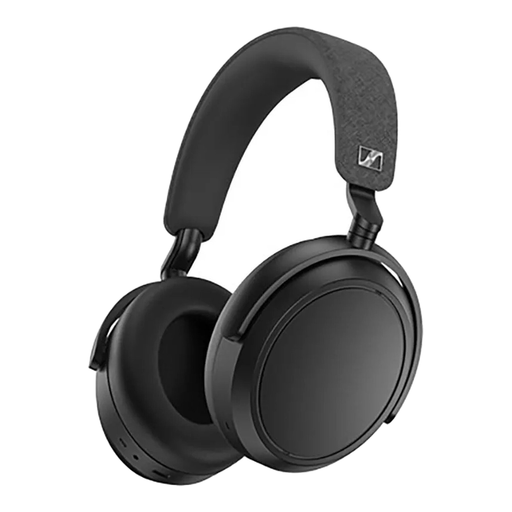 No image available
For anyone looking for wireless headphones with call features; check that Bluetooth works with your laptop and meeting software.
Bluetooth; four microphones; supplied 3.5mm audio cable; battery life of up to 60 hours.
 No image available
For wireless calls during a presentation; check the connection and compatibility with your computer and meeting software.
Bluetooth; connects to two devices; array of eight microphones with beamforming; range of up to 30 m; playback time of up to 36 hours.
 No image available
A wired computer headset to consider if you’ll mainly be staying in one place during your presentation; check that the USB connection works with your computer.
USB connection; adjustable microphone boom; volume control and mute indicator on the cable.
 No image available
A wired headset for computer-based calls; check the connections and whether the cable controls suit your set-up.
USB plug-and-play; microphone; volume control on the cable; the product description mentions echo cancellation.
 No image available
A wired USB headset for calls from a computer; check that the USB connection works with your laptop.
USB connection; adjustable microphone; the product description mentions plug-and-play.
It depends on the connector and the receiver you need. The Shure BLX14/PGA31 we looked at is a system with a receiver; Samson describes the XPD2 as having a USB receiver for computers. Check what type of input your laptop or sound system needs.
Connect the appropriate computer headset or receiver, then select the intended microphone in your meeting software. Test the mute control too, and check separately that people in the room can hear online participants; a personal headset won’t take care of that automatically.
In the Netherlands, purchases made by consumers are covered by the statutory guarantee, in addition to any manufacturer’s warranty. If the product is faulty during normal use, the seller must offer an appropriate solution at no cost, according to ACM ConsuWijzer. The same fixed statutory guarantee period doesn’t automatically apply to every headset.
No. It depends on the frequency band and where you use it. The RDI explains which bands may be used without a licence, notes regional differences in UHF frequency availability, and states that some bands require a licence. So check the exact frequency variant and location.