
Vandaag of morgen in huis

Kwaliteit gegarandeerd

Welkomstaanbiedingen ontgrendelen: GRATIS bezorging | Tot 80% korting | Gratis 30 dagen JoyPlus-proefperiode
Download de app
Buying a laptop, desktop PC, graphics card or RAM upgrade may seem straightforward – until you start comparing specifications. Manufacturers use terms such as AI, gaming, fast storage and professional performance, but these don’t always tell you whether a product is right for your needs. This guide to buying computers and computer hardware highlights the components that make a real difference in everyday use.
An Intel Core laptop or AMD Ryzen laptop may sound appealing, but the processor is just one component. For gaming, the graphics card matters too, while multitasking requires enough RAM and fast storage. A fast CPU with just 8 GB of memory may feel less responsive than a slightly more modest processor with 16 GB of RAM.
A product listing might say “24 GB RAM”, for example, with some of that capacity coming from a memory expansion feature or a different configuration. Check the following:
For laptops, the Kingston FURY 16GB 4800MT/s DDR5 CL38 Laptop RAM Dual-Pack is a set of 2 × 8 GB SO-DIMM modules, intended for laptops that support DDR5. Always check compatibility with your motherboard, processor and BIOS before ordering memory.
A 165Hz screen is useful for fast-paced games, but only if the graphics card can deliver enough frames per second. Likewise, “512 GB SSD” doesn’t tell you how much free space will be left after installing Windows and your programmes. For large games, video editing or storing lots of photos, 1 TB may be more practical.
A modern entry-level processor with 8 GB RAM is often enough for documents, video calls and browsing, although 16 GB gives you more room for multitasking. For business applications, local AI features and demanding spreadsheets, a higher-tier processor makes more sense. As well as the model name, check the number of cores and threads, maximum clock speed and upgrade options.
A gaming PC or gaming laptop uses a dedicated GPU for games, 3D software and some creative applications. An RTX 5050 and an RTX 5060 offer different performance levels, so compare more than just the product name. Check the available video memory, power consumption and cooling too.
If you’re buying a separate graphics card, make sure your power supply provides enough power and has the right connector. According to its product specifications, the ASUS Dual GeForce RTX 5050 OC Edition requires a recommended 550 W power supply and one 8-pin PCIe connector. The GIGABYTE GeForce RTX 5060 Ti EAGLE MAX OC 8G lists 650 W as the recommended system power supply. Also check that the card will physically fit inside your case.
For working from home, USB-C, HDMI, Wi-Fi and a webcam are often more important than an exceptionally fast processor. When choosing a business laptop, also look for a webcam privacy shutter, the keyboard layout and the weight.
An all-in-one PC saves space, but is generally less straightforward to upgrade than a desktop. Check whether a power adapter is included, too. Some MSI models in this range require you to buy the charger separately.
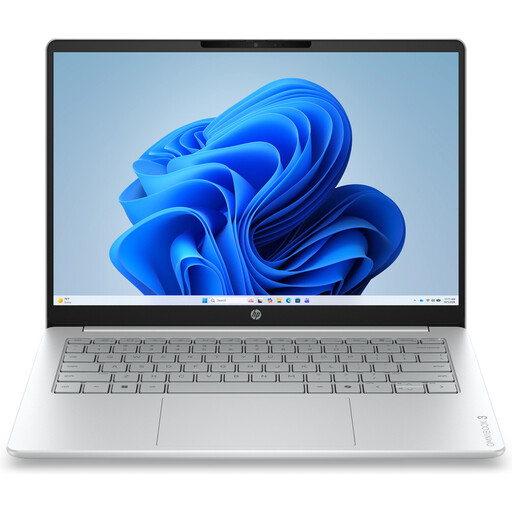
Why it suits this profile: This compact Windows 11 laptop is designed for studying, documents, streaming and everyday use at home.
The product information clearly states that it has 8 GB of onboard LPDDR5 memory, which can’t be upgraded. It also notes that the charger must be purchased separately.
14-inch IPS screen with 1920 × 1200 resolution, 512 GB NVMe SSD and a weight of approximately 1.42 kg.
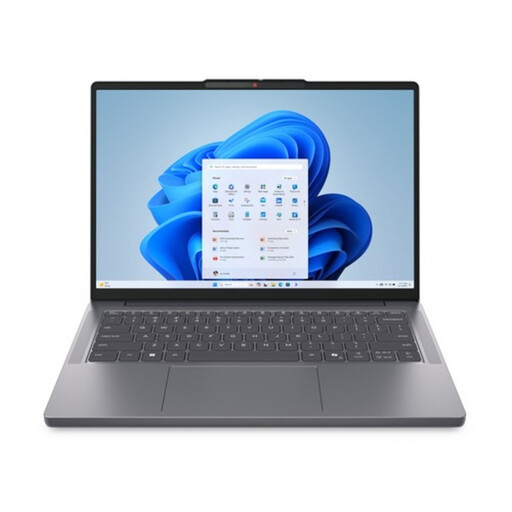
Why it suits this profile: A business laptop for professionals who need plenty of connections, security features and upgradeable memory.
The specifications list two DDR5-SODIMM slots, support for up to 64 GB and two M.2 slots for storage expansion.
Intel Core Ultra 5 135H, 16 GB DDR5, 512 GB SSD, Thunderbolt 4, numeric keypad and Windows 11 Pro.
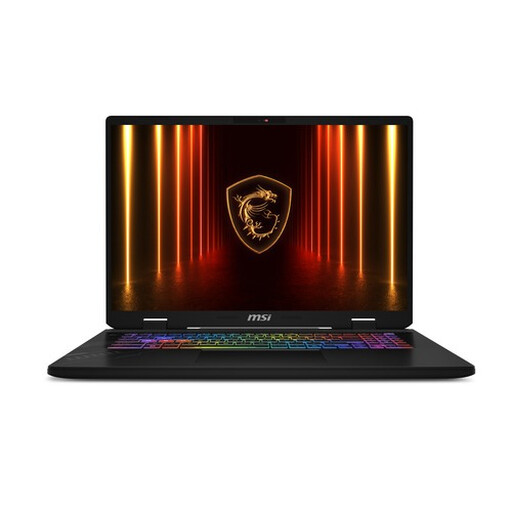
Why it suits this profile: For gamers and content creators looking for a large screen, plenty of memory and powerful mobile hardware.
The core configuration is easy to check: 32 GB DDR5, a 1 TB SSD and a specified RTX 5060 Laptop GPU.
17-inch QHD+ screen with a 240Hz refresh rate, 100% DCI-P3 according to the product specifications, 90Wh battery and two M.2 storage slots.
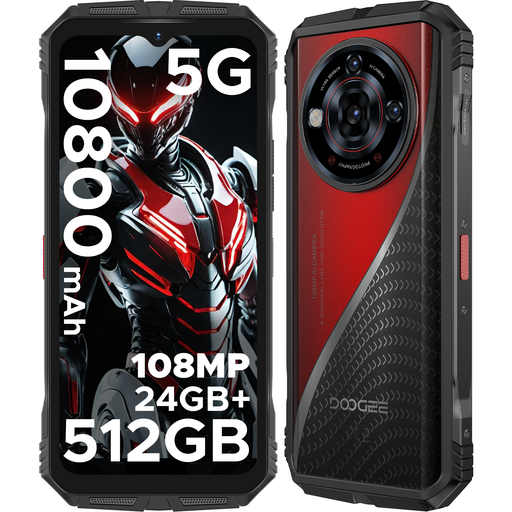
Why it suits this profile: For users looking for a smartphone with a large battery, dual SIM and a rugged casing.
The listed IP68, IP69K and MIL-STD-810H ratings are product specifications, not a guarantee against every type of damage. Port covers must be closed, and the phone must not be charged when the port is wet.
10,800mAh battery, 6.6-inch FHD+ 120Hz screen, 512 GB storage and 5G support.
We’ve put together a complete, up-to-date list of products that meet these strict selection criteria and the applicable European safety regulations.
8 GB may be enough for browsing the internet, email, word processing and video calls. If you use several programmes at once, edit photos or play games, 16 GB RAM is generally a better choice. If you’re considering 8 GB, also check whether it can be upgraded.
Its lifespan depends on the battery, cooling, storage and repair options. A laptop with upgradeable RAM and a replaceable or additional SSD can remain useful for longer. Install updates, keep the ventilation openings clear and avoid prolonged exposure to heat.
Power consumption is mainly determined by the processor, graphics card and how long you use the PC. Check the stated GPU and system power requirements and compare them with the wattage of the power supply. An efficient configuration may use less electricity with daily use, but performance and settings determine actual consumption.
