
Vandaag of morgen in huis

Kwaliteit gegarandeerd

Welkomstaanbiedingen ontgrendelen: GRATIS bezorging | Tot 80% korting | Gratis 30 dagen JoyPlus-proefperiode
Download de app
Buying computer hardware seems straightforward until you compare specifications, connections and upgrade options. For example, a fast processor doesn’t mean much if the laptop has only 8 GB of RAM, while a powerful graphics card may not fit in a compact case. You may also find out about accessories and compatibility only after buying.
Use this practical guide to focus on the things that make the biggest difference for gaming, working from home, business use and upgrades.
An Intel Core Ultra processor or AMD Ryzen chip sounds appealing, but the overall configuration determines your experience. So check:
A mini PC with a powerful processor may be suitable for office work, but that doesn’t automatically make it suitable for modern games. A gaming laptop with an RTX 5060 laptop GPU looks more promising for graphics-intensive tasks, but TGP, cooling and the screen are still important.
Laptop RAM usually uses a SO-DIMM format, while desktop RAM needs a DIMM module. DDR5 memory also won’t work in a DDR4 motherboard. Before buying, check:
For example, a Kingston FURY 16GB DDR5 kit with 2 x 8 GB is designed for laptops because of its SO-DIMM format. The Crucial CT16G48C40U5, on the other hand, is a 16 GB desktop module in DIMM format. These products aren’t interchangeable.
Some desktop computers and laptops state in their product information that the charger must be bought separately. Check this before you reach the checkout. Also look at:
In the EU, consumers are generally entitled to a minimum of two years’ statutory guarantee. This is separate from any additional manufacturer’s warranty.
For everyday office work, browsing and video calls, 16 GB of RAM is a practical starting point. For photo editing, virtual machines and heavy multitasking, 32 GB or more may be a better fit. DDR5 RAM is a newer generation of memory, but always check that your motherboard and processor support it.
An SSD generally means shorter start-up and loading times. 512 GB is enough for office software and documents, but gamers and creative users will fill it up more quickly. A 1TB SSD gives you more room for games, video files and projects.
Integrated graphics are often enough for basic productivity. For gaming, 3D software and video editing, a dedicated graphics card is more relevant. With an RTX 5060 laptop, don’t just look at the name. Check:
An RTX 5080 graphics card also requires you to consider its size, power supply and case. According to the product specifications, the Gigabyte version in this selection is 340 mm long, uses 360 W of power and requires a recommended power supply of at least 850 W. So check the space in your case and the power connectors available first.
A system you can upgrade later can help you avoid replacing it too soon. Check the number of RAM slots, M.2 slots, PCIe slots and video outputs. For example, the Lenovo ThinkCentre M70q Gen 5 has two DIMM slots and two M.2 slots, while the Dell Pro QCS1250 supports up to 64 GB of DDR5.
For a workstation with multiple screens, DisplayPort, HDMI and USB-C with DisplayPort functionality are useful. Wi-Fi 6E and Bluetooth 5.3 can come in handy if you work wirelessly, but a wired Ethernet connection is still useful for fixed workstations and online gaming.
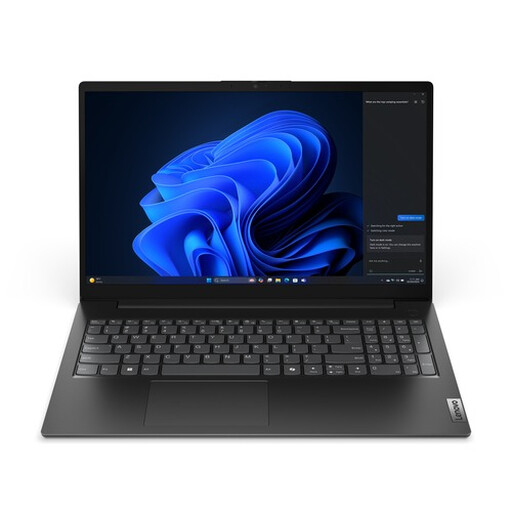
Why it suits this profile: This business laptop combines an Intel Core i5-13420H, 16 GB DDR5 and a 512 GB PCIe NVMe SSD for documents, video calls and everyday working from home.
The key specifications are clearly listed: 16 GB RAM, a 512 GB SSD and Windows 11 Pro. Do check the English keyboard layout.
15.6-inch Full HD screen, Wi-Fi 6, gigabit Ethernet and a weight from around 1.61 kg.
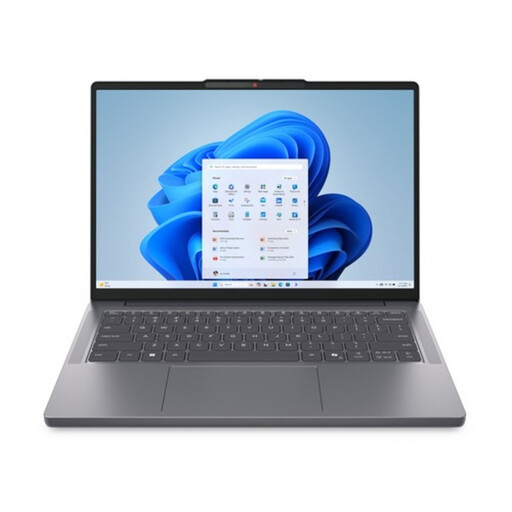
Why it suits this profile: A business laptop for professionals who want a large 16-inch workspace, Windows 11 Pro and upgradeable memory.
According to the product specifications, the two SO-DIMM slots support upgrades of up to 64 GB DDR5-5600. Storage can be expanded using the two M.2 slots.
16:10 WUXGA IPS screen, Thunderbolt 4, webcam privacy shutter and fingerprint reader.
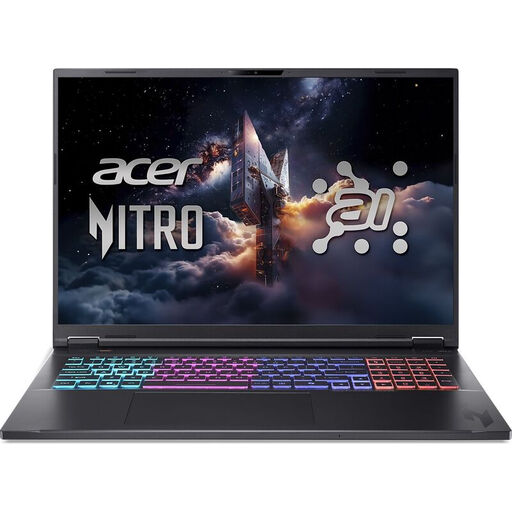
Why it suits this profile: A good choice for gamers and creators who value a large screen, dedicated graphics card and plenty of SSD storage.
The product specifications list both the RTX 5060 with 8 GB GDDR7 and its maximum graphics power of 115 W. This makes it easier to compare than looking at the GPU name alone.
18-inch WQXGA IPS screen with 165 Hz, 1 TB NVMe SSD and Ryzen AI 7 350 processor.
An upgrade can be cheaper than buying a new system, but check your motherboard or laptop manual first. For laptops, the Kingston FURY 16GB 4800MT/s DDR5 Dual-Pack and Lexar DDR5 16GB SO-DIMM are examples of laptop RAM. For a desktop, the Crucial 16GB DDR5 DIMM is a suitable type, provided your system supports DDR5.
For a graphics card, check its length, thickness, power requirements and airflow, as well as the PCIe connection. A card that takes up three or four slots may block other expansion cards. Shut down the computer completely and take anti-static precautions when installing it.
We’ve put together a full, up-to-date list of products that meet these strict selection criteria and the applicable European safety regulations.
For office work and working from home, 16 GB of RAM is usually a practical starting point. For gaming, video editing or heavy multitasking, 32 GB can give you more headroom. Always check whether you can upgrade the memory later.
Yes, if you mainly use browsers, documents, video-conferencing apps and administrative software. Check the connections, ventilation and graphics capabilities. A Lenovo ThinkCentre M70q Gen 5 or MSI CUBI NUC AI can save space thanks to its compact design, but that doesn’t automatically make it suitable for demanding 3D games.
Power consumption depends mainly on the processor, graphics card and how long you use the computer. A gaming PC with a powerful graphics card uses more power under load than a mini PC for office work. So check the stated power rating, the power supply’s efficiency and how many hours you actually game each week.
